

Conditions & Branching
Conditions & Branching
Branching is what makes Conversational Flow powerful. Instead of a linear script, your agent can take different paths based on what callers say, how they respond, or data from your systems.
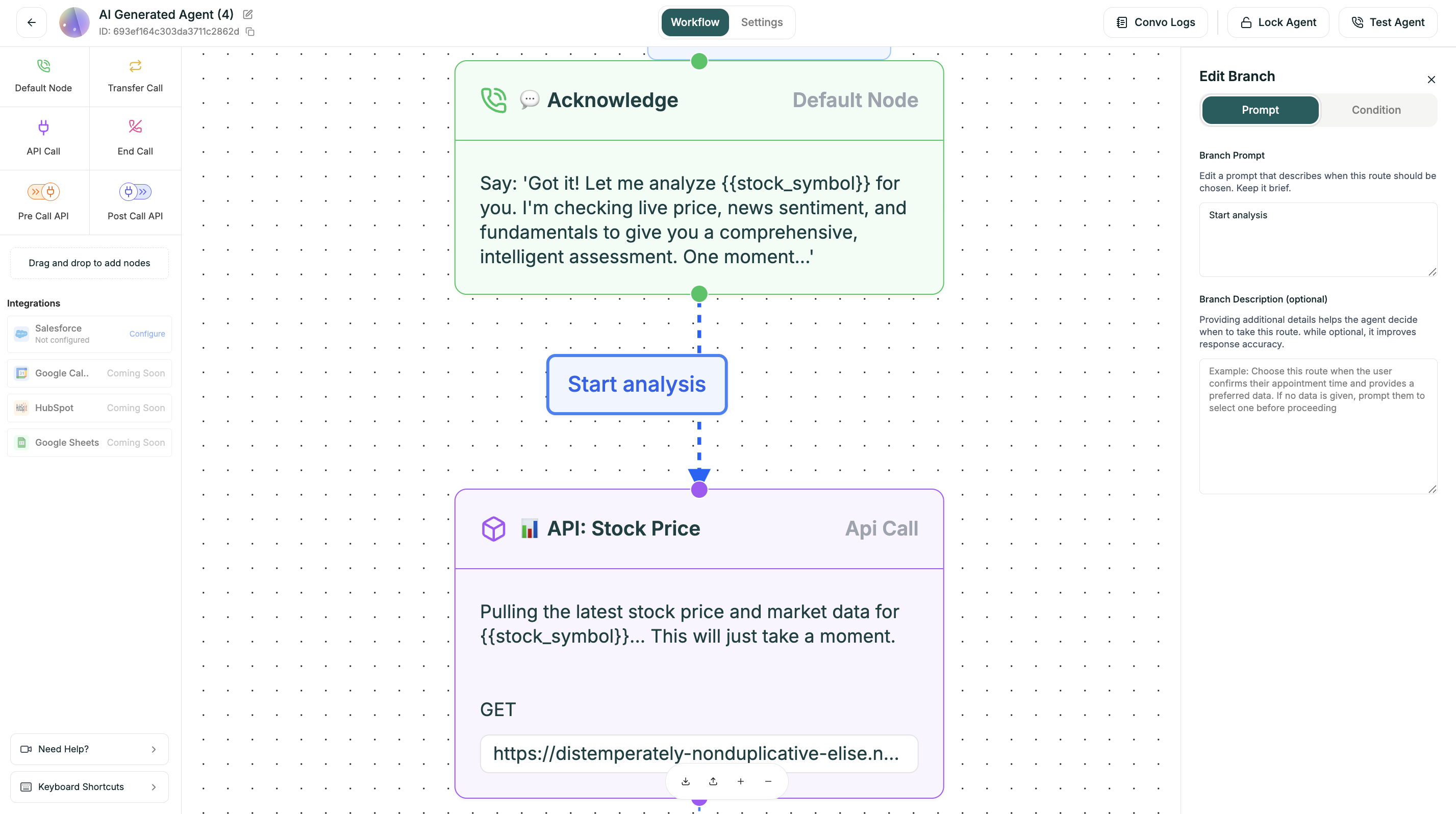
How Branching Works
Configuring Branches
Click any Default node, then click Branching to configure output paths.
Adding a Branch
- Click the Default node you want to branch from
- Click Branching in the configuration panel
- Click + Add Branch
- Configure the condition
- Connect to the target node
Branch Fields
Condition Types
Natural Language
Variable-Based
Compound (AND/OR)
Default/Fallback
Write conditions in plain English. The AI interprets caller intent.
Examples:
Write conditions as if describing the caller’s intent, not their exact words. The AI handles variations automatically.
Branch Order Matters
Conditions are evaluated top to bottom. The first matching condition wins.
Put specific conditions first, fallback last. If “Anything else” is first, it will always match and other conditions will never trigger.
Correct Order:
{{budget}} >= 50000→ Enterprise Path{{budget}} >= 10000→ Professional Path{{budget}} >= 1000→ Starter Path- Anything else → Self-Serve Resources
Incorrect Order:
{{budget}} >= 1000← This catches everything above $1k{{budget}} >= 10000← Never reached{{budget}} >= 50000← Never reached
Real-World Examples
Support Routing
Lead Qualification
Confirmation Flow
API Response Routing
Best Practices
Always include a fallback
No matter how many conditions you define, something unexpected will happen.
Your fallback should:
- Acknowledge the response
- Re-ask the question differently
- Offer options to clarify
Keep conditions mutually exclusive
Avoid overlapping conditions that could both match.
When conditions overlap, the first one wins — which may not be what you want.
Test every branch
It’s easy to forget a branch while testing. Be systematic:
- List all possible paths
- Test each one deliberately
- Try edge cases (silence, gibberish, topic changes)
- Review in Conversation Logs
Limit branch depth
Too many nested branches become impossible to manage.
If your flow is getting too deep:
- Can you combine some branches?
- Should some paths be separate flows?
- Is Single Prompt better for this use case?
Use clear branch labels
Labels appear on the canvas — make them meaningful.
Complex Patterns
Loop Back (Retry)
For scenarios where you need to re-ask:
Avoid infinite loops. Add a counter variable and exit after N attempts. After 2-3 retries, offer to transfer or end gracefully.
Parallel Paths That Merge
Different paths can lead to the same destination:
Guard Rails
Add safety branches for edge cases:
Debugging Branches
When branches don’t work as expected: