

Phone Numbers
Phone Numbers let your agents make and receive real phone calls. Rent numbers directly through Atoms, or import your own via SIP.
Your Numbers
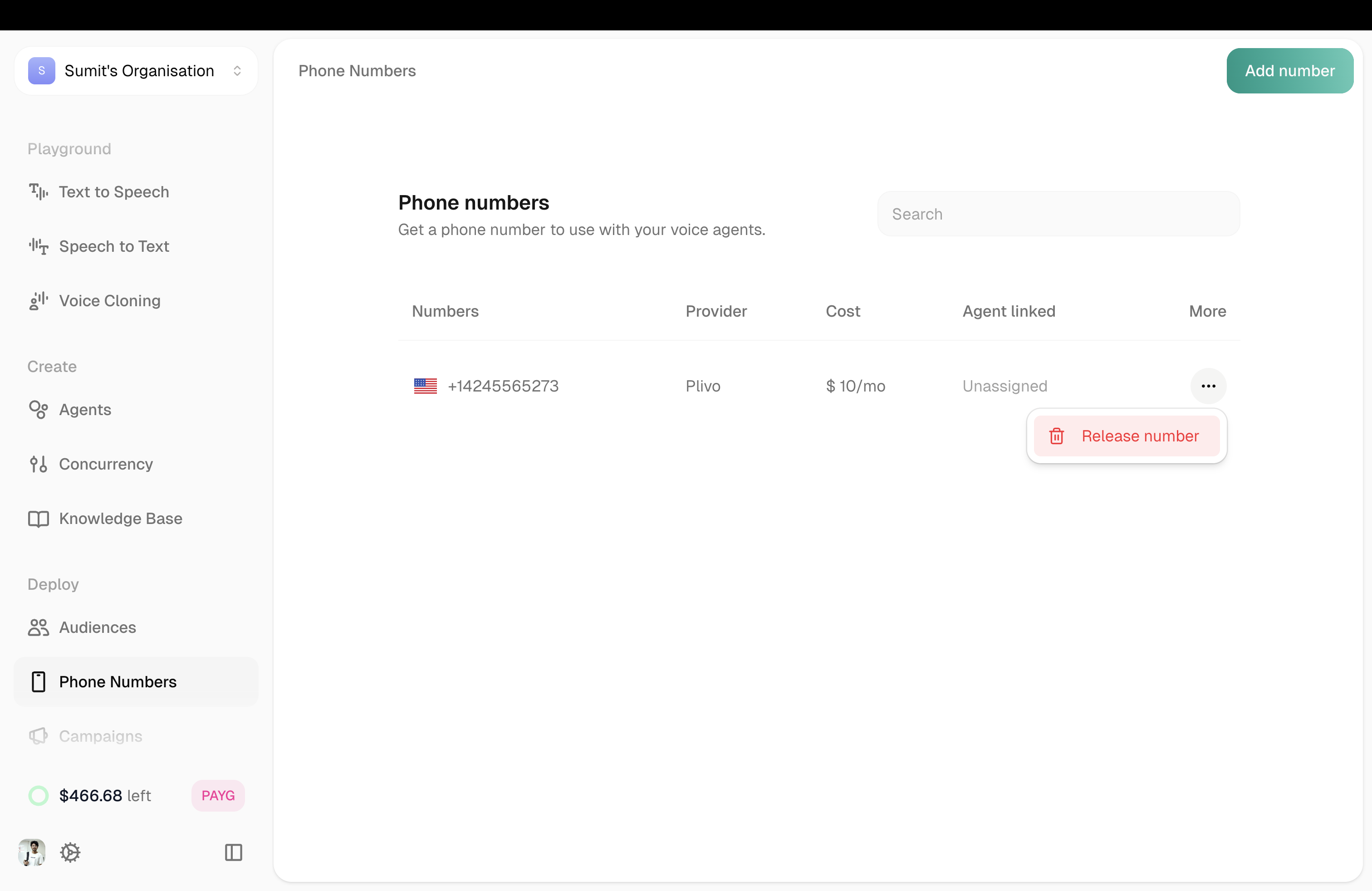
The main view shows all your phone numbers with key details:
Click any number in the list to see its details and manage it.
Adding a Number
Click Add Number in the top right. You have two options:
Rent Number
Import SIP
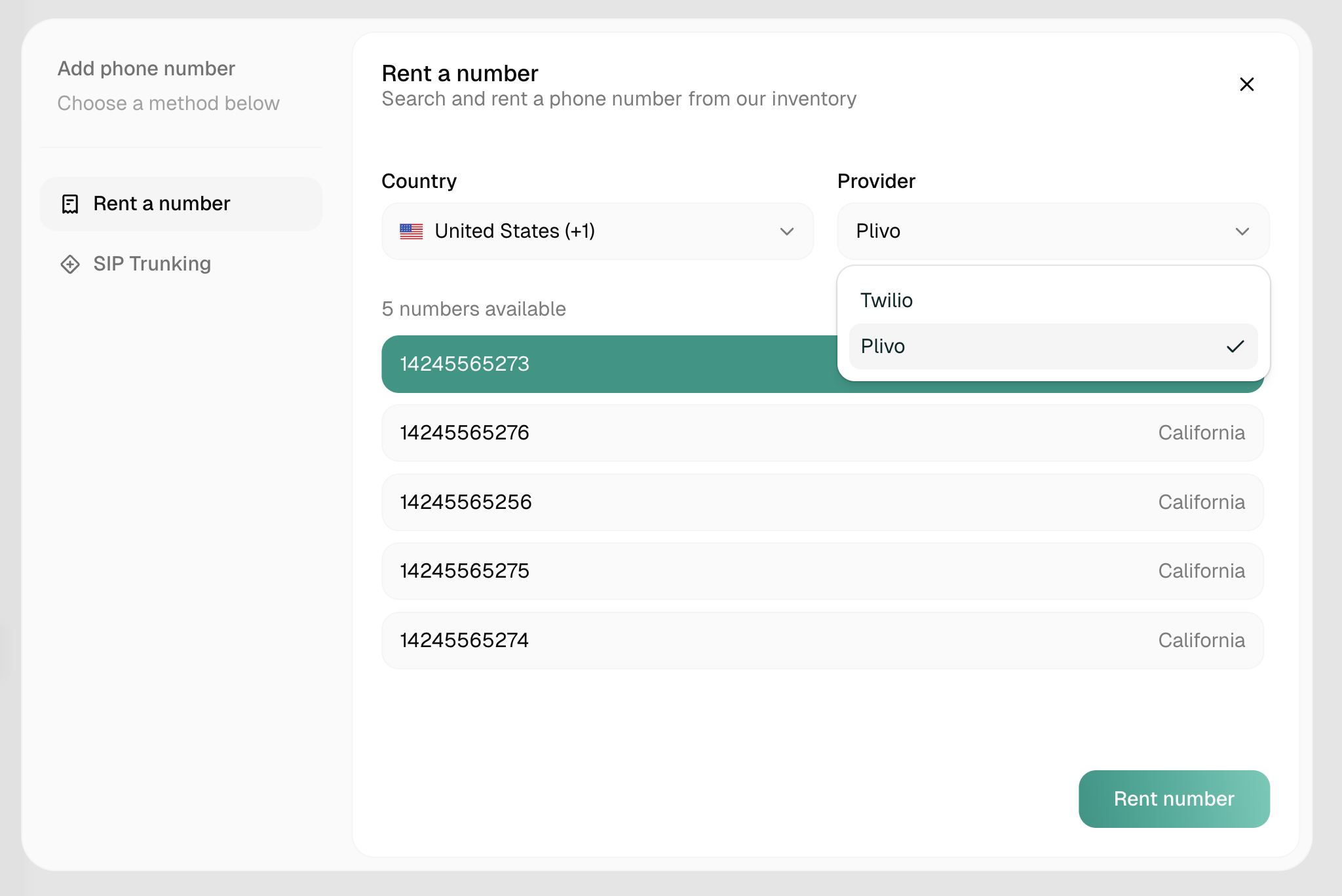
Rent a new phone number directly through Atoms.
- Click Add Number → Rent Number
- Select your country and preferences
- Choose from available numbers
- Complete the rental
For most countries, the number appears in your list immediately, ready to assign to an agent.
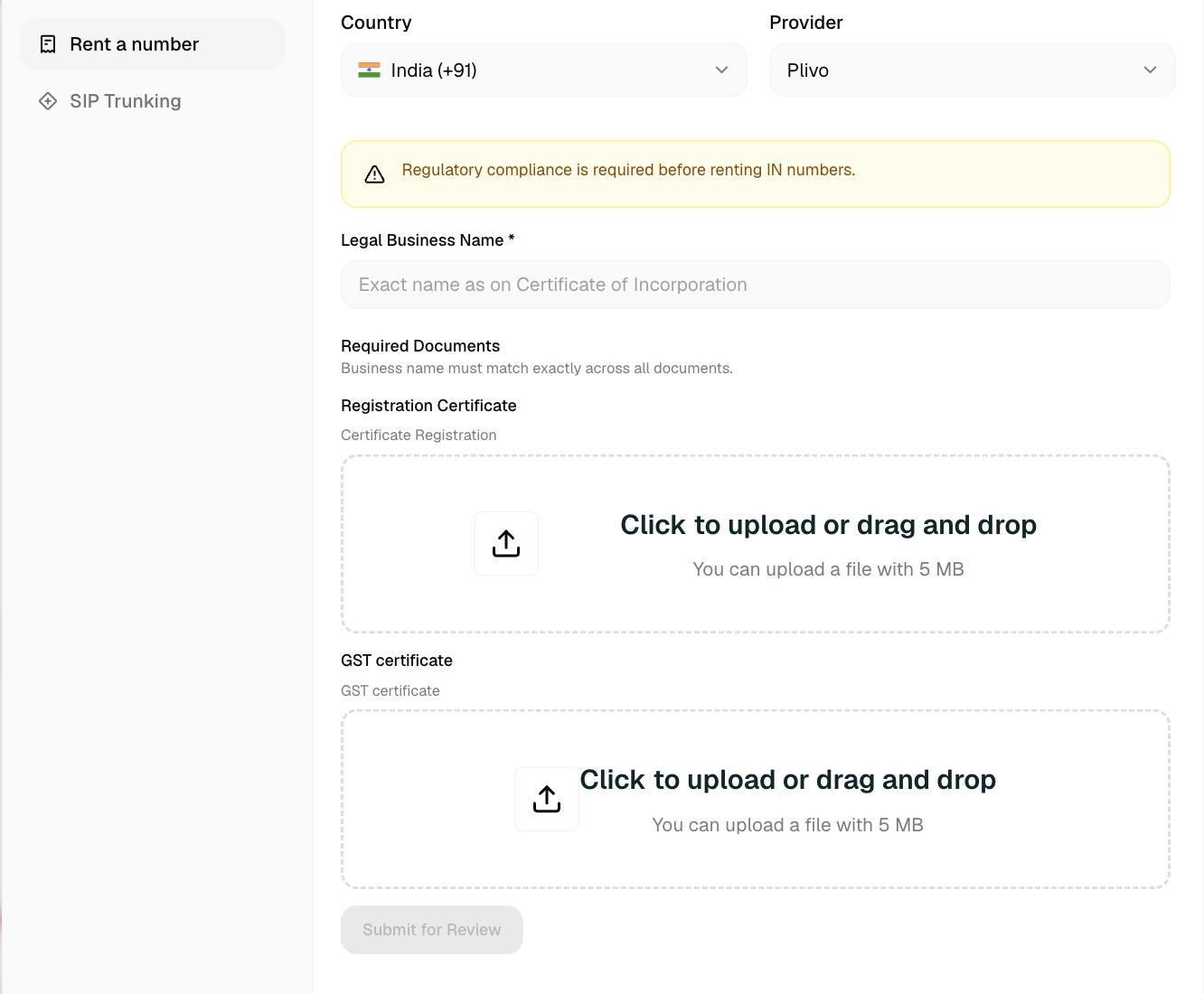
Indian phone numbers require regulatory compliance approval before activation. You may need to submit identity or business documents, such as registration and GST certificates, before the number can be activated.
Assigning to an Agent
Once you have a number, assign it to an agent:
- Open your agent
- Go to Agent Settings → Phone Number tab
- Select the number from the dropdown
- Save
Now calls to that number will be handled by your agent.
Releasing a Number
To stop using a number, click it in the list and click Release.
Releasing a number expires it at the end of the month and cannot be undone. The number cannot be reused.