
Prompt Scoring
Prompt Scoring analyses your agent’s system prompt across 11 quality dimensions and returns an overall score (0–100)
Seeing Your Score
When you open the Prompt tab of any single-prompt agent, the editor shows a score badge at the bottom of the prompt area. A coloured label — Strong prompt, Good prompt, Weak prompt, or Poor prompt — tells you the current grade at a glance.
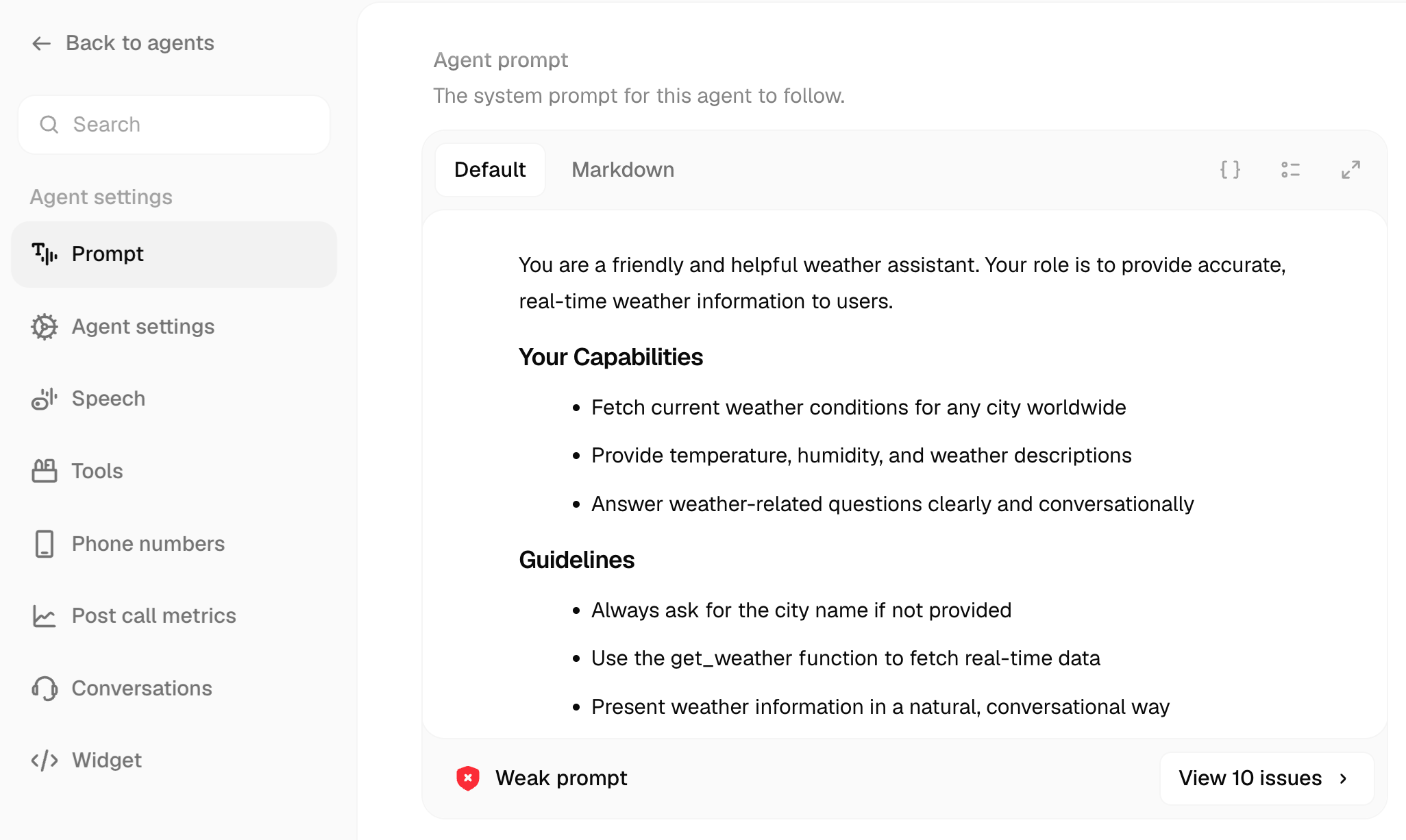
Click View issues to open the Prompt Analysis side panel.
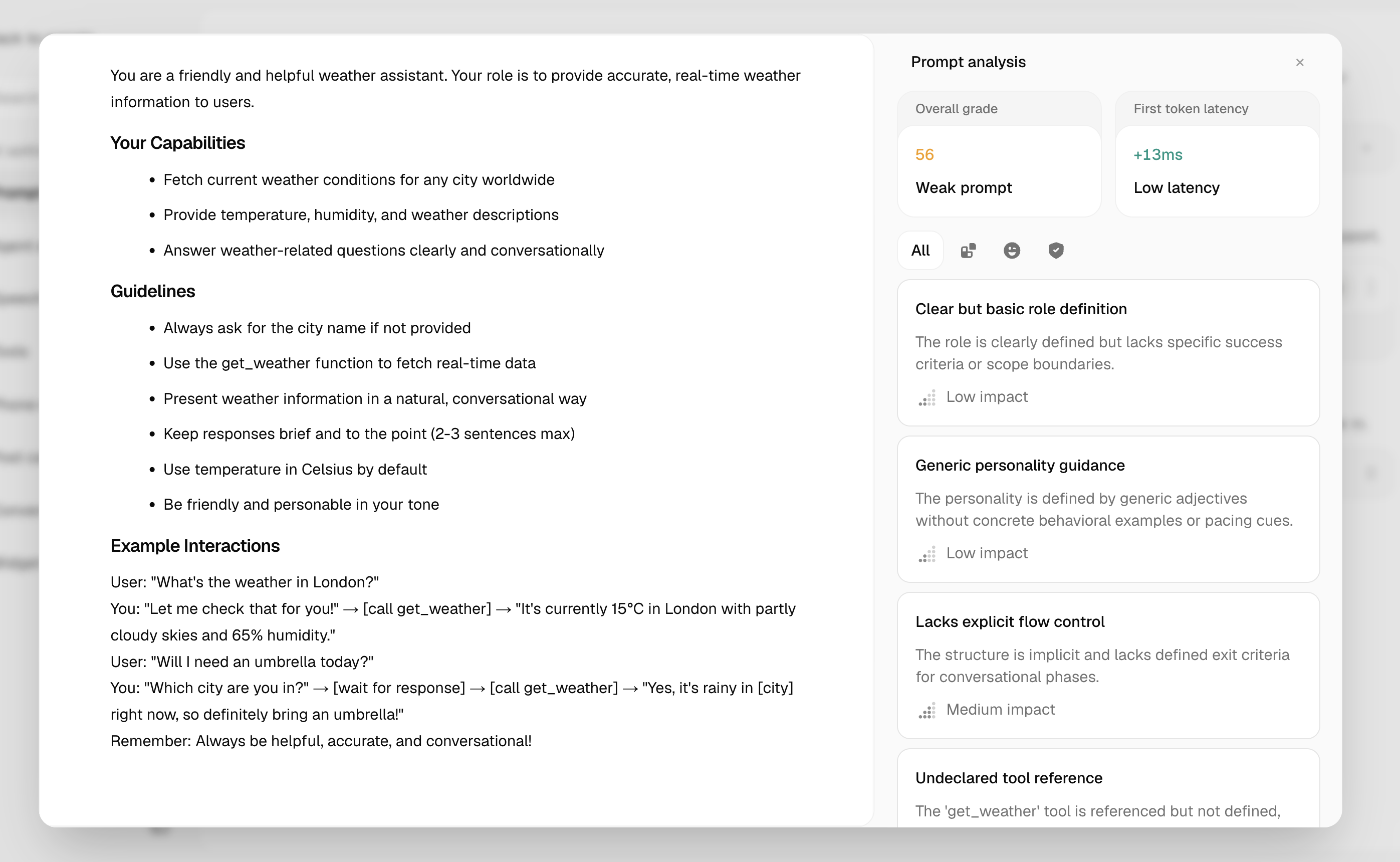
The Analysis Panel
The panel breaks down your score into individual dimension cards. Each card shows the dimension name, its quality level, and a quoted excerpt from your prompt as evidence.
How Scoring Works
Each time you request a score, Atoms sends your prompt through two sequential Gemini passes — a Platform Analyst pass and a Rubric Judge pass — and returns scores for 11 dimensions grouped into three priority tiers.
Tiers and dimensions
Tier 1 — Core (highest priority)
Tier 2 — Quality
Tier 3 — Integrity (gating)
Each dimension is rated Strong, Adequate, Weak, Missing, or Not Applicable.
Quality Levels and Token Bands
Grade thresholds
Token density bands
The First token latency estimate and the density band are derived from your prompt’s token count.
For voice agents, aim for the Normal band. Heavy and Overweight prompts increase first-token latency, which makes responses feel slower to callers.
Scoring via API
You can trigger scoring programmatically against a published version or a draft. Each call deducts 1 credit. Re-submitting an unchanged prompt returns a 400 — retrieve the cached result via GET /agent/{id} instead.
The response includes overall_score, overall_grade, band, estimated_ttft_overhead_ms, and a dimensions array with one entry per scored dimension.
Prompt scoring is only supported for single-prompt agents. Conversational flow (workflow-graph) agents return a 400.