

Campaigns
Campaigns let you reach out to your audiences automatically. Set up an agent, pick an audience, and let Atoms call through your contact list.
Your Campaigns
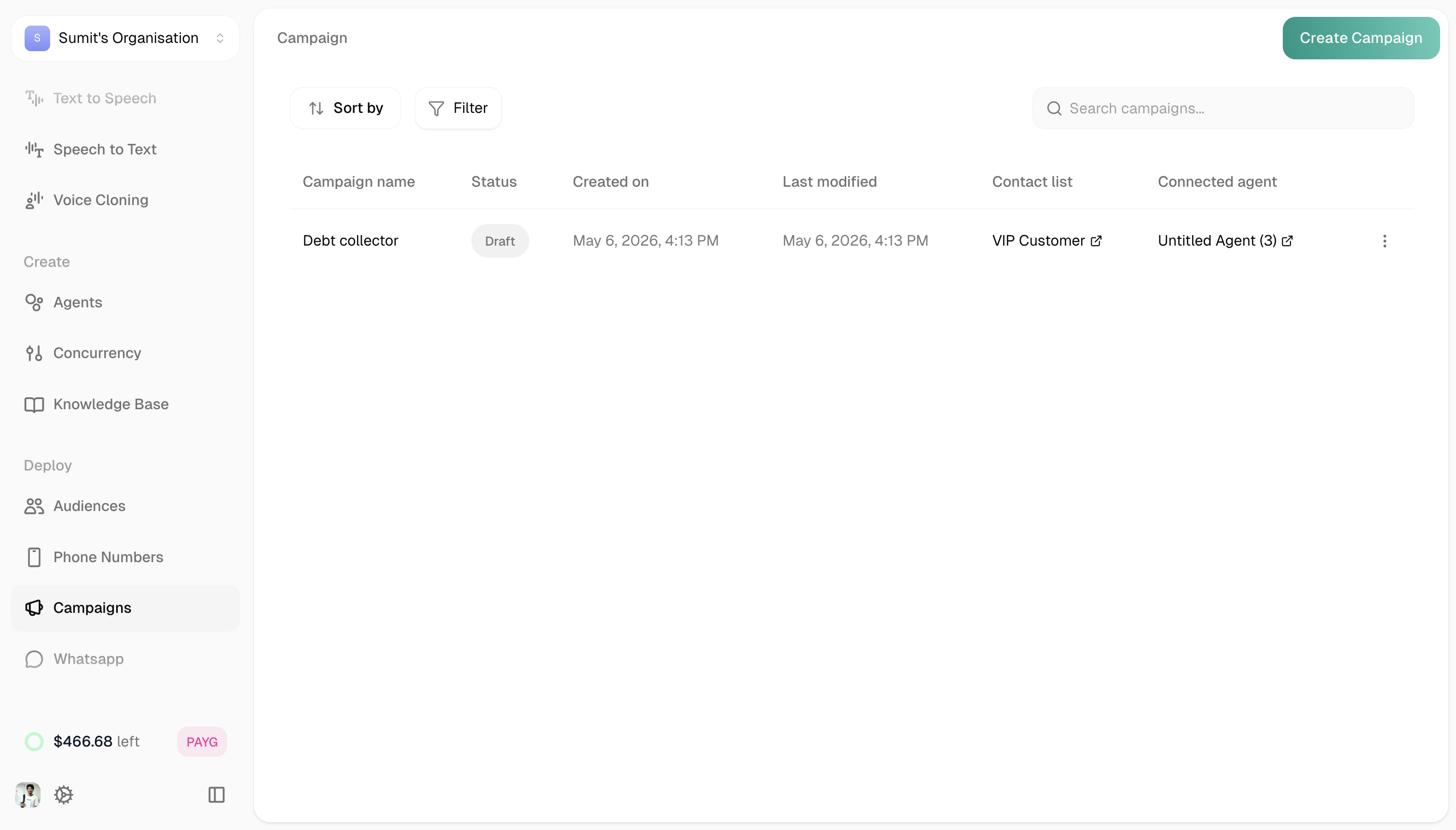
The Campaigns page shows all your outbound calling programs.
Sorting: Created on, Last modified
Filters: All, Draft, Scheduled, Active, Paused, Completed
Creating a Campaign
Click Create Campaign (green button, top right).
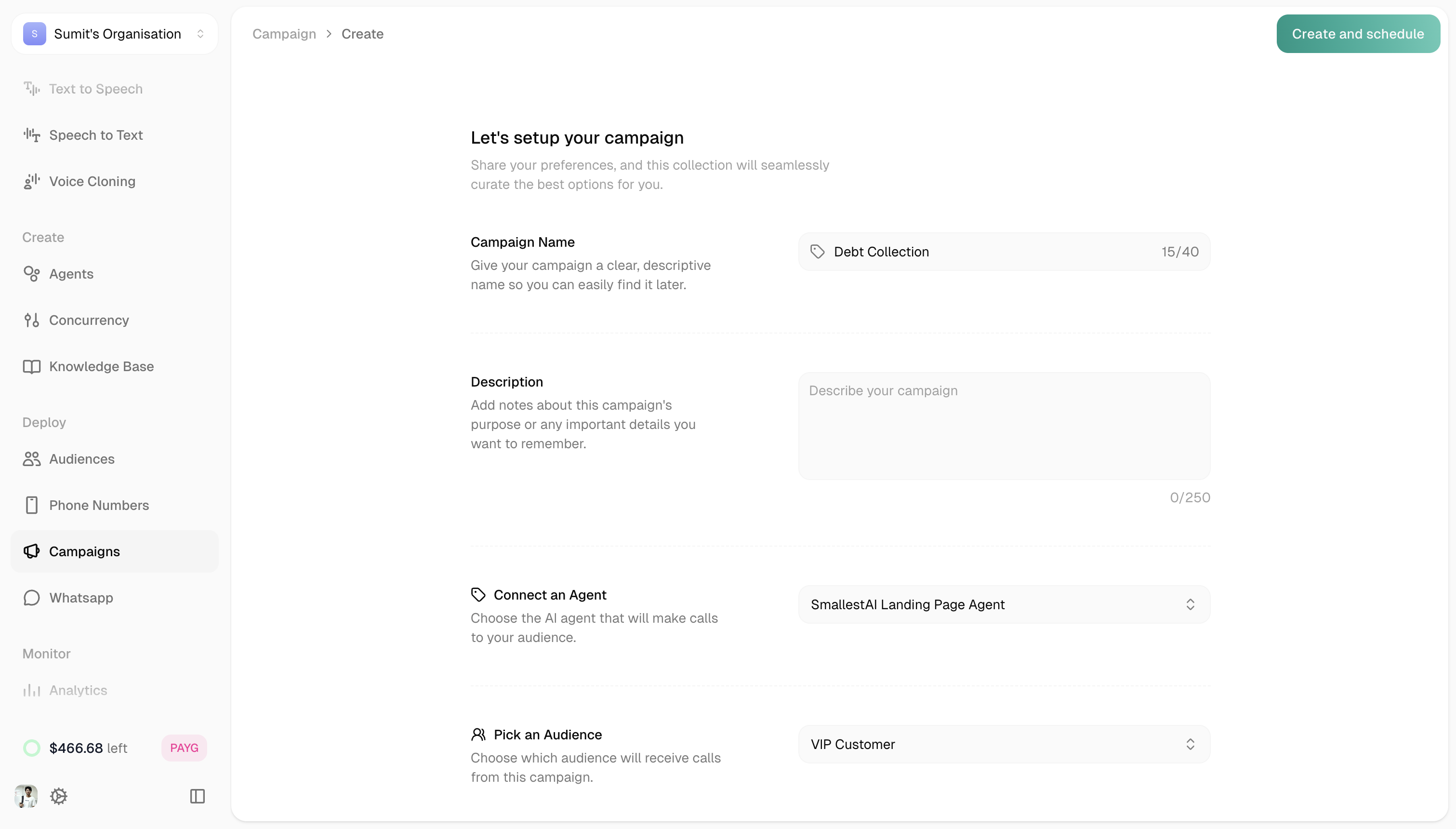
Click Create Campaign when done.
Leave scheduling empty to save as a draft. You can start it manually later.
Campaign Analytics
Click any campaign to view its performance. You’ll see summary cards at the top:
Below that, three tabs show detailed analytics:
Call Logs
Campaign Events
Executions
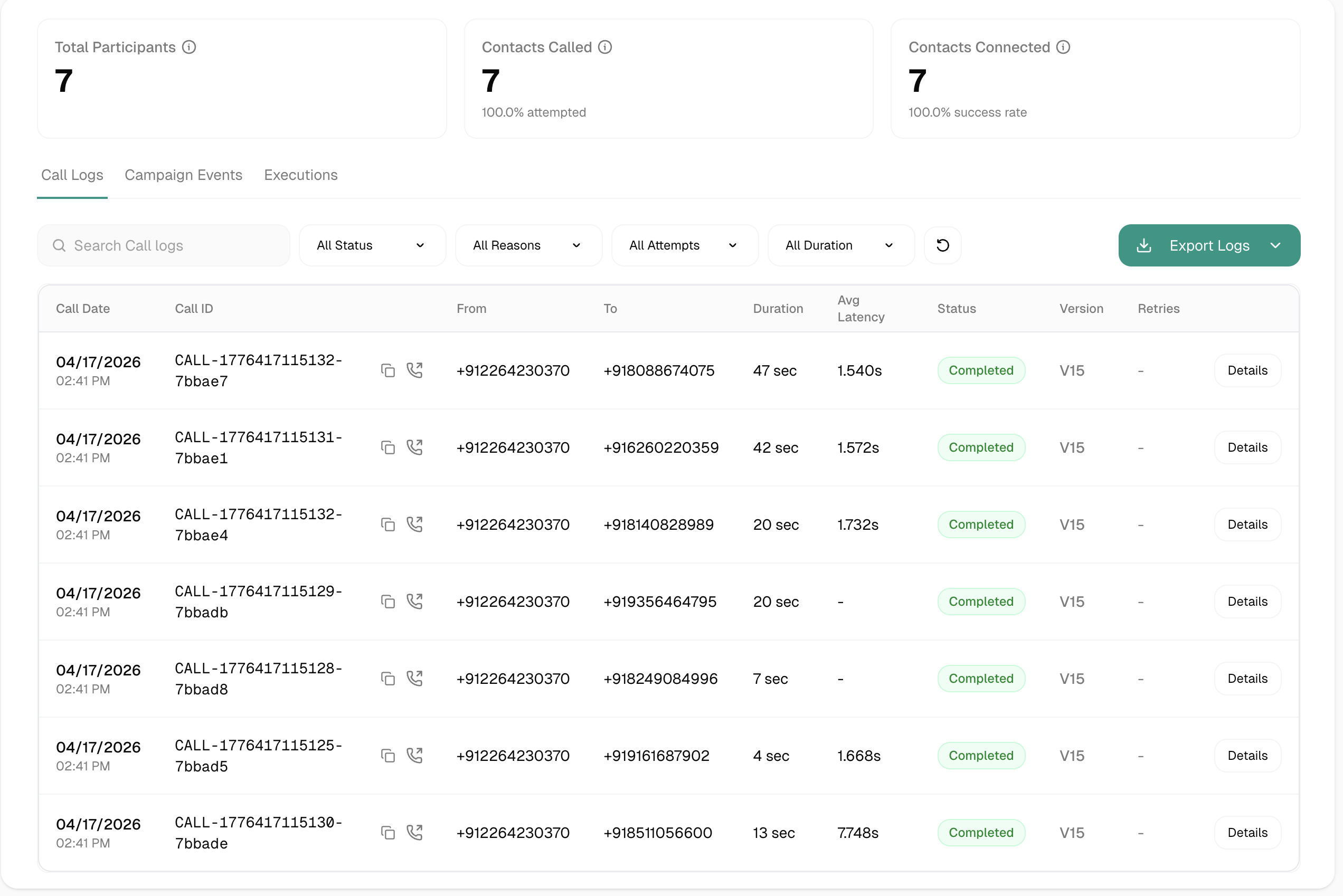
Individual call records for this campaign. Same interface as Conversation Logs—click any call to see the full transcript, events, and metrics.