

For AI agents: a documentation index is available at the root level at /llms.txt and /llms-full.txt. Append /llms.txt to any URL for a page-level index, or .md for the markdown version of any page.
Atoms PlatformProduct OverviewDeveloper GuideAPI ReferenceMCPIntegrationsDeveloper ToolsChangelog
  • Get Started
    • Quick start
    • Platform overview
  • Single Prompt Agents
    • Overview
      • Writing Prompts
      • Model Selection
      • Voice Selection
  • Conversational Flow Agents
    • Overview
  • Features
    • Concurrency
    • Knowledge Base
    • Webhooks
    • Widget
    • Integrations
    • Post-Call Metrics
    • Versioning
    • Variables
    • API Calls
  • Deployment
    • Phone Numbers
    • Audiences
    • Campaigns
  • Analytics & Logs
    • Overview
    • Testing
    • Conversation Logs
    • Locking
  • Integrate
    • Embed a voice agent
    • WebSocket SDK
  • Cookbooks
    • Using Cookbooks
  • Reference
    • Quick Reference
    • Glossary
  • Troubleshooting
    • Error reference
    • FAQ
    • Getting Help
LogoLogo
Voice AgentsModels
Voice AgentsModels
On this page
  • Finding the Right Voice
  • Related Settings
Single Prompt AgentsPrompt Section

Voice Selection

||View as Markdown|
Was this page helpful?
Previous

Model Selection

Next

End Call

Built with

Your agent’s voice is often the first thing callers notice. It sets the tone before a single word of your prompt matters. A voice that fits your brand builds immediate trust — one that doesn’t can undermine even the best conversation design.

Location: Prompt Section (top bar) → Voice dropdown
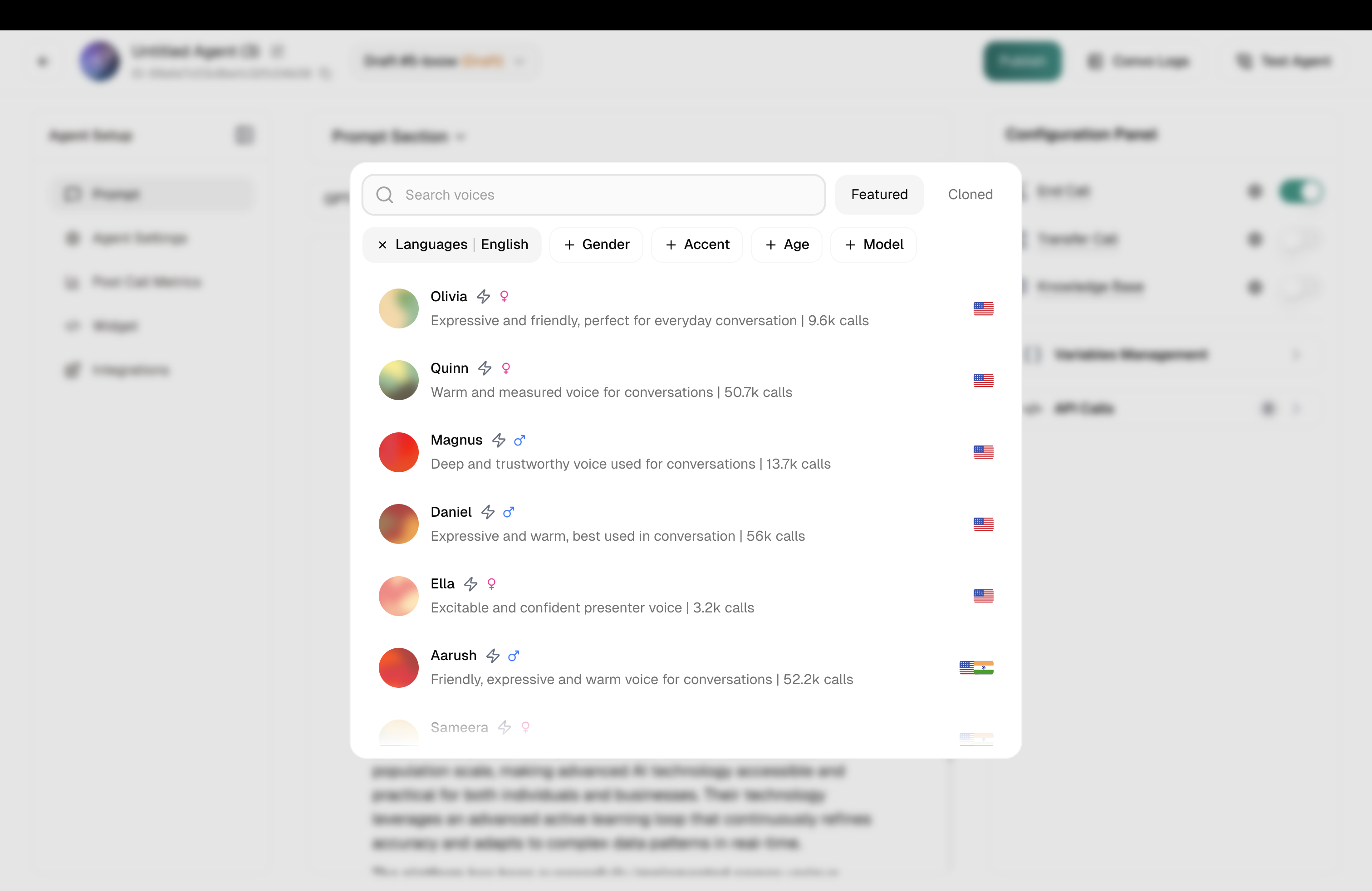
Voice picker

The Voice Picker

Finding the Right Voice

Click the Voice dropdown to open the picker. You’ll see:

SectionWhat it does
SearchFind voices by name or characteristic
FiltersNarrow by language, accent, age, gender, or model type
Currently UsedYour selected voice at the top
All VoicesThe full library to browse

Take your time here. Filter by the language you need, then explore. Every voice has a personality — some are warm and reassuring, others confident and direct.

Always preview. Click the ▶️ button next to any voice to hear a sample. Listen with your prompt in mind — does this voice sound like the agent you’ve written?


Related Settings

Voice Settings

Speed, pronunciation & turn-taking

Language Selection

Set the primary language