***
title: Phone Numbers
sidebarTitle: Phone Numbers
description: Get and manage phone numbers for your agents.
----------------------------------------------------------
Phone Numbers let your agents make and receive real phone calls. Rent numbers directly through Atoms, or import your own via SIP.
***
## Your Numbers
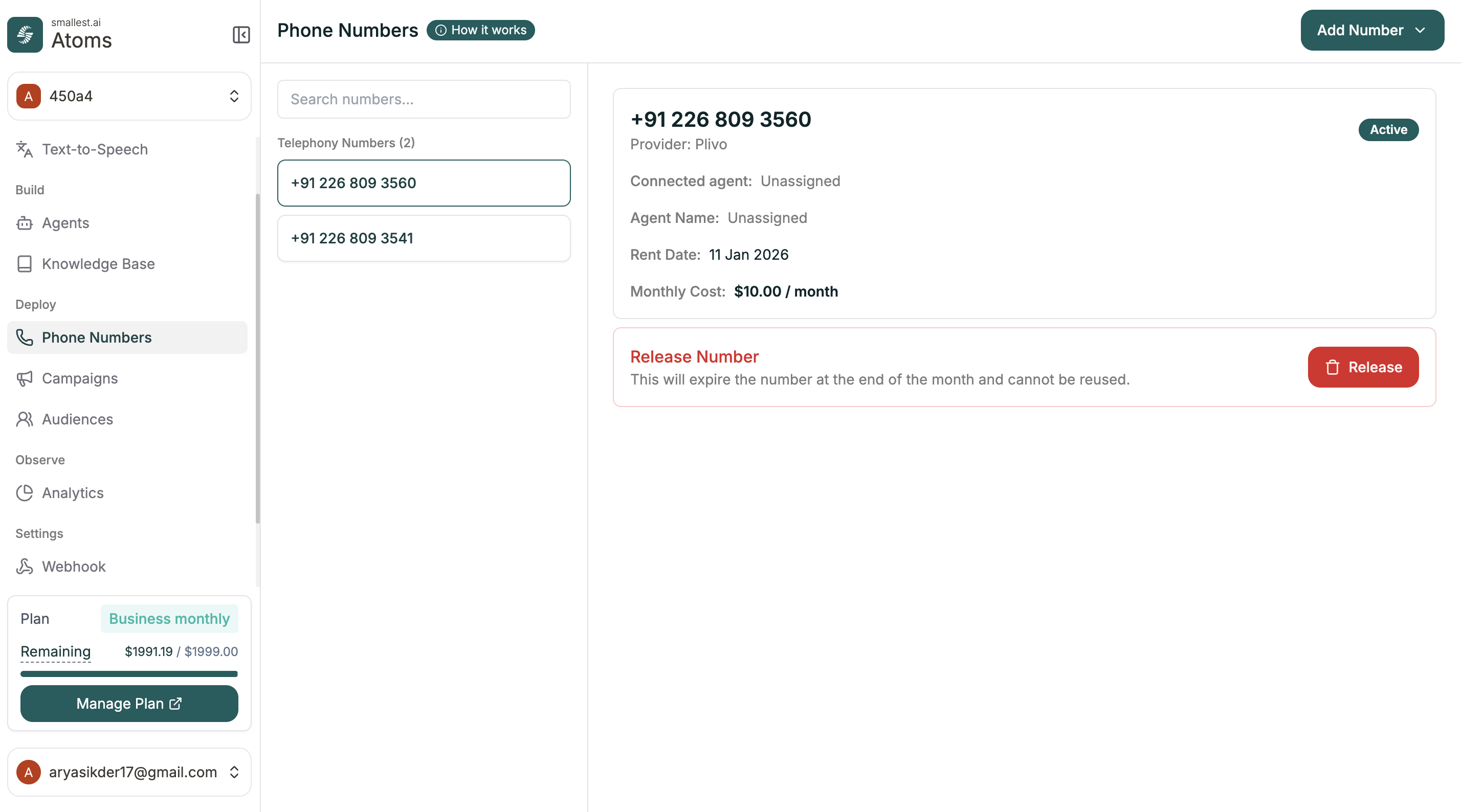 The main view shows all your phone numbers with key details:
| Field | Description |
| ------------------- | -------------------------------- |
| **Number** | The phone number |
| **Provider** | Telephony provider (e.g., Plivo) |
| **Connected Agent** | Which agent is assigned |
| **Agent Name** | Name of the connected agent |
| **Rent Date** | When you acquired the number |
| **Monthly Cost** | Recurring cost |
| **Status** | Active or inactive |
Click any number in the list to see its details and manage it.
***
## Adding a Number
Click **Add Number** in the top right. You have two options:
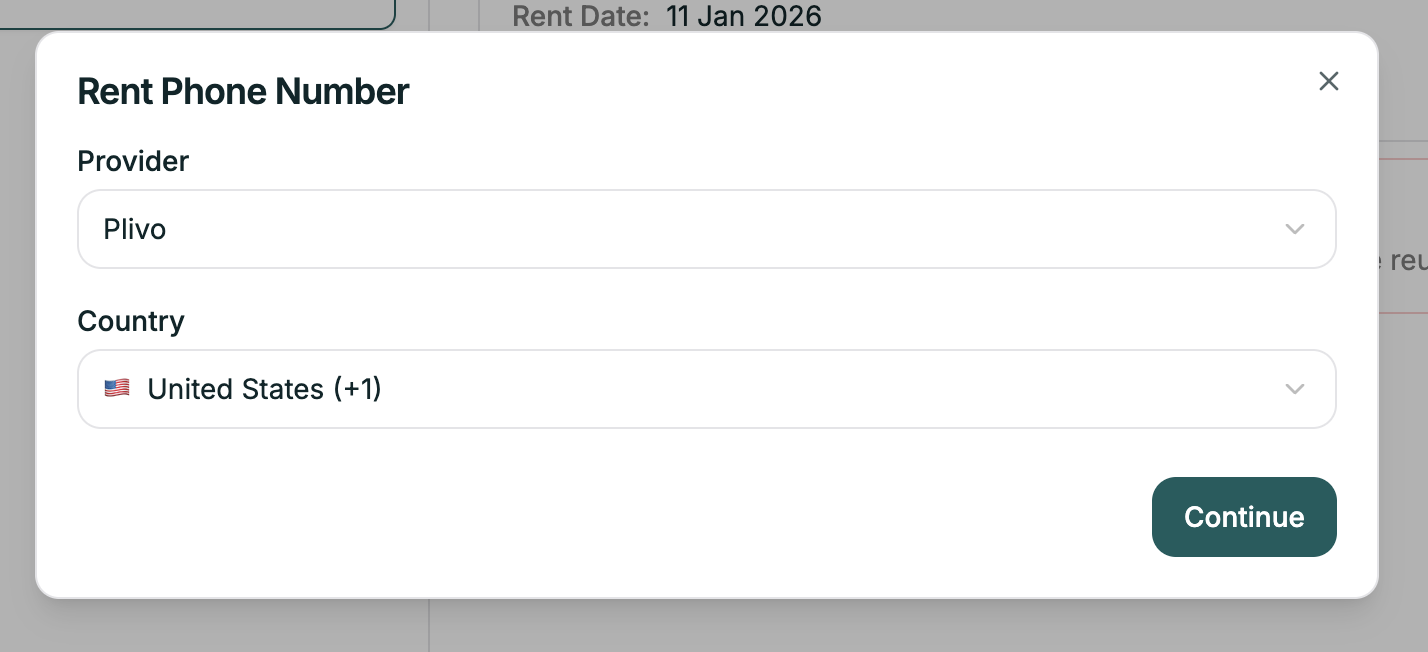
Rent a new phone number directly through Atoms.
1. Click **Add Number** → **Rent Number**
2. Select your country and preferences
3. Choose from available numbers
4. Complete the rental
The number appears in your list immediately, ready to assign to an agent.
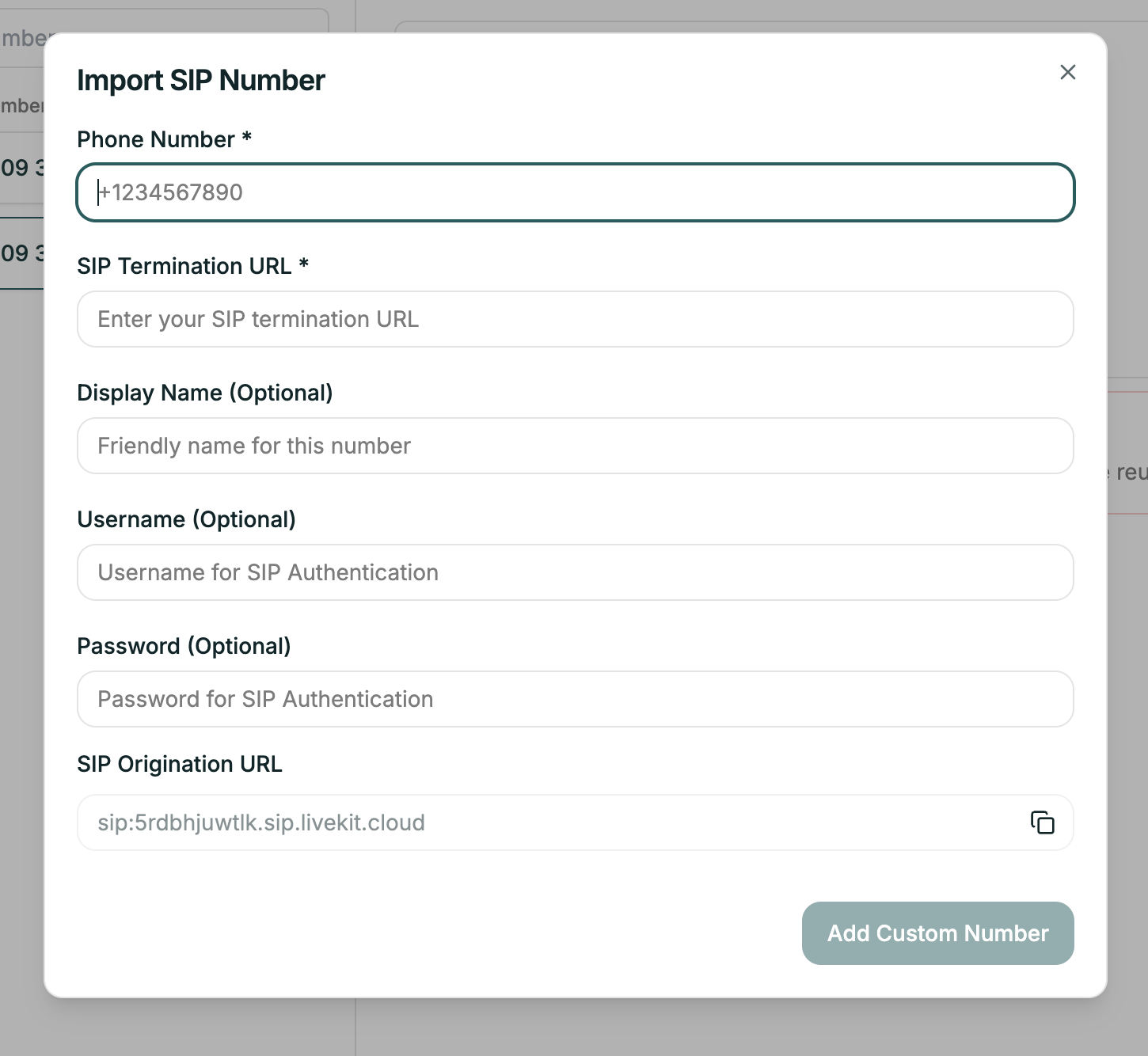
Bring your own number via SIP trunking.
| Field | Required | Description |
| ----------------------- | -------- | ---------------------------------------------- |
| **Phone Number** | Yes | Your existing number |
| **SIP Termination URL** | Yes | Where to send calls |
| **Display Name** | No | Friendly name for the number |
| **Username** | No | For SIP authentication |
| **Password** | No | For SIP authentication |
| **SIP Origination URL** | — | Provided by Atoms (copy this to your provider) |
Click **Add Custom Number** when done.
***
## Assigning to an Agent
Once you have a number, assign it to an agent:
1. Open your agent
2. Go to **Agent Settings** → **Phone Number** tab
3. Select the number from the dropdown
4. Save
Now calls to that number will be handled by your agent.
***
## Releasing a Number
To stop using a number, click it in the list and click **Release**.
Releasing a number expires it at the end of the month and **cannot be undone**. The number cannot be reused.
***
## Related
Manage contact lists for campaigns
Use numbers for outbound calling
The main view shows all your phone numbers with key details:
| Field | Description |
| ------------------- | -------------------------------- |
| **Number** | The phone number |
| **Provider** | Telephony provider (e.g., Plivo) |
| **Connected Agent** | Which agent is assigned |
| **Agent Name** | Name of the connected agent |
| **Rent Date** | When you acquired the number |
| **Monthly Cost** | Recurring cost |
| **Status** | Active or inactive |
Click any number in the list to see its details and manage it.
***
## Adding a Number
Click **Add Number** in the top right. You have two options:

Rent a new phone number directly through Atoms.
1. Click **Add Number** → **Rent Number**
2. Select your country and preferences
3. Choose from available numbers
4. Complete the rental
The number appears in your list immediately, ready to assign to an agent.

Bring your own number via SIP trunking.
| Field | Required | Description |
| ----------------------- | -------- | ---------------------------------------------- |
| **Phone Number** | Yes | Your existing number |
| **SIP Termination URL** | Yes | Where to send calls |
| **Display Name** | No | Friendly name for the number |
| **Username** | No | For SIP authentication |
| **Password** | No | For SIP authentication |
| **SIP Origination URL** | — | Provided by Atoms (copy this to your provider) |
Click **Add Custom Number** when done.
***
## Assigning to an Agent
Once you have a number, assign it to an agent:
1. Open your agent
2. Go to **Agent Settings** → **Phone Number** tab
3. Select the number from the dropdown
4. Save
Now calls to that number will be handled by your agent.
***
## Releasing a Number
To stop using a number, click it in the list and click **Release**.
Releasing a number expires it at the end of the month and **cannot be undone**. The number cannot be reused.
***
## Related
Manage contact lists for campaigns
Use numbers for outbound calling