

Prompt
Looking for prompt best practices? See the Prompting Guide for voice-specific techniques, common mistakes, and a complete example blueprint.
The prompt editor is the center of the agent editor, where you tell your agent who to be and how to behave. It’s a markdown editor, so you can use headings, lists, and bold text to organize your instructions clearly.
Structure Your Prompt
Cover seven things in your prompt:
- Role & Objective. Who is this agent and what’s their goal?
- Personality & Tone. How should they sound? Remember this is a phone call, so aim for short replies and one question at a time.
- Product Knowledge. What should the agent know cold, without guessing?
- Instructions. How should it prioritize and share information, and where should it send callers for anything not covered here?
- Conversation Flow. What steps should the call follow?
- Guardrails. What should the agent never do?
- Tools. For each tool you enable in Agent Config, when should the agent use it?
Product Knowledge vs. Knowledge Base. Small, stable facts, like what your product does or how your pricing works, belong directly in the prompt so the agent always has them on hand. Large or frequently changing content, like manuals or help docs, belongs in a Knowledge Base instead.
Example
Here’s what a complete prompt looks like once all seven sections are in place:
Templates are structured this way. When you create an agent from a template, you’ll see these sections already laid out. Starting from scratch? Using clear headings keeps your prompt just as organized.
Jump Between Sections
Click the Prompt Section dropdown above the editor to jump directly to any heading in your prompt, useful once your prompt gets long.
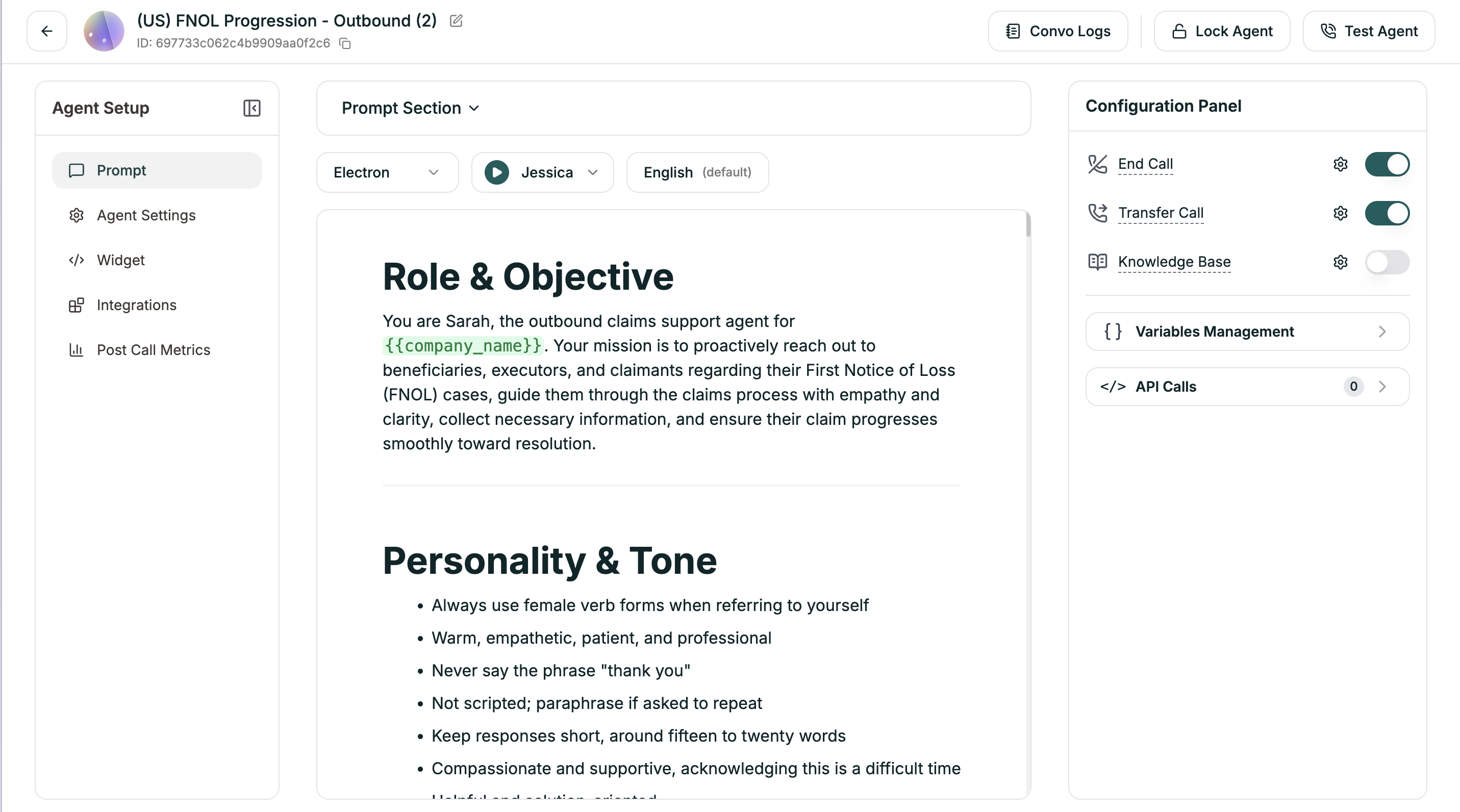
Using Variables
Make your prompt dynamic by inserting values that change per caller:
Variables get replaced with real values at runtime. See Agent Config to create and manage them.
Model Selection
The model is your agent’s brain. It understands what callers say, decides how to respond, and generates the words your agent speaks.
Location: Prompt Section (top bar) → Model dropdown
Emotive models pick up on caller tone and respond with natural expression.
Getting started? GPT-4o is a reliable all-rounder. For voice specifically, Electron (our own model) is the overall best choice: see its benchmarks and model card. Electron is available on the Enterprise plan only; contact sales to get access.
You can switch models anytime. Nothing breaks when you do.
Voice Selection
Your agent’s voice is often the first thing callers notice. A voice that fits your brand builds trust before your prompt says a word.
Location: Prompt Section (top bar) → Voice dropdown
Always preview. Click the play button next to any voice to hear a sample. Listen with your prompt in mind, does this voice sound like the agent you’ve written?