

Overview
Tools are reusable, org-level resources. Instead of rebuilding the same API call inside every agent, you create it once in the Tools library and reference it from as many agents as you like. Edit the library tool once and every agent that references it updates.
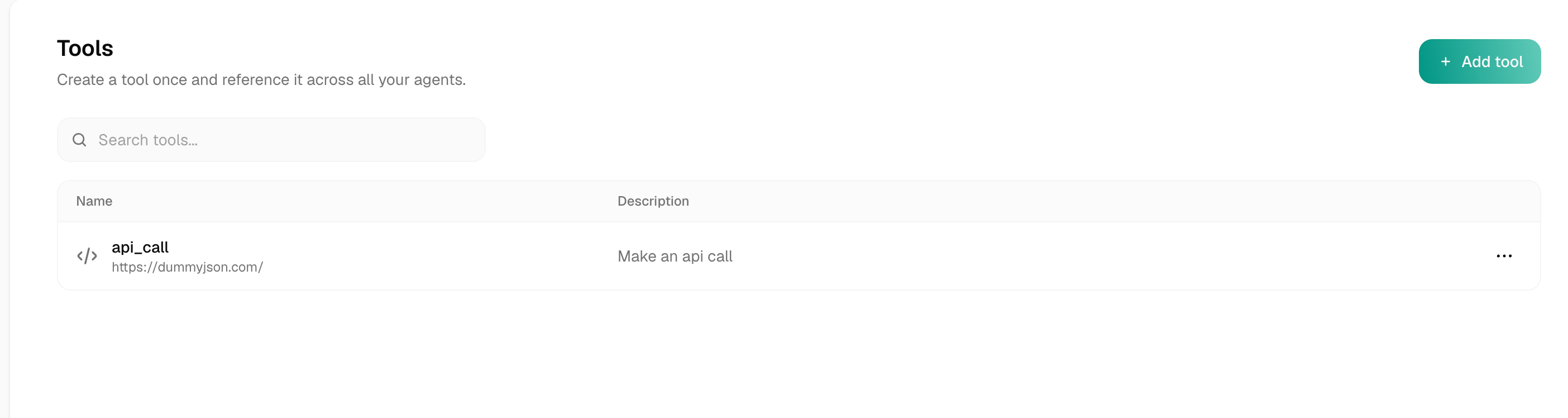
Where it lives
Open Tools from the left sidebar (the </> icon). This is org-scoped: every tool here is available to every agent in your workspace. The list is searchable and sortable; a tool with a name that clashes with another is flagged with a duplicate name chip.
Create, reference, edit
Create a tool once
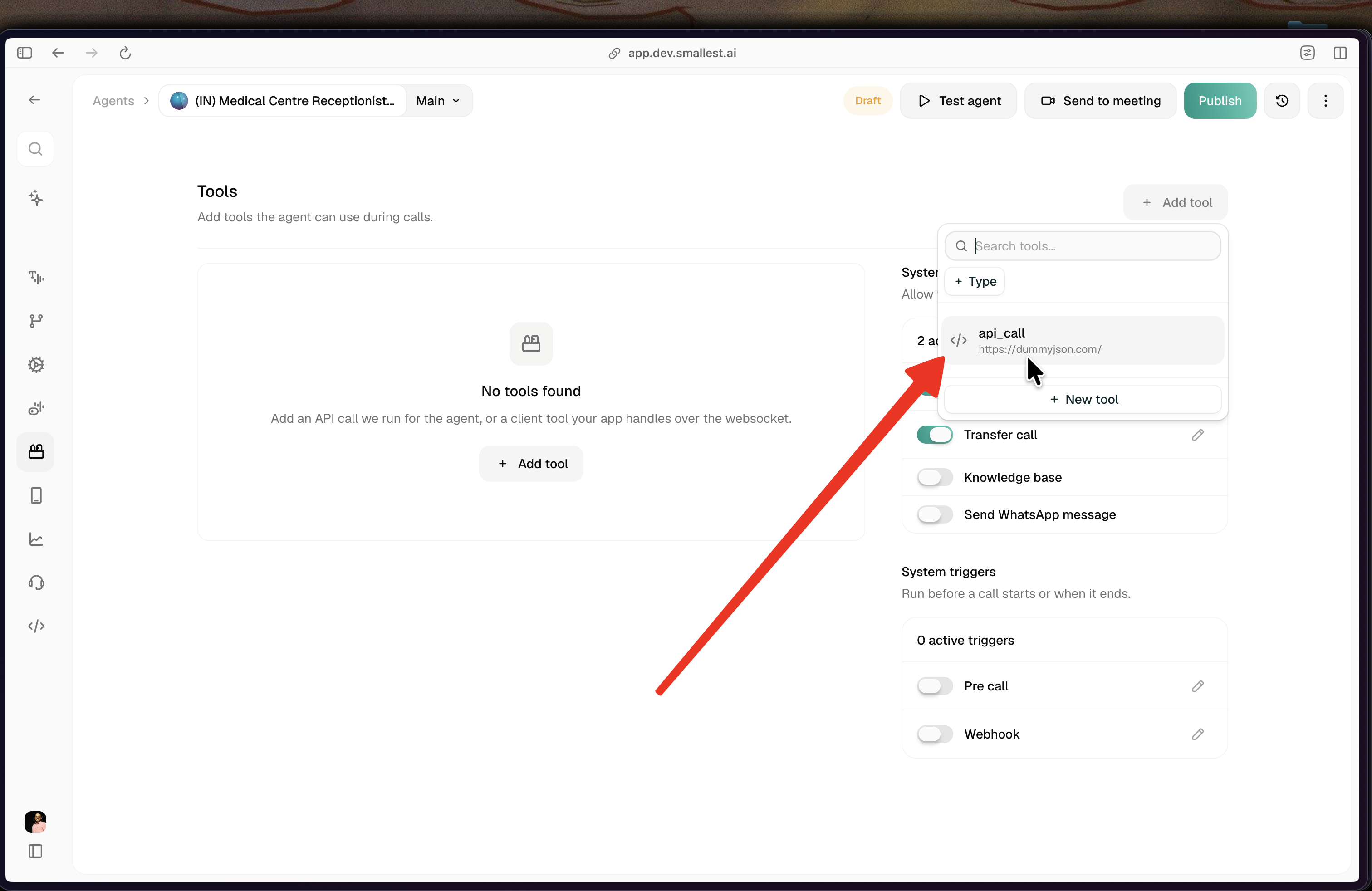
Click Add tool and pick a type — API tool (calls your API) or Client tool (runs in your app over the websocket). Configure it and save. It now lives in the library. See API tool and Client tools for the builders.
One tool, one shared state
A referenced tool is a single shared record — agents point at it by id, they don’t hold copies. So an edit to that tool applies everywhere it’s referenced, no matter where you make the edit:
- Editing it on the Tools library page updates it for every agent that references it.
- Editing an imported tool from inside an agent edits that same shared record too — so the change also lands on the library tool and on every other agent referencing it, not just the agent you’re in.
There is no per-agent copy of a referenced tool. If you want one agent to use a different version, duplicate the tool (creating a separate library tool with its own id) and reference the copy, or keep a legacy inline tool on that agent. Otherwise every edit is global.
Creating a tool inside an agent
Creating a tool from within an agent (Add tool → New tool) now writes it to the org library and references it on that agent — it is no longer an agent-only copy. Import attaches an existing library tool by reference.
Agents built before this change keep any inline tools they already had. Those legacy inline tools still render and edit in place, so nothing breaks — they simply aren’t in the library.
Tell the agent to use the tool
Adding or referencing a tool makes it available, it does not make the agent use it. The agent only calls a tool when its prompt tells it to. In the agent’s prompt, describe each tool’s purpose and when to trigger it, for example: “When the caller asks about an order, call get_order_status with their order number.” Without that, a well-configured tool may never fire.
Deleting a tool
A tool that is referenced by one or more agents can’t be deleted until you remove it from those agents first — the delete is blocked with a message telling you how many agents still use it. This prevents silently breaking a live agent.