
Speech Settings
Tune how your agent speaks and listens - pacing, background sound, interruptions, and how it handles noisy or unclear audio.
The Speech tab (left sidebar, in the agent editor) controls everything about the audio side of a call: how the voice sounds, when the agent lets the caller interrupt it, and how it reacts to background noise or speech it couldn’t understand.
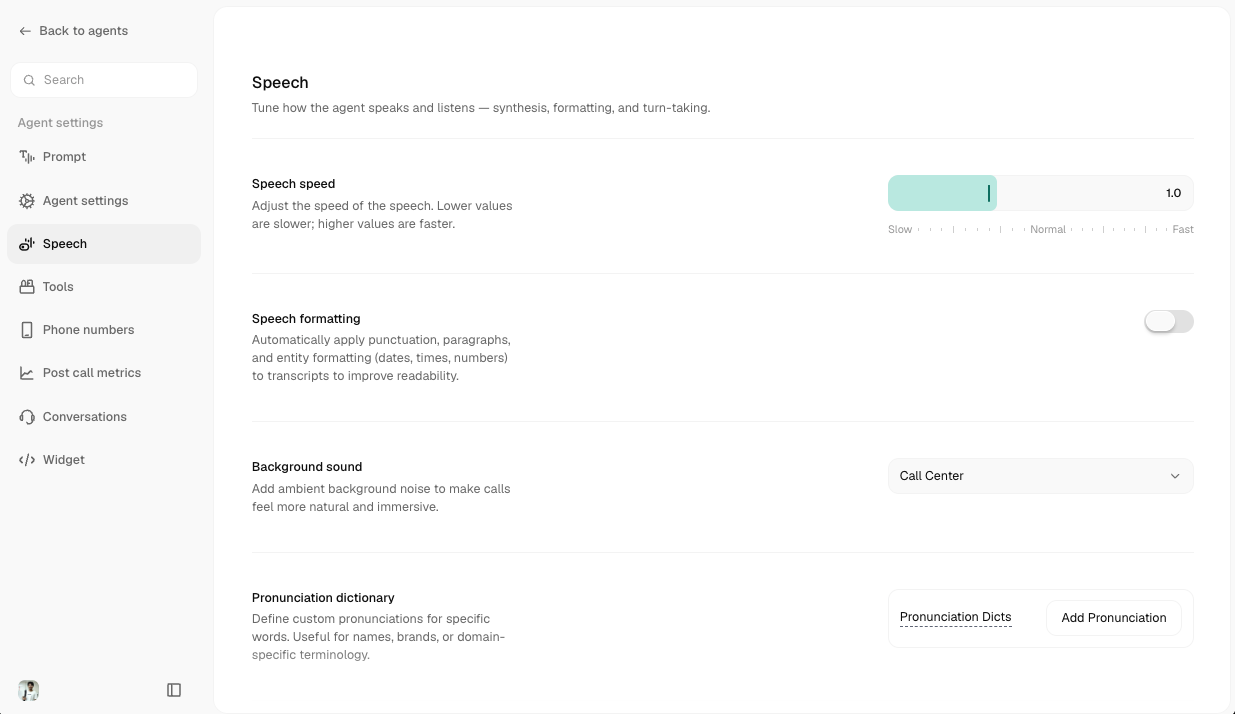
Not every field below shows up for every agent. Several depend on the voice engine and model you’ve picked on the Prompt tab, sliders like Voice Consistency, Similarity, and Enhancement only appear for engines that support them, and Voice Detection / Smart Turn Detection are hidden entirely for realtime voice models, since those handle audio end-to-end on their own.
Voice
Speech Formatting only works for agents whose default language is English or Hindi, it’s hidden or disabled otherwise. The same restriction applies to Smart Turn Detection, below.
Pronunciation Dictionary
Fix words the default voice mispronounces, names, brands, or domain-specific terms.
Click Add Pronunciation and fill in two fields:
There’s no phonetic-alphabet requirement, type it however reads naturally (e.g. Cerebras → sir-EE-brass). Entries show up as removable chips, and you can edit or delete them any time.
The voice itself, and the language(s) your agent speaks, are chosen on the Prompt tab, not here. The Speech tab only tunes how that chosen voice behaves.
Turn-Taking & Interruptions
Controls for when the agent lets the caller speak, and when it lets itself be interrupted.
Mute User Until First Bot Response and Wait for User to Speak First are mutually exclusive, turning the second one on automatically turns the first off.
Enabling Smart Turn Detection reveals a Wait Time slider (1-10s, default 3s): how long the agent waits when it’s not confident the caller has finished, before responding anyway.
Listening
How the agent filters and interprets incoming audio before it ever reaches the language model.
Voice Detection
Tunes how confidently the system decides “this sound is the caller speaking.” Shown only for non-realtime models.
Pushing Confidence or Min Volume to the extremes (below 0.1 or above 0.9) can make the agent miss the caller entirely, or trigger on background noise.
Customizing the 'please repeat' response
When Handle Unrecognised Speech is on, you can optionally write your own responses for when the agent can’t understand the caller (e.g. “Sorry, could you repeat that?”). Leave it empty to use Atoms’ built-in, language-aware responses, that’s the recommended default. Duplicate responses aren’t allowed, and clearing a response’s text deletes it.
Voicemail
Privacy
Enabling PII Redaction may affect transcript completeness for QA purposes.