
Phone Numbers for AI Voice Agents
Give your voice agent a real phone number: rent one through Smallest AI or connect your own via SIP.
Phone Numbers let your agents make and receive real phone calls. Rent numbers directly through the platform, or import your own via SIP.
Your Numbers
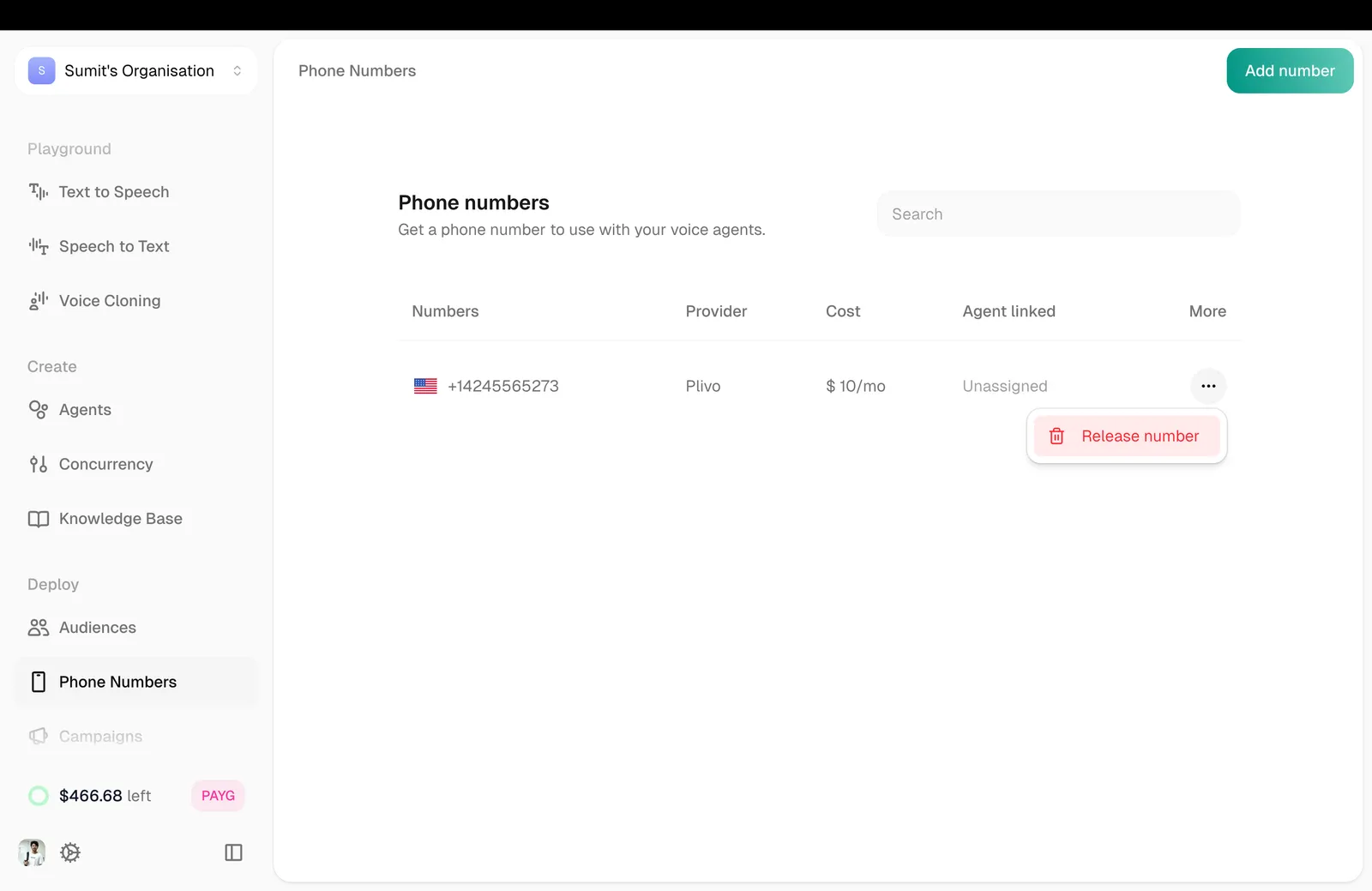
The main view shows all your phone numbers with key details:
Click any number in the list to see its details and manage it.
Adding a Number
Click Add Number in the top right. You have two options:
Rent Number
Bring your own (SIP)
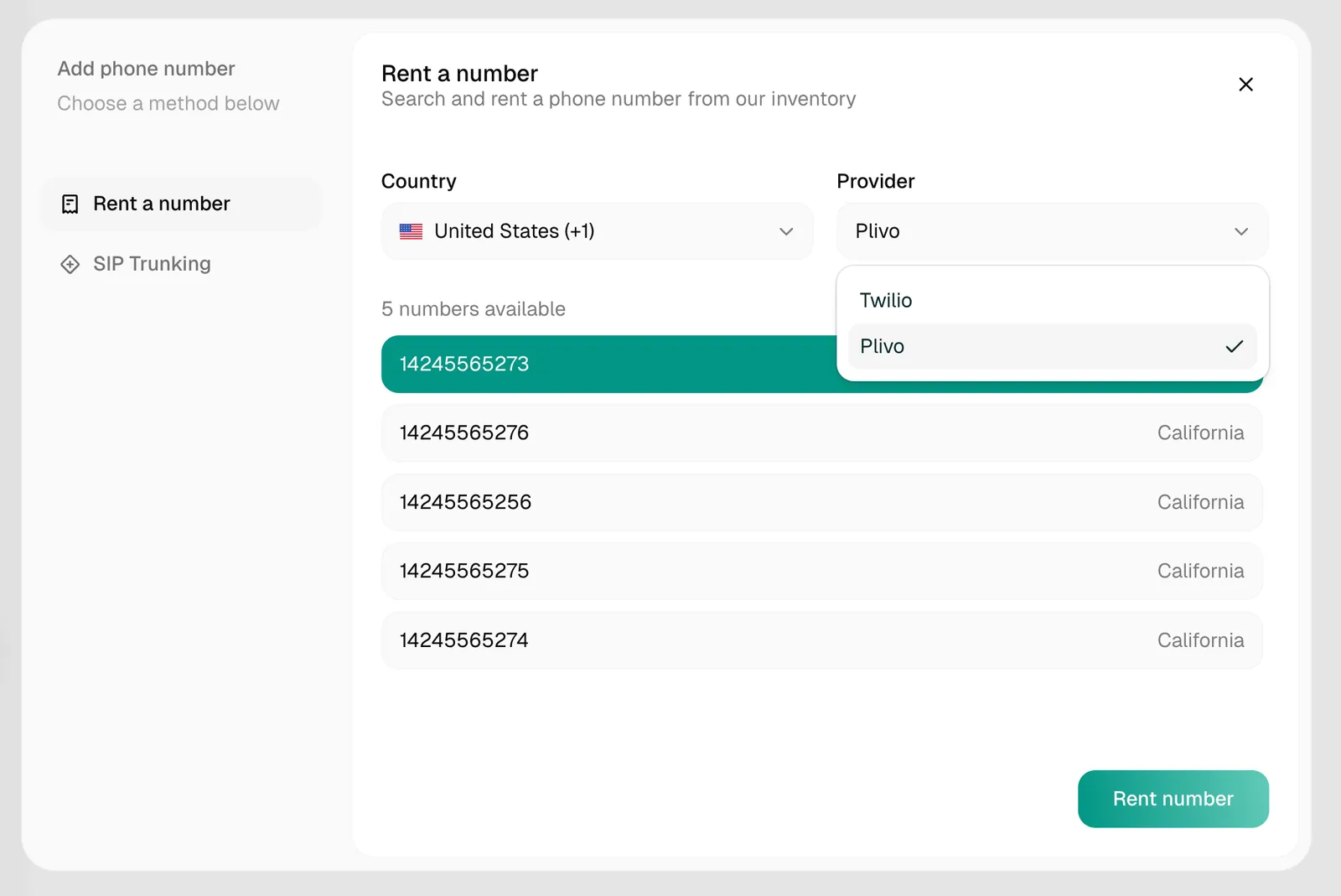
Rent a new phone number directly through the platform.
- Click Add Number → Rent Number
- Select your country and preferences
- Choose from available numbers
- Complete the rental
For most countries, the number appears in your list immediately, ready to attach to an agent.
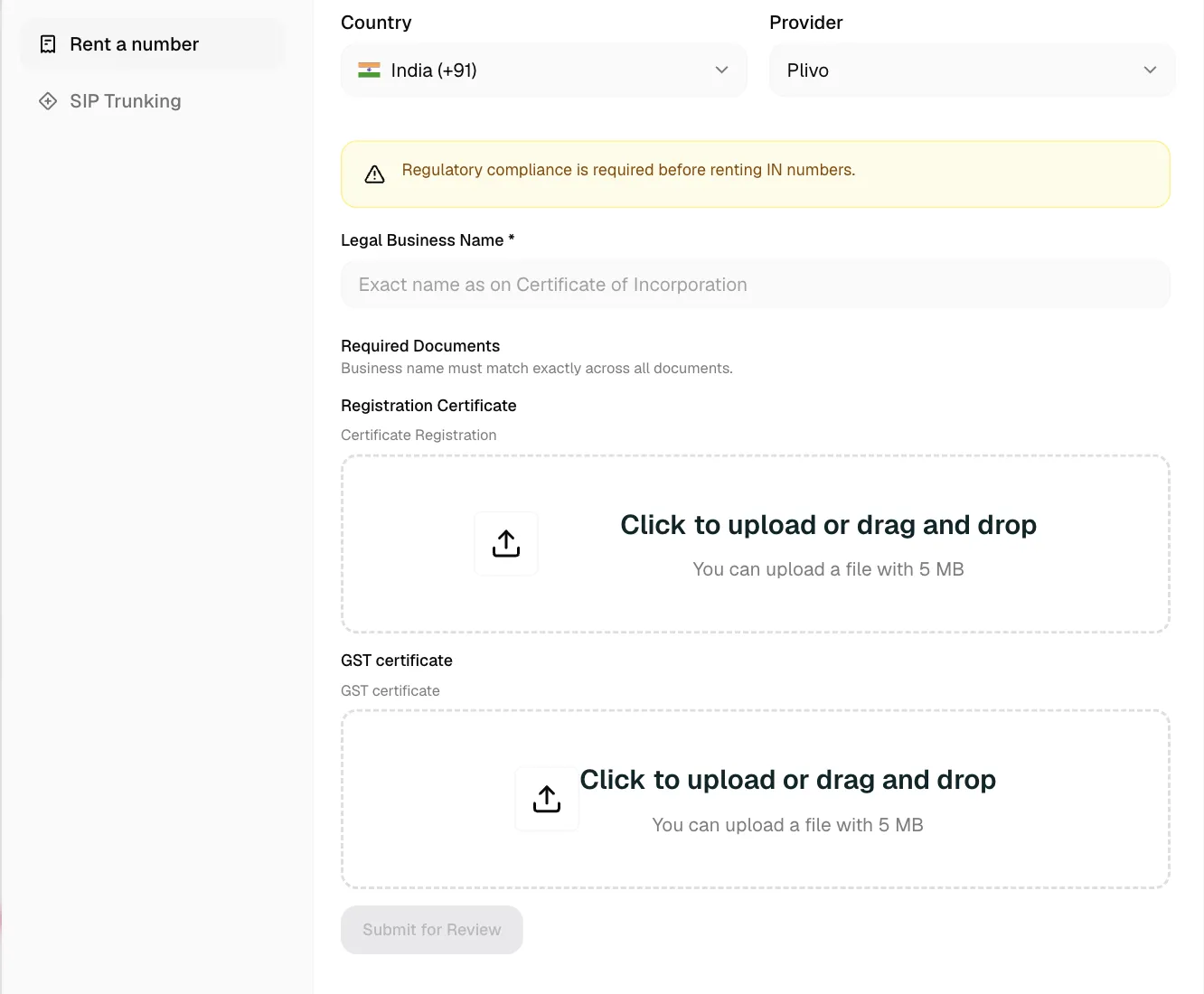
Indian phone numbers require regulatory compliance approval before activation. You may need to submit identity or business documents, such as registration and GST certificates, before the number can be activated.
Connecting a Number to an Agent
Inbound and outbound are configured separately, on the agent’s Telephony tab (open your agent, then the phone icon in its left sidebar):
Attach the number under Answers on and calls to it are handled by this agent. Attaching a caller ID under Dials from does not make the agent answer the number, and vice versa; the two bindings are independent.
Releasing a Number
To stop using a number, click it in the list and click Release. Release is blocked while an agent still answers on the number or dials from it; detach it on the agent’s Telephony tab first.
Releasing a number expires it at the end of the month and cannot be undone. The number cannot be reused.
Call Controls
During an active call, agents can perform these actions:
Configure these on the agent under Agent Config. See Agent Config for the End Call and Transfer Call settings.
SIP Providers
The platform works with any provider that supports standard SIP trunking. Common choices:
The platform routes outbound calls to your SIP termination URL and gives you an Origination URL to configure in your provider so inbound calls reach your agent.