
Tools overview
Give your agent built-in actions and custom API or client tools it can call mid-conversation.
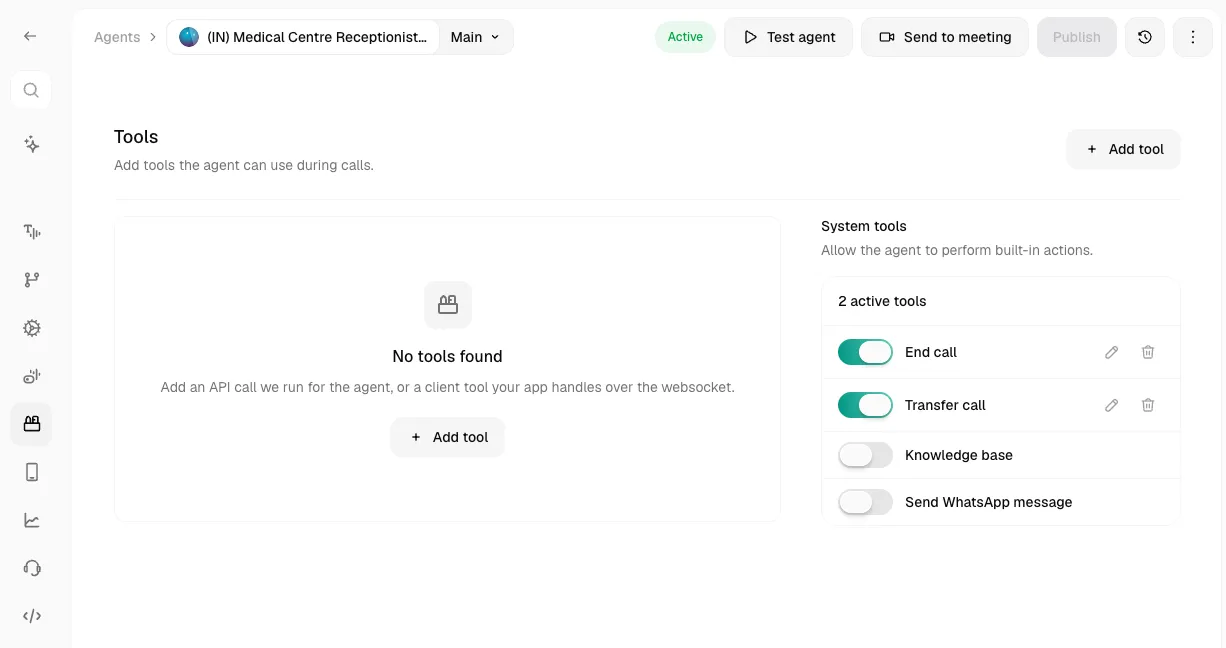
The Tools tab (left sidebar, in the agent editor) is where you add capabilities like hanging up, transferring calls, knowledge base search, or API calls. Each tool has a Name and Description, which the model uses to decide when to use it.
Custom API and client tools are now reusable across agents — build one in the Tools library and reference it anywhere. This page covers the per-agent Tools tab and built-in System tools.
System Tools
Built-in actions, each is just a toggle, switching one on for the first time opens its configuration form.
End Call
Tells the agent when to hang up.
Be specific, vague descriptions cause premature hang-ups. “End when the customer confirms their issue is resolved” works better than “end the call.”
Transfer Call
Hands the conversation off to a human.
Warm Transfer adds three more sections:
- During Transfer Call - pick On-hold Music (Ringtone, Relaxing Sound, Uplifting Beats, or None).
- During Agent Connection - a Whisper Message: spoken only to the human receiving the transfer, before they’re connected to the caller. Written as a prompt or a static sentence.
- After Transfer Connects - a Three-way Message: spoken to both parties once the transfer connects.
“Transfer only if a human answers” is visible here but marked Coming Soon, it can’t be enabled yet.
Knowledge Base
Lets the agent search a knowledge base for relevant context mid-call.
The knowledge base itself has to already exist, this tool just attaches one. Create and populate one from the Knowledge Base section first.
Custom Tools
For anything not covered by a system tool, connect your own API or app logic. Click Add tool and choose a type. Creating one here adds it to the Tools library and references it on this agent, so you can reuse it elsewhere. Full builders: API tool and Client tools.
A referenced (imported) tool is shared state. Editing it here edits the one library record, so the change also lands on every other agent that references it — not just this agent. To diverge, duplicate it instead.
API Tool
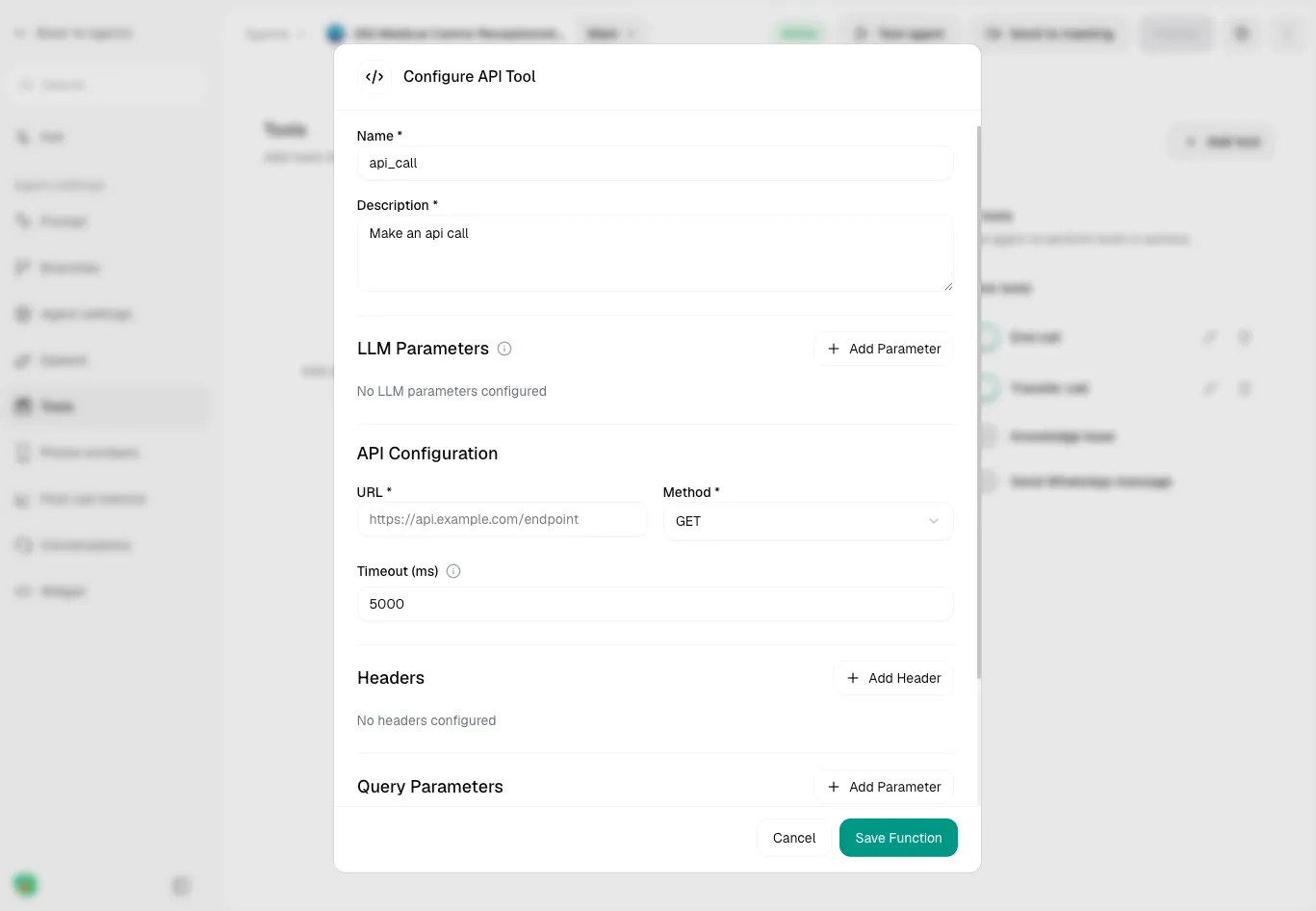
Calls your API during the conversation and feeds the response back to the agent.
Client Tool
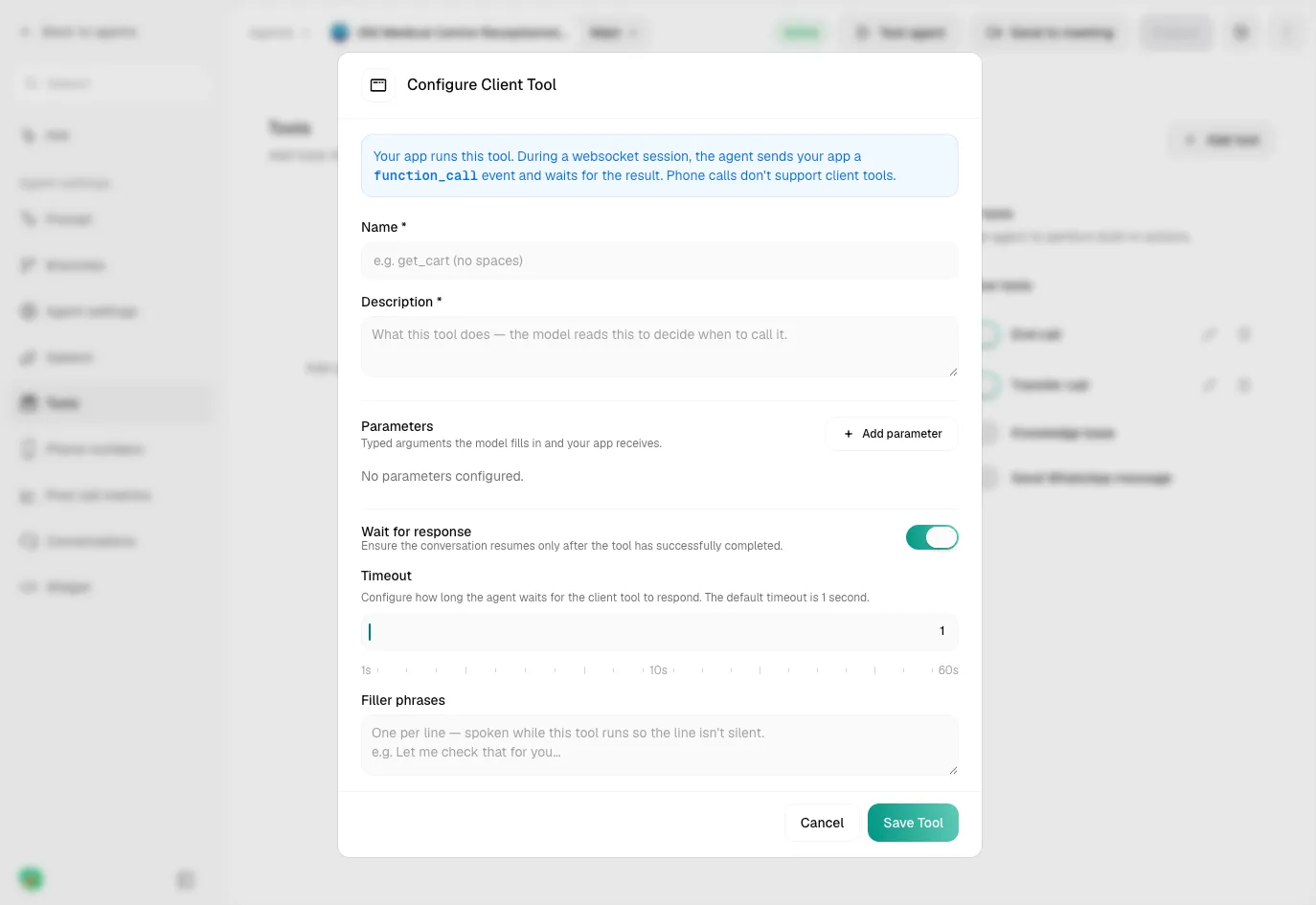
Runs inside your own app instead of hitting an API, useful when the “tool” is really a function in your frontend (e.g. update a cart, navigate a screen).
Client tools only work on websocket sessions (webcall, widget). Phone calls don’t support them.