Conversation Logs
Conversation Logs are your window into every call. See exactly what was said, when events occurred, and how metrics were captured — everything you need to understand and improve your agent.
Location: Top right → Convo Logs button
Call Logs List
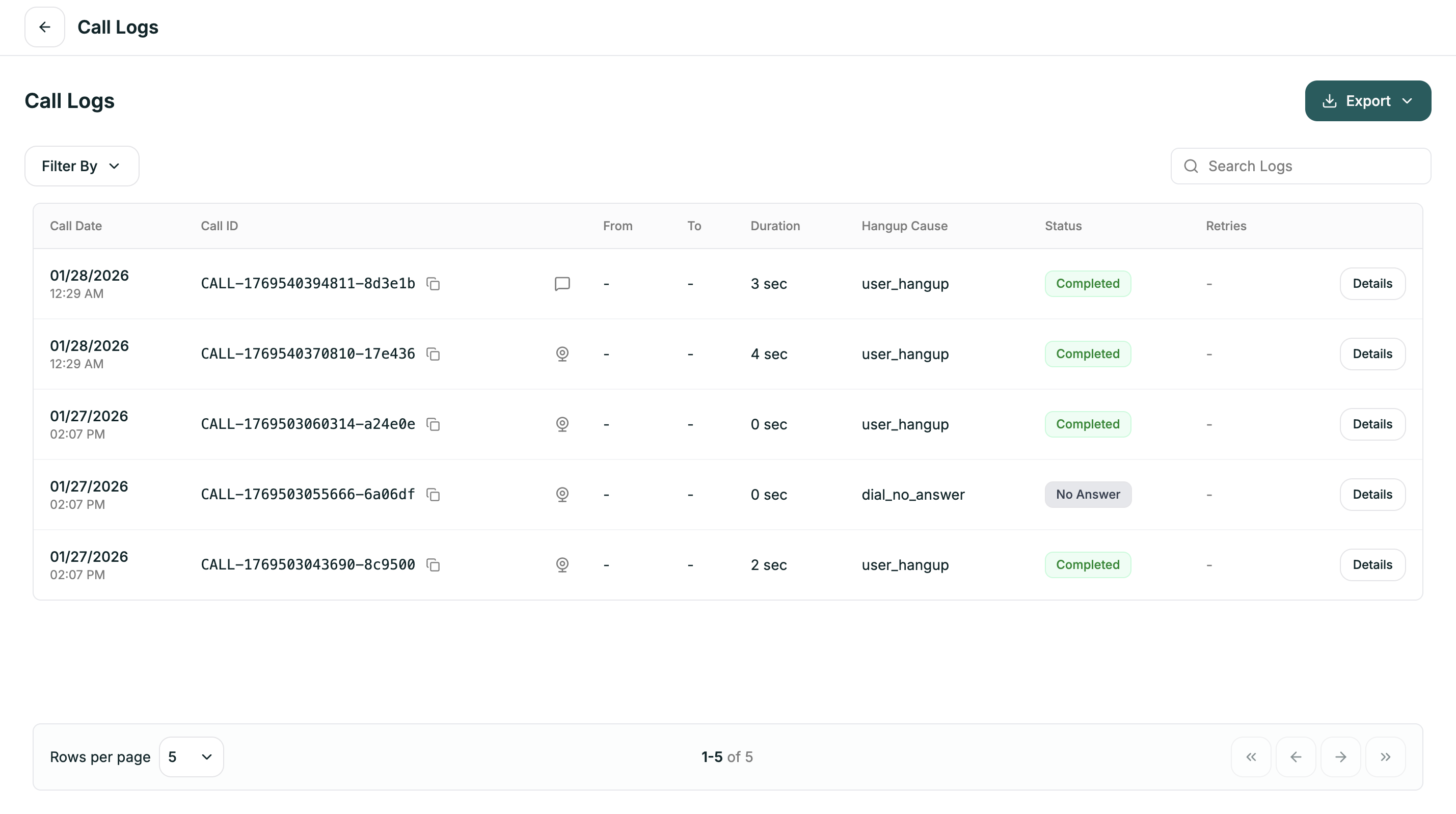
The main view shows all calls with key information at a glance:
Filtering
Click Filter By to narrow down your logs:
Use Search Logs to find specific calls by ID or content.
Call Details
Click Details on any call to open the full conversation view. You’ll see tabs for different types of information:
Overview
Transcript
Events
Metrics
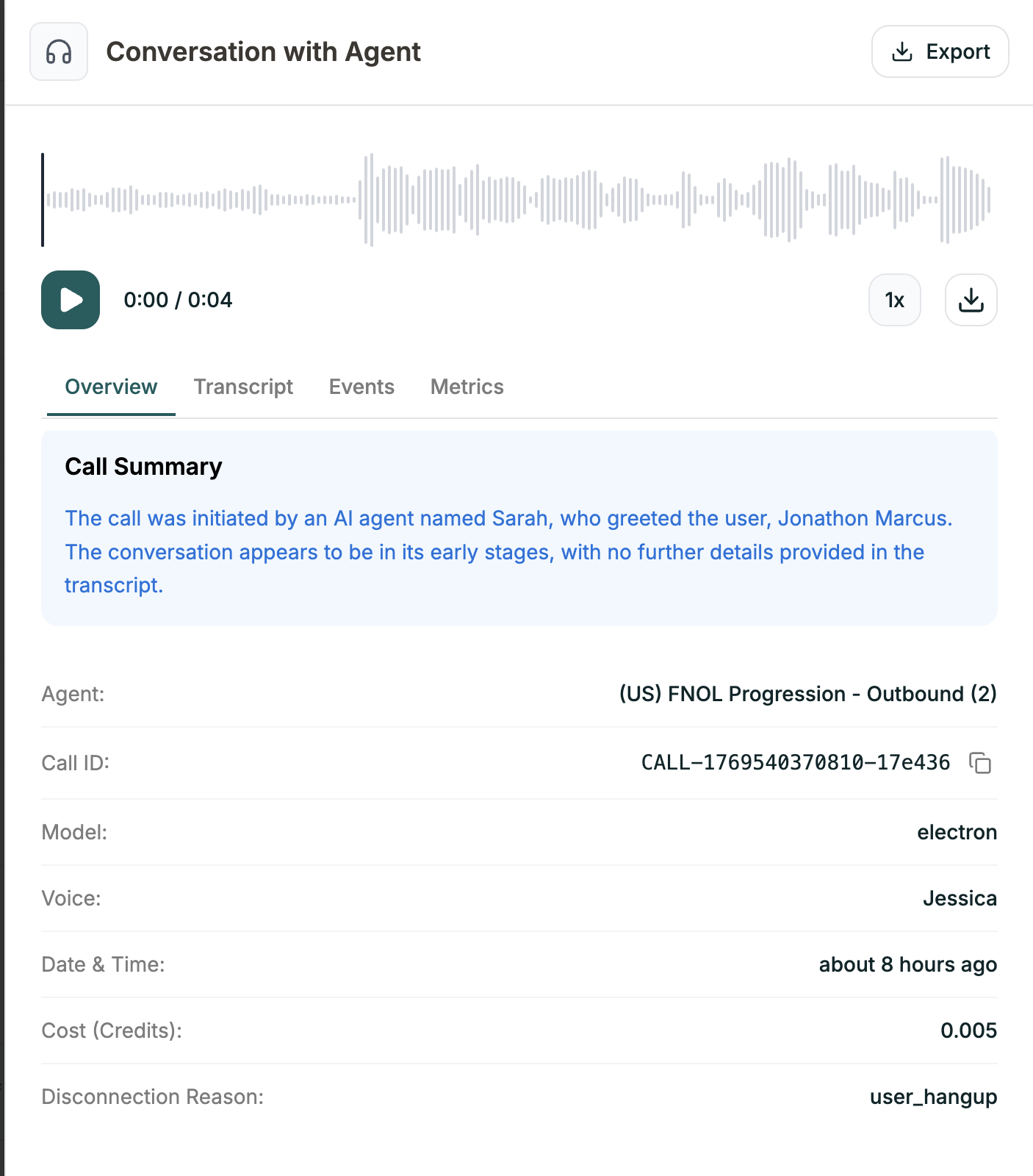
High-level summary of the call:
Play the audio recording using the waveform player at the top.
Exporting
Click the Export button to download your logs:

