***
title: Conversation Logs
sidebarTitle: Conversation Logs
description: Review transcripts and debug agent behavior.
---------------------------------------------------------
Conversation Logs are your window into every call. See exactly what was said, when events occurred, and how metrics were captured — everything you need to understand and improve your agent.
**Location:** Top right → **Convo Logs** button
***
## Call Logs List
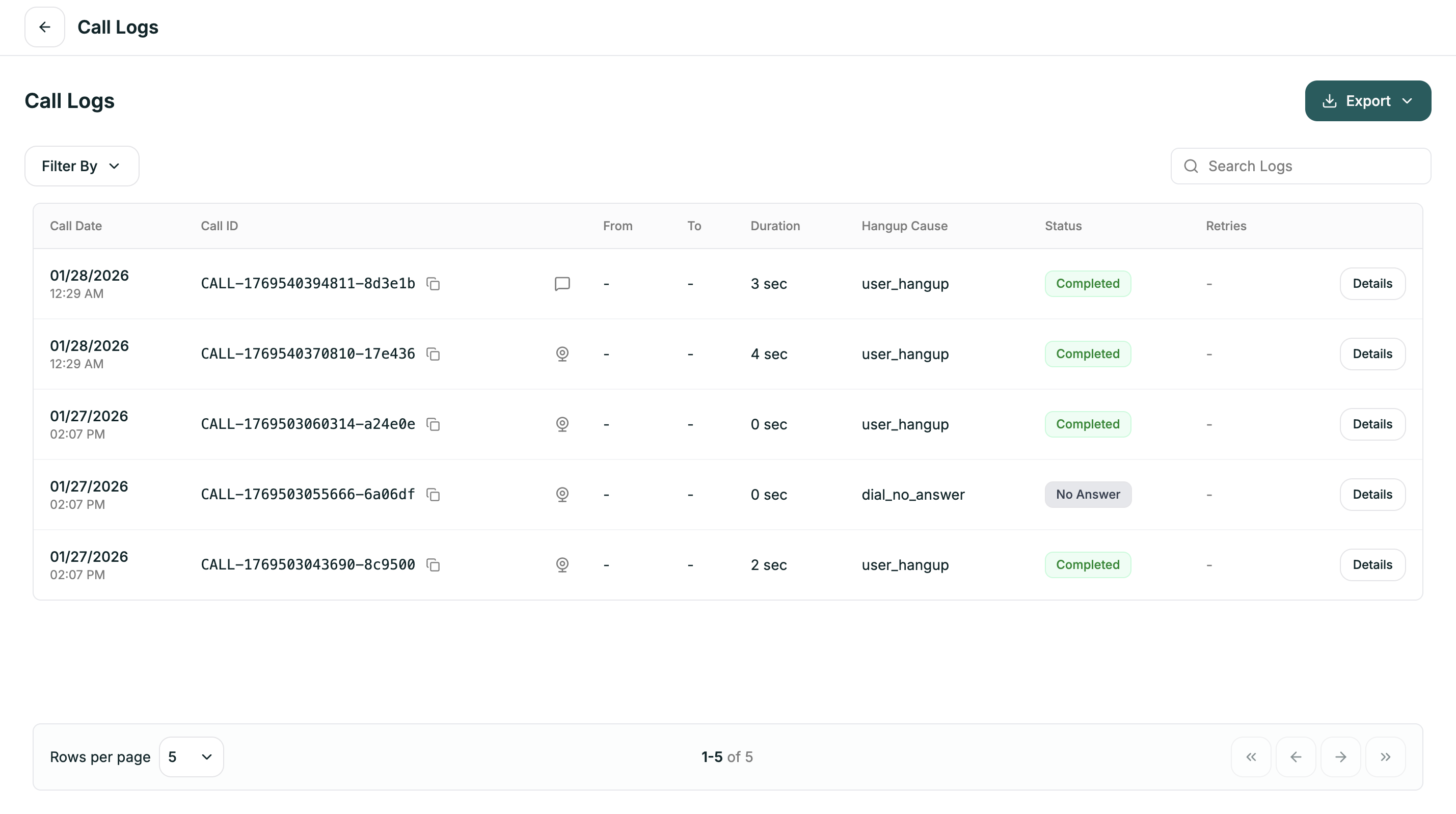
The main view shows all calls with key information at a glance:
| Column | Description |
| ---------------- | --------------------------------- |
| **Call Date** | When the call occurred |
| **Call ID** | Unique identifier (click to copy) |
| **From / To** | Phone numbers or sources |
| **Duration** | How long the call lasted |
| **Hangup Cause** | Why the call ended |
| **Status** | Current state of the call |
| **Retries** | Number of retry attempts |
| **Details** | Click to view full conversation |
***
## Filtering
Click **Filter By** to narrow down your logs:
| Filter | Options |
| --------------------- | ------------------------------------------------------------------------------------------- |
| **Conversation Type** | Inbound Calls, Outbound Calls, Web Calls, Chat |
| **Status** | Pending, In Queue, In Progress, Active, Completed, Failed, Cancelled, No Answer, Processing |
| **End Reason** | Dial No Answer, User Hangup, Agent Hangup, Busy, Timeout, Error, Voicemail |
| **Call Type** | All Attempts, Retry Attempts, Initial Attempts |
| **Call Duration** | 0-30 seconds, 30-60 seconds, 1-5 minutes, 5+ minutes |
Use **Search Logs** to find specific calls by ID or content.
***
## Call Details
Click **Details** on any call to open the full conversation view. You'll see tabs for different types of information:
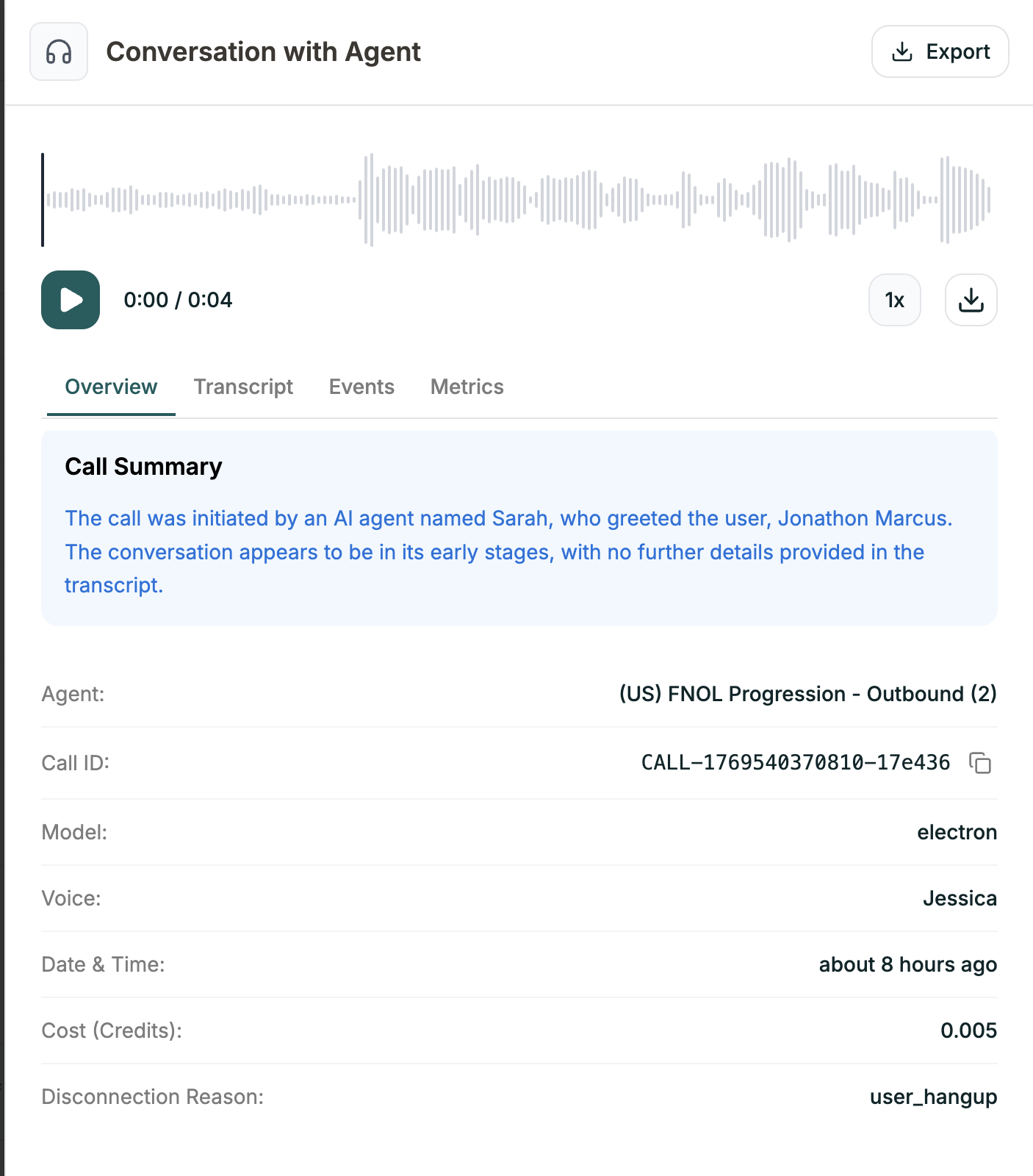
High-level summary of the call:
| Field | Description |
| ------------------------ | ------------------------------------- |
| **Call Summary** | AI-generated summary of what happened |
| **Agent** | Which agent handled the call |
| **Call ID** | Unique identifier |
| **Model** | AI model used |
| **Voice** | Voice used |
| **Date & Time** | When the call occurred |
| **Cost (Credits)** | Credit usage |
| **Disconnection Reason** | Why the call ended |
Play the audio recording using the waveform player at the top.
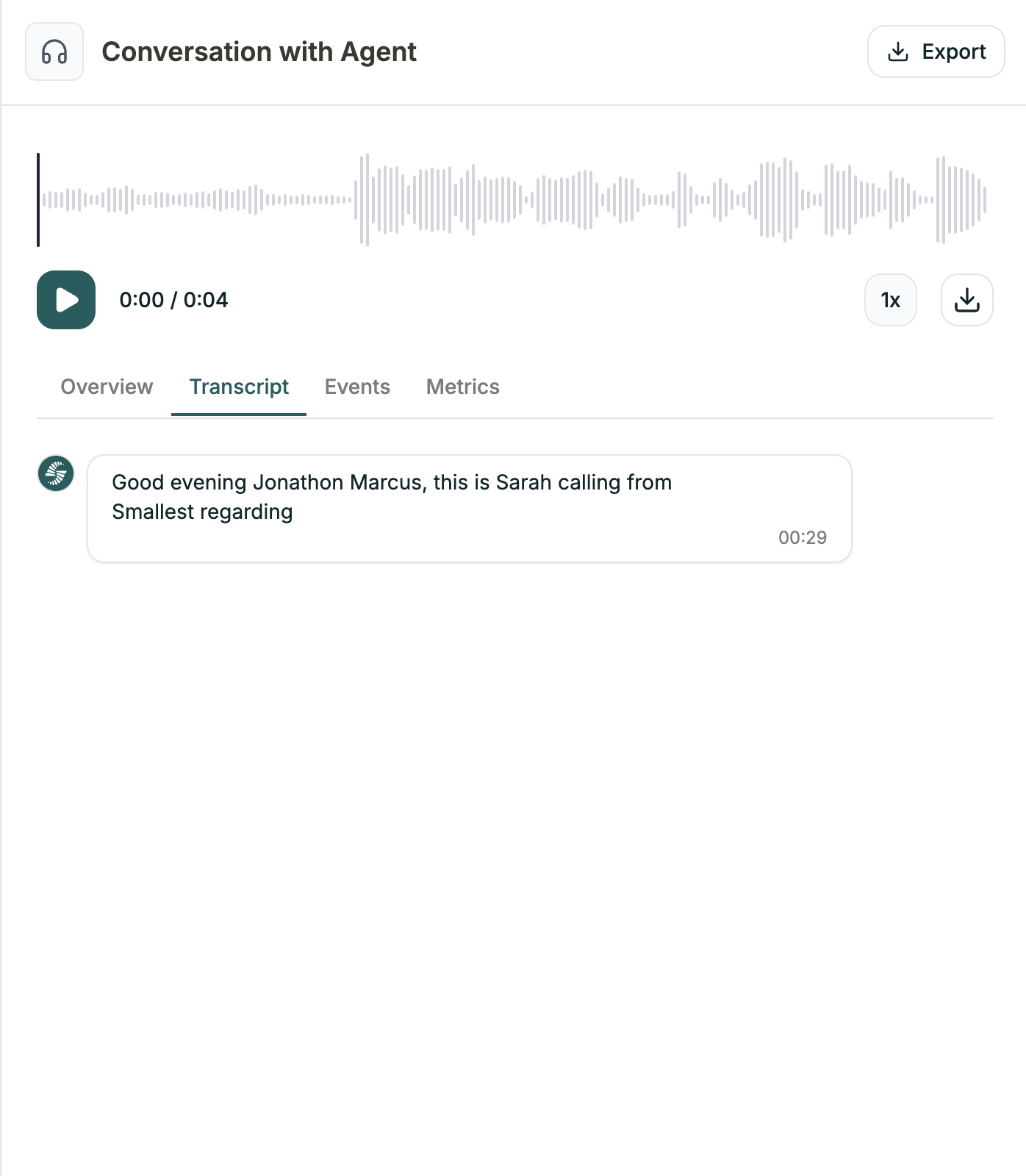
The full conversation, word for word. Each message shows:
* Who spoke (Agent or User)
* What was said
* Timestamp
Use this to understand exactly how the conversation flowed.
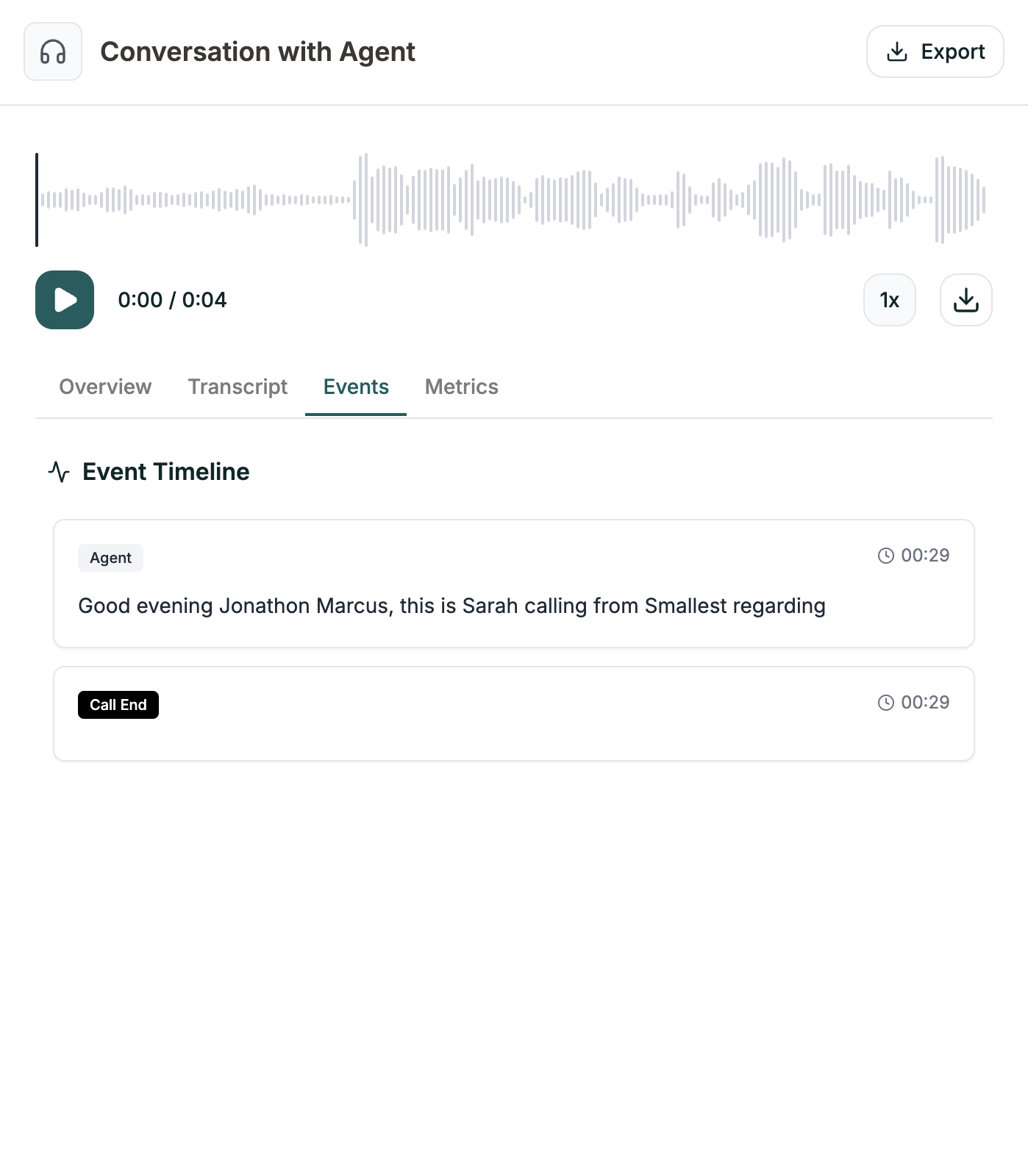
Timeline of everything that happened:
* Agent responses
* Call End triggers
* Transfers
* API calls
* Other system events
Each event shows the timestamp and what occurred.
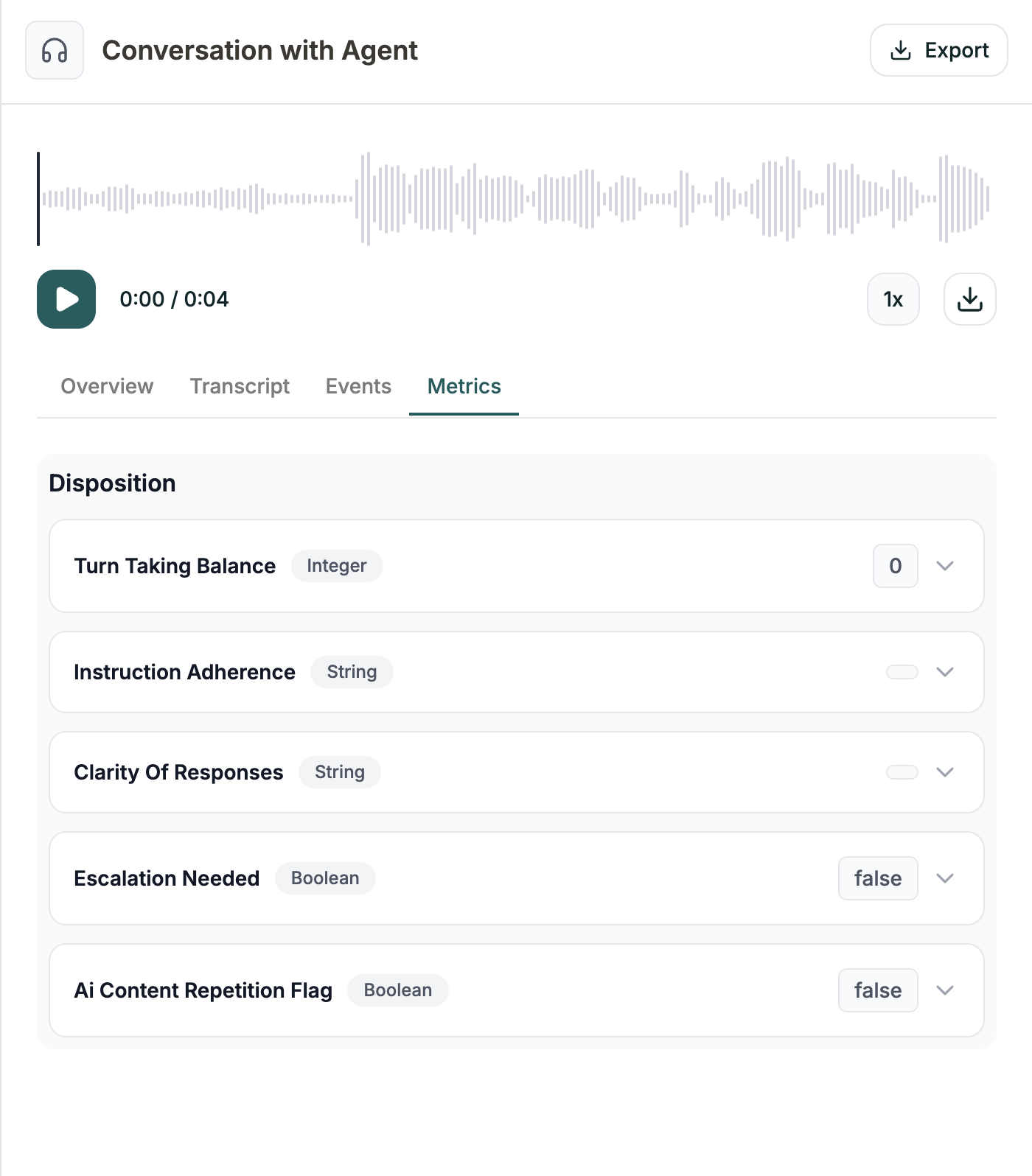
Post-call metrics you've configured, with their values:
Each metric shows:
* Name
* Data type (Integer, String, Boolean, etc.)
* Value extracted from this call
Click the dropdown on any metric to see details.
***
## Exporting
Click the **Export** button to download your logs:
| Format | Best for |
| -------- | --------------------------------- |
| **JSON** | Developers, programmatic analysis |
| **CSV** | Spreadsheets, reporting |
***
## Related
Define what to track from each call
Test your agent