

For AI agents: a documentation index is available at the root level at /llms.txt and /llms-full.txt. Append /llms.txt to any URL for a page-level index, or .md for the markdown version of any page.
DocumentationAPI ReferenceClient LibrariesChangelog
  • Introduction
    • Introduction
  • Getting Started
    • Quickstart
    • Models
    • Authentication
    • HTTP Streaming
  • Text to Speech
    • How to TTS
    • LLM to TTS
    • Voice Models & Languages
  • Voice Cloning
    • Types of Cloning
    • Voice Clone via UI
    • How to Voice Clone
    • Delete Cloned Voice
    • Professional Voice Cloning
  • Integrations
    • LiveKit
    • Plivo
    • Vonage
  • Product
    • Projects
  • Best Practices
    • Voice Cloning Best Practices
    • PVC Best Practices
    • TTS Best Practices
LogoLogo
Voice AgentsModels
Voice AgentsModels
On this page
  • Creating an Instant Voice Clone
Voice Cloning

How to Create an Instant Voice Clone

||View as Markdown|
Was this page helpful?
Previous

Types of Cloning: Instant vs Professional

Next

How to create an Instant Voice Clone using Python SDK

Built with

In this tutorial, you will learn how to use the Smallest AI platform to create an Instant Voice Clone using a short audio sample. This process is quick and efficient, allowing you to generate high-quality voice clones in minutes.

Creating an Instant Voice Clone

1️. Go to the Smallest AI Platform

  • Navigate to smallest.ai and click on Create New.
  • In the modal that appears, select Instant Voice Clone.
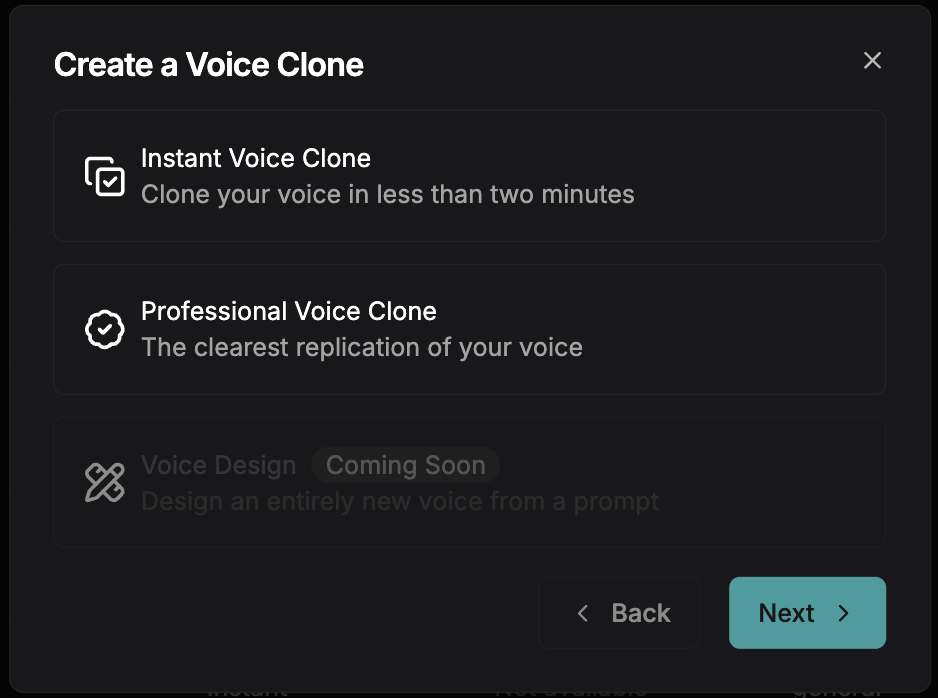
Voice Clone Setup

2️. Upload Your Clean Reference Audio

  • Select a short, high-quality audio clip (5-15 seconds).
  • Ensure the recording is clear and noise-free for the best results.
  • Follow the recommended best practices to maximize quality.
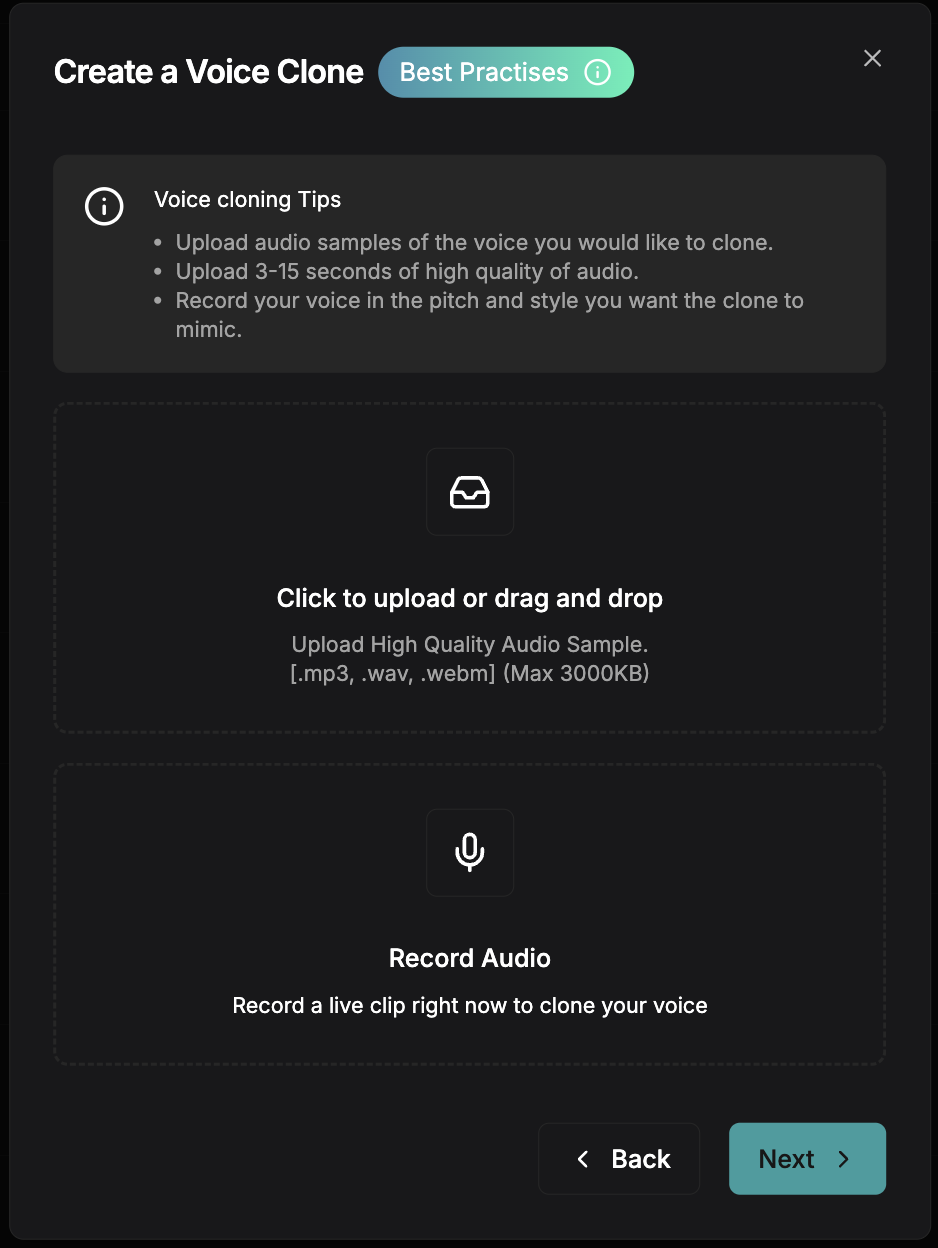
Upload your clean reference audio

3️. Review Generated Testing Examples

  • The platform will process your reference audio and generate sample outputs.
  • Listen to the test clips to verify the voice match.
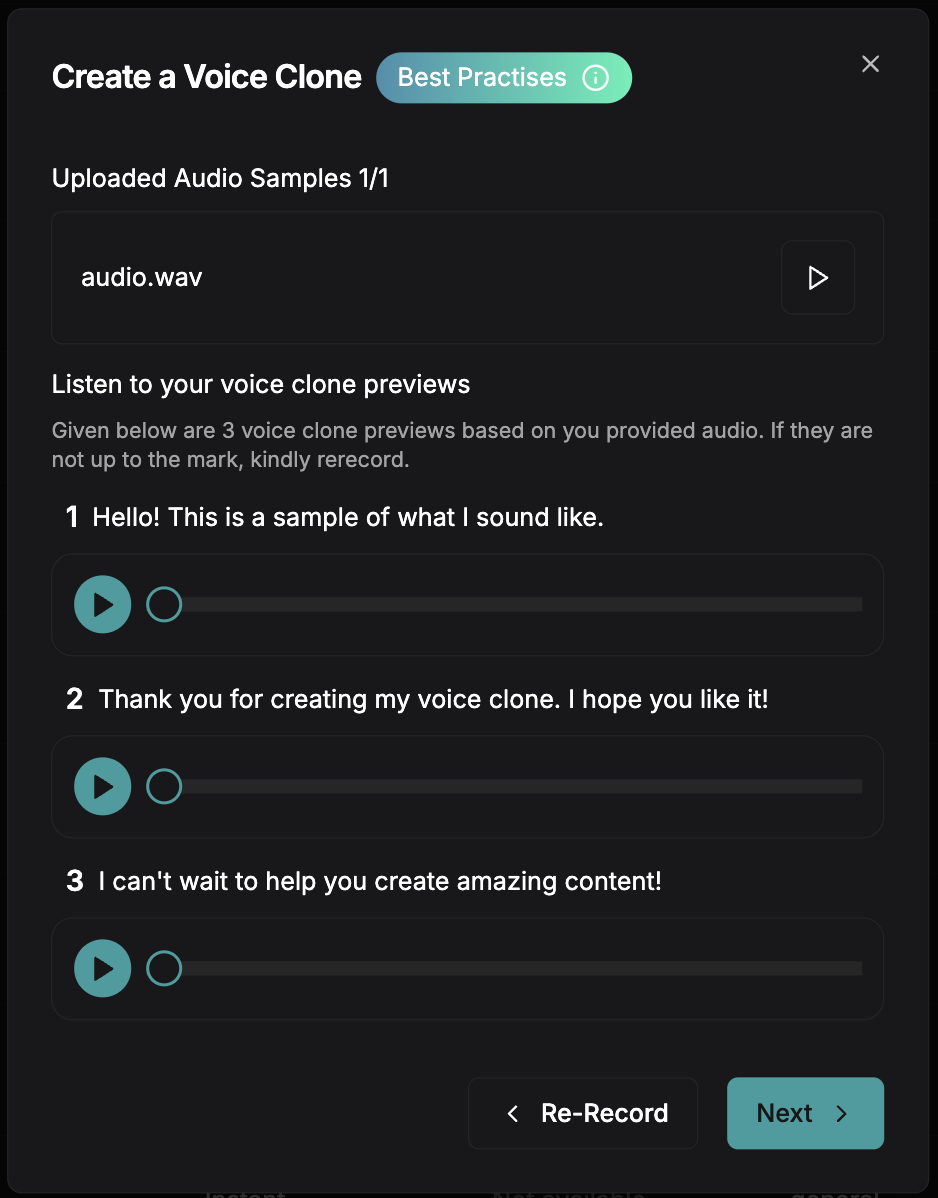
Testing Examples

4️. Customize & Save Your Voice Clone

  • Fill in details like Name, Tags, and Description for your voice.
  • Click Generate to store your cloned voice.
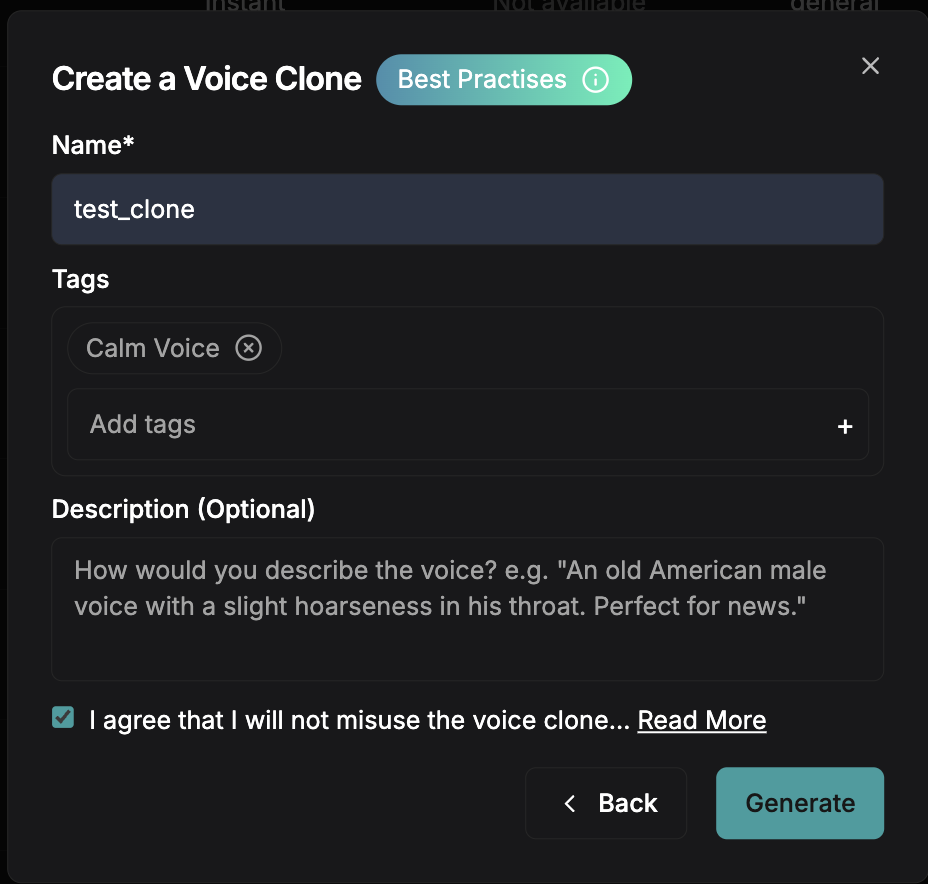
Create Voice

If you have any questions or run into any issues, our community is here to help!

  • Join our Discord server to connect with other developers and get real-time support.
  • Reach out to our team via email: support@smallest.ai.