

Quickstart
Step 1: Get Your API Key
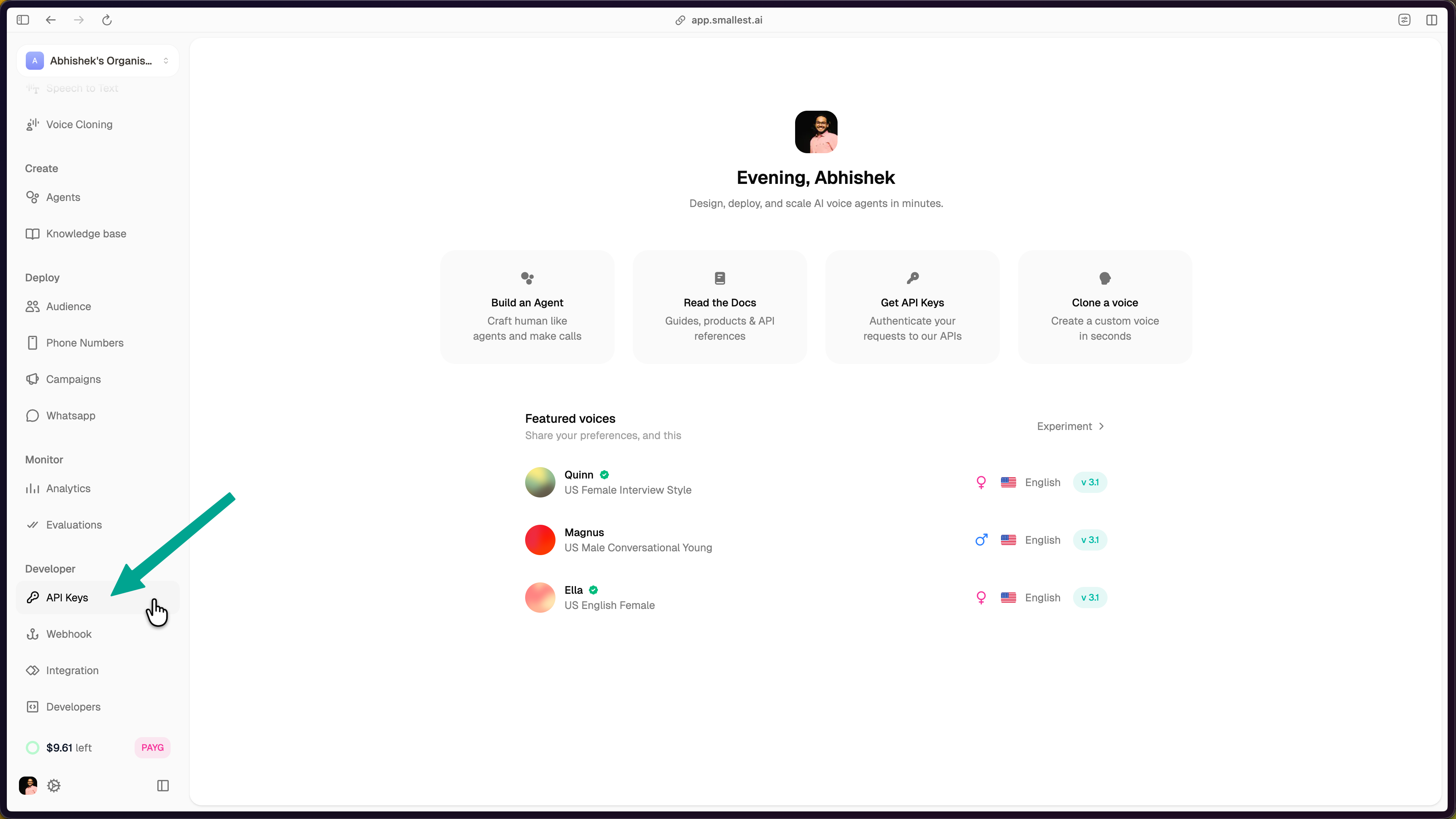
Open the API Keys page in the Smallest AI console.
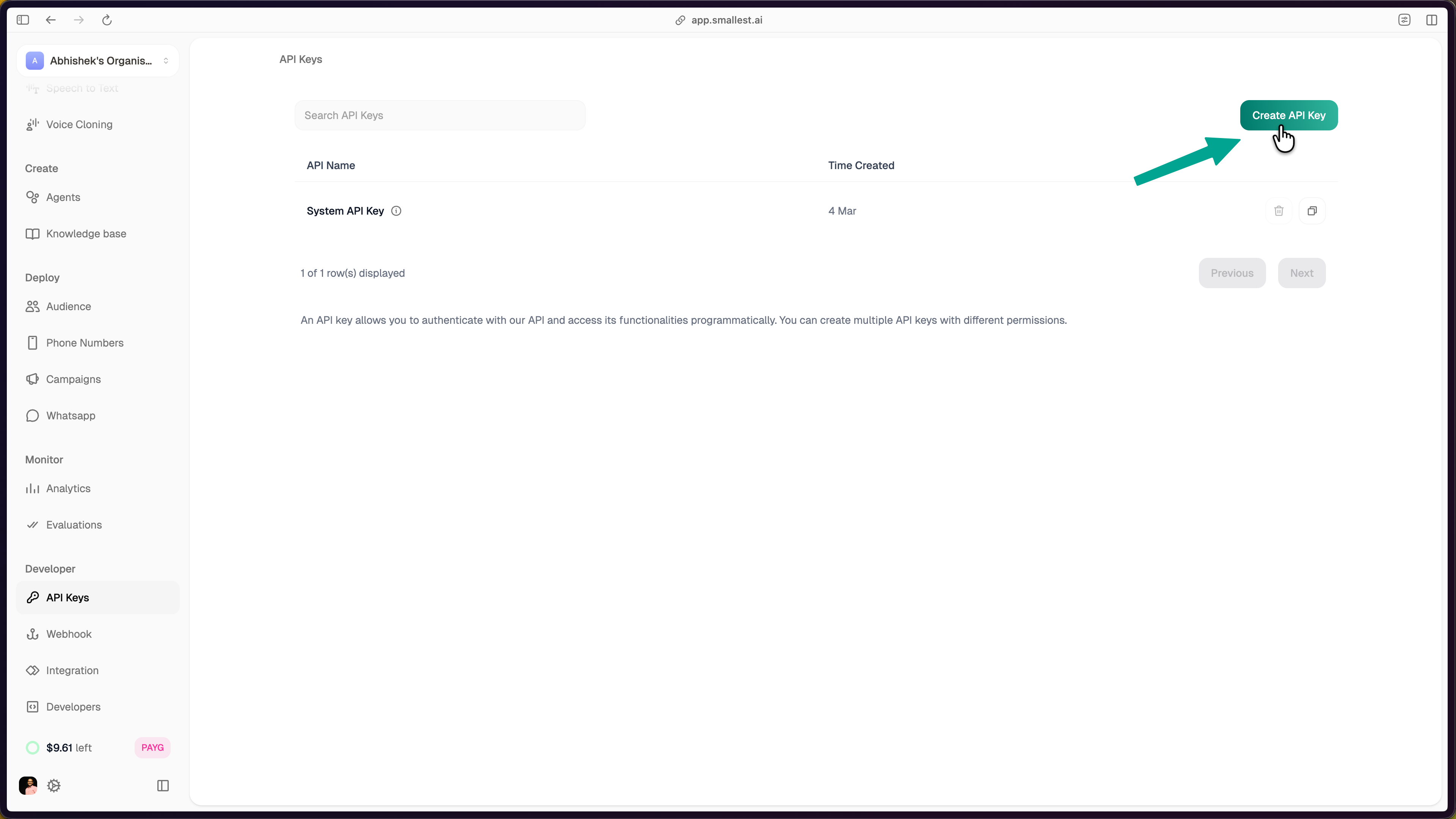
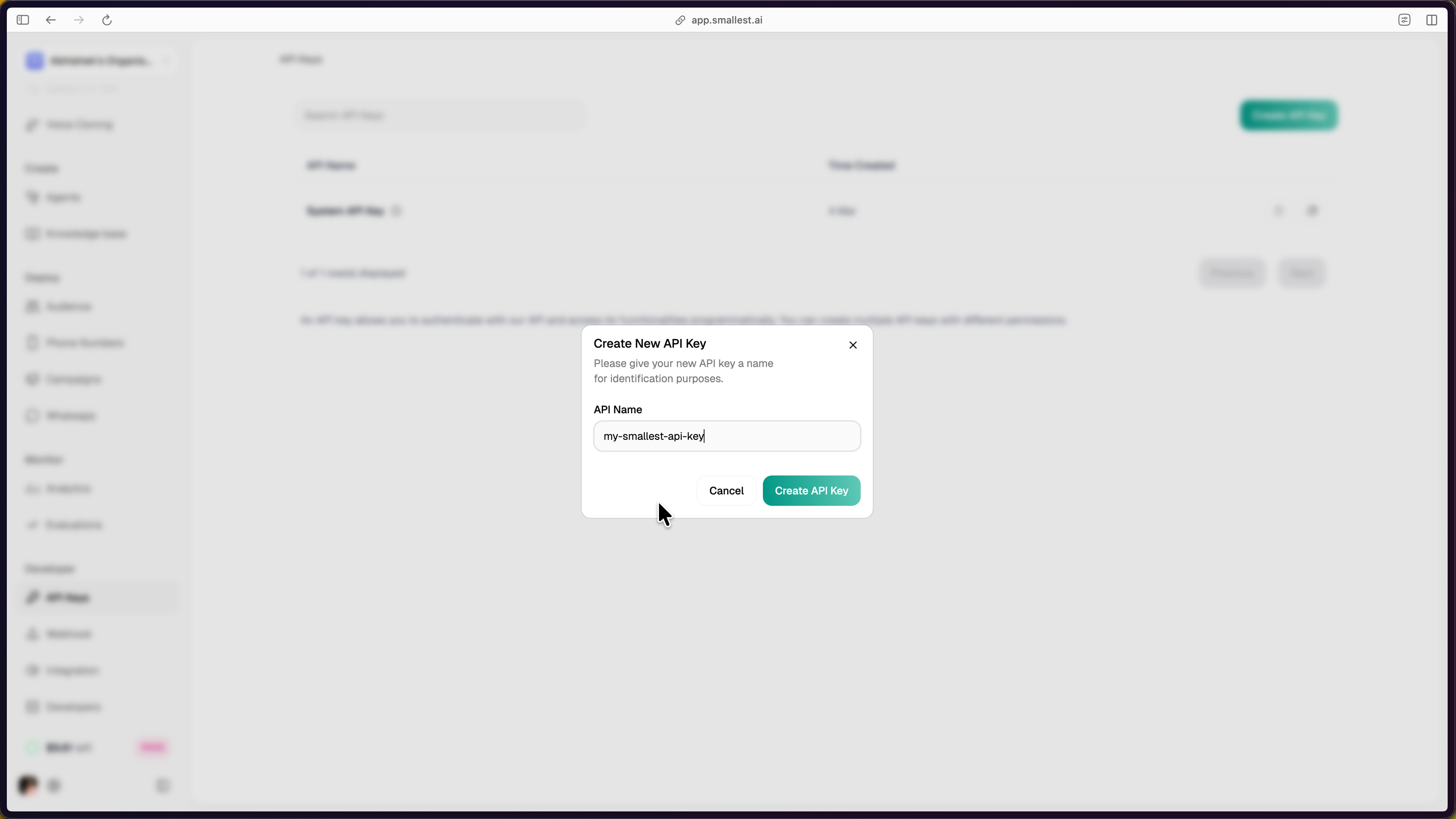
Click Create API Key in the top-right corner, enter a name, and click Create API Key to confirm.
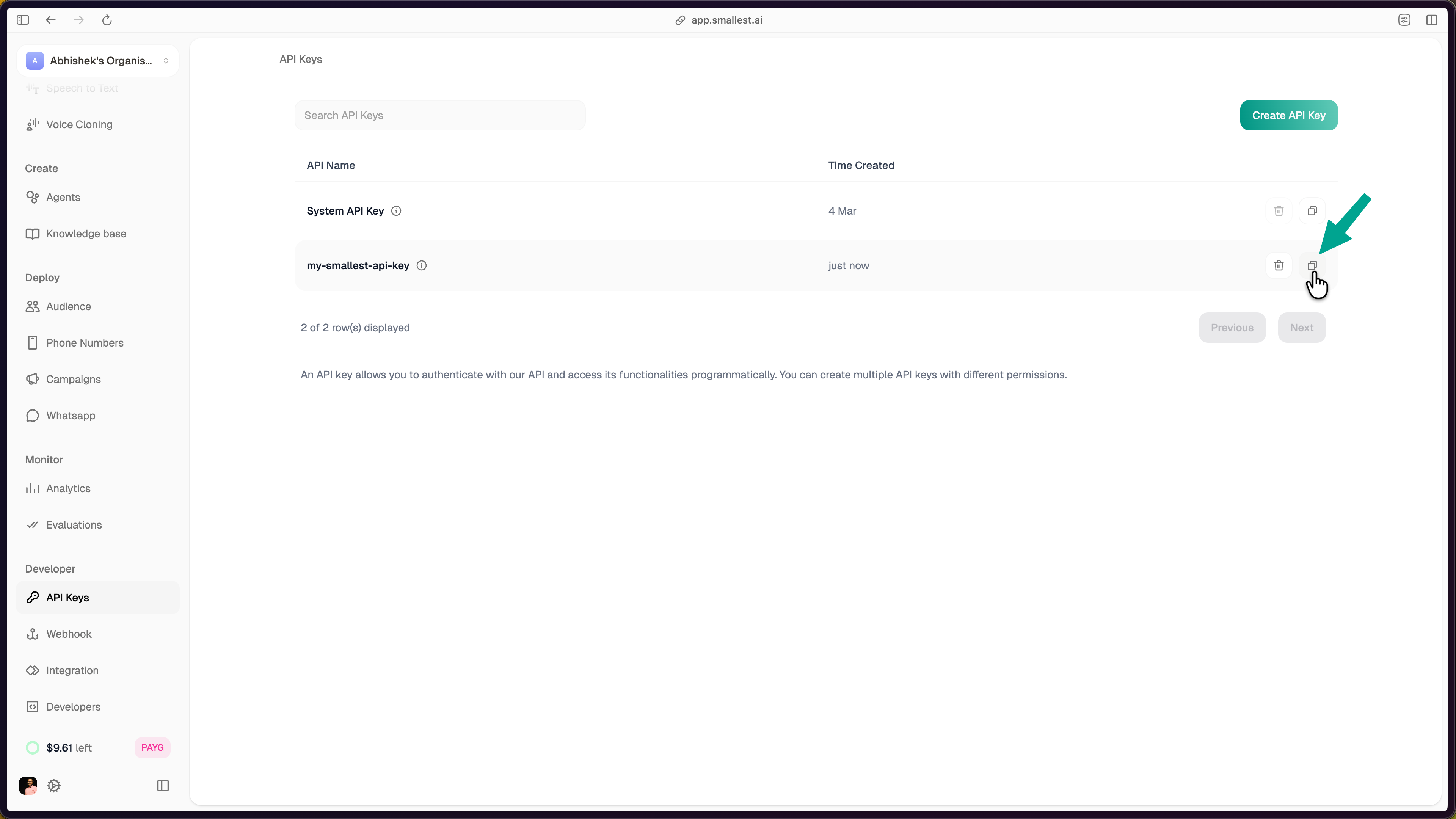
The new key appears in your dashboard. Click the copy icon to copy it.
Export the key in your terminal:
Step 2: Transcribe Audio
Here’s the sample audio we’ll transcribe:
Paste this cURL (no install required). It downloads the sample and pipes it into Pulse Pro as raw bytes:
You’ll get back:
This quickstart uses Pulse Pro, our leaderboard-ranked English model. If you need multilingual transcription (17 streaming + 26 pre-recorded languages) or streaming, swap ?model=pulse-pro for ?model=pulse. See the Pulse model card for the full language list.
Step 3: Build It Into Your App
The snippets below use Pulse Pro (?model=pulse-pro). For multilingual audio, swap to ?model=pulse and set the appropriate language code. Both models share the same /waves/v1/stt/ endpoint and request shape.
For Pulse Pro, language must be en. For Pulse, set language to the known code (en, hi, es, etc.) for best accuracy, or use a regional aggregator (multi-eu, multi-indic, multi-asian) for unknown audio. See the Pulse model card for the full language matrix.
Full runnable source files: Python | JavaScript | cURL
Step 4: Explore Features
Stream audio via WebSocket for live transcription.
Identify and label different speakers.
Precise timing for each transcribed word.
Analyze emotional tone in speech.
Benchmarks, capabilities, pricing.
Full endpoint spec: Pulse API Reference
Need Help?
Or email support@smallest.ai.