n8n
Use Smallest AI inside n8n to build no-code and low-code voice automations — transcribe audio, synthesize speech, and clone voices as part of any workflow using the n8n-nodes-smallestai community node.
Installation
In your n8n instance, go to Settings → Community Nodes → Install and search for:
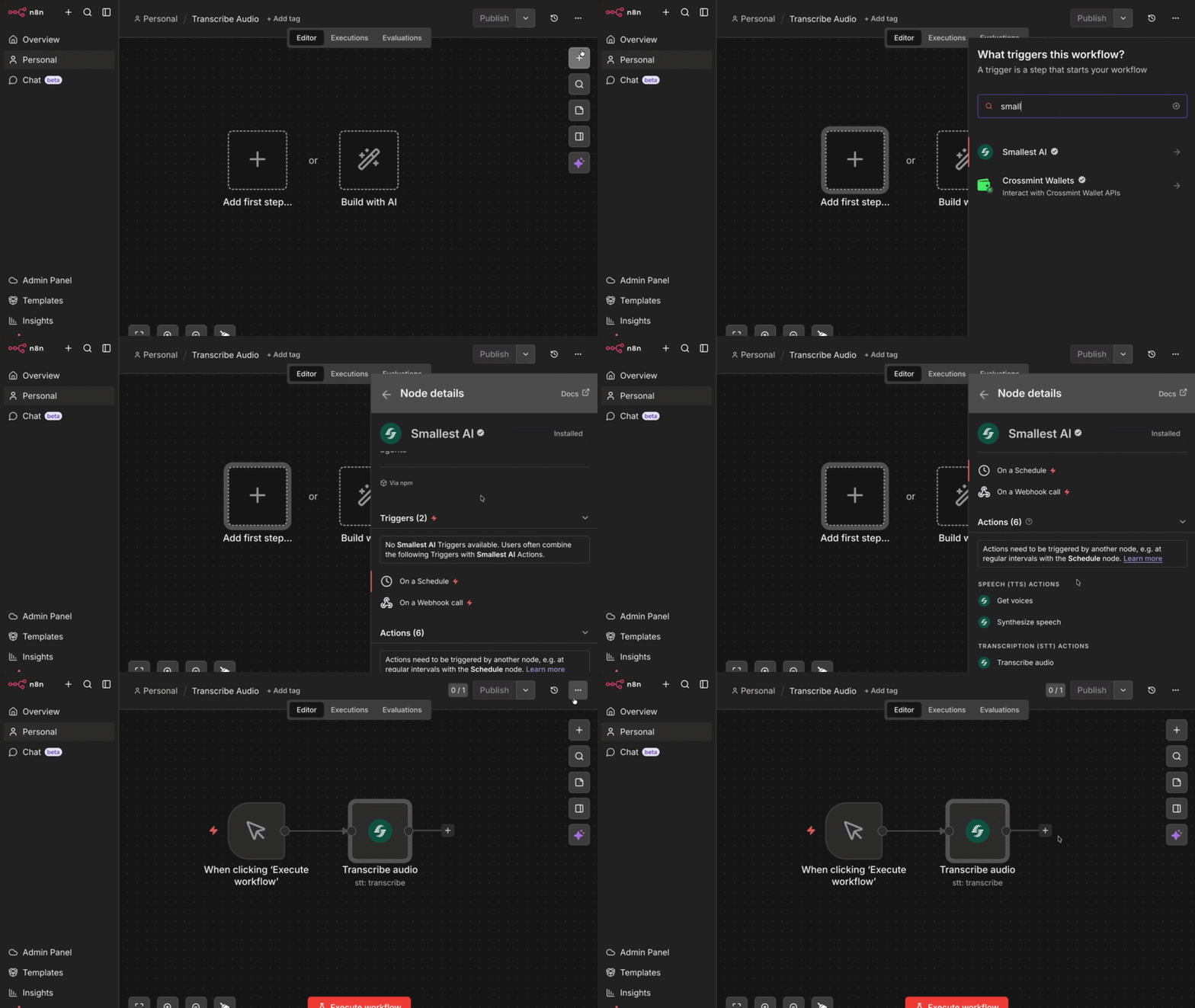
Or install via npm (for self-hosted instances):
Credentials
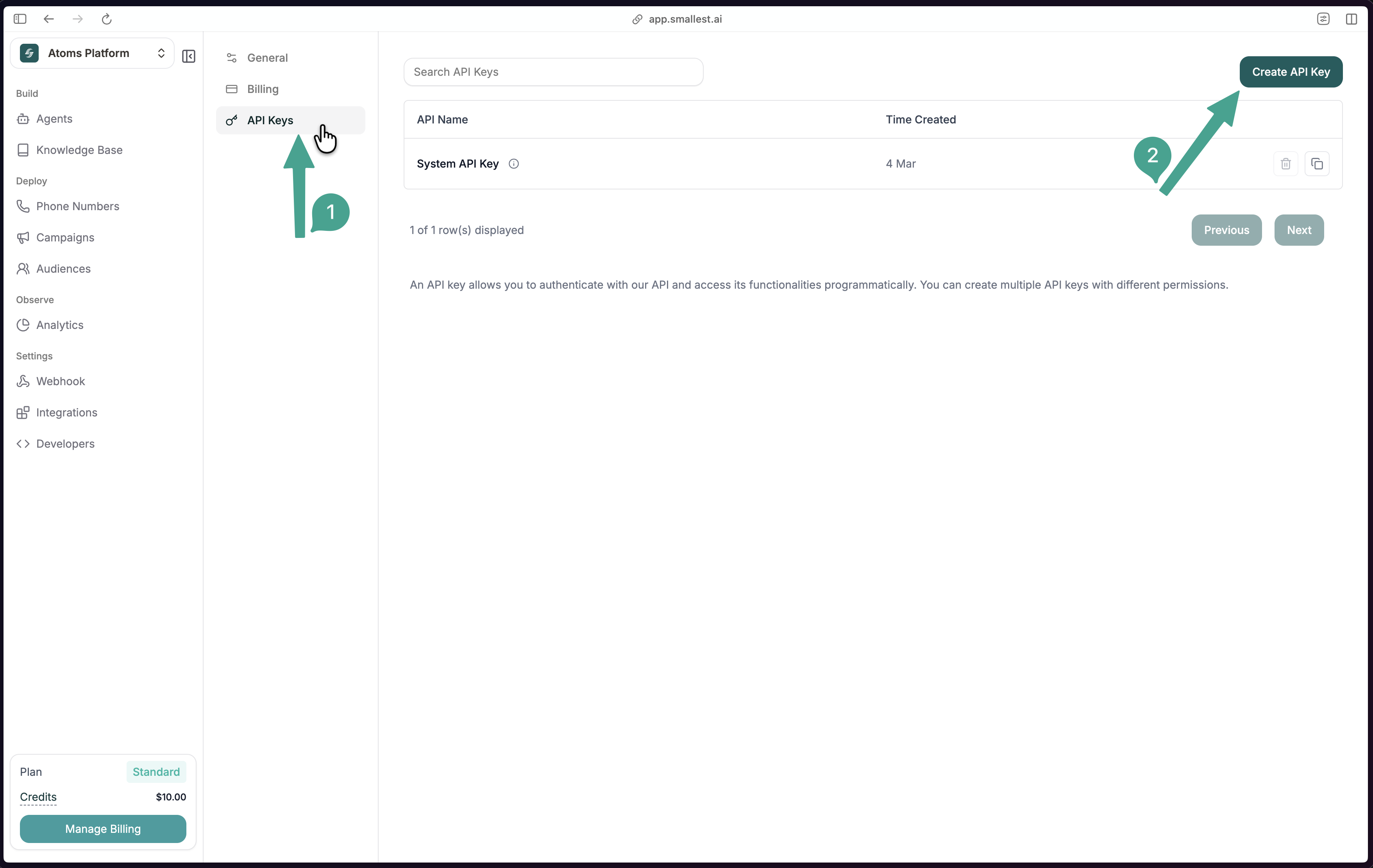
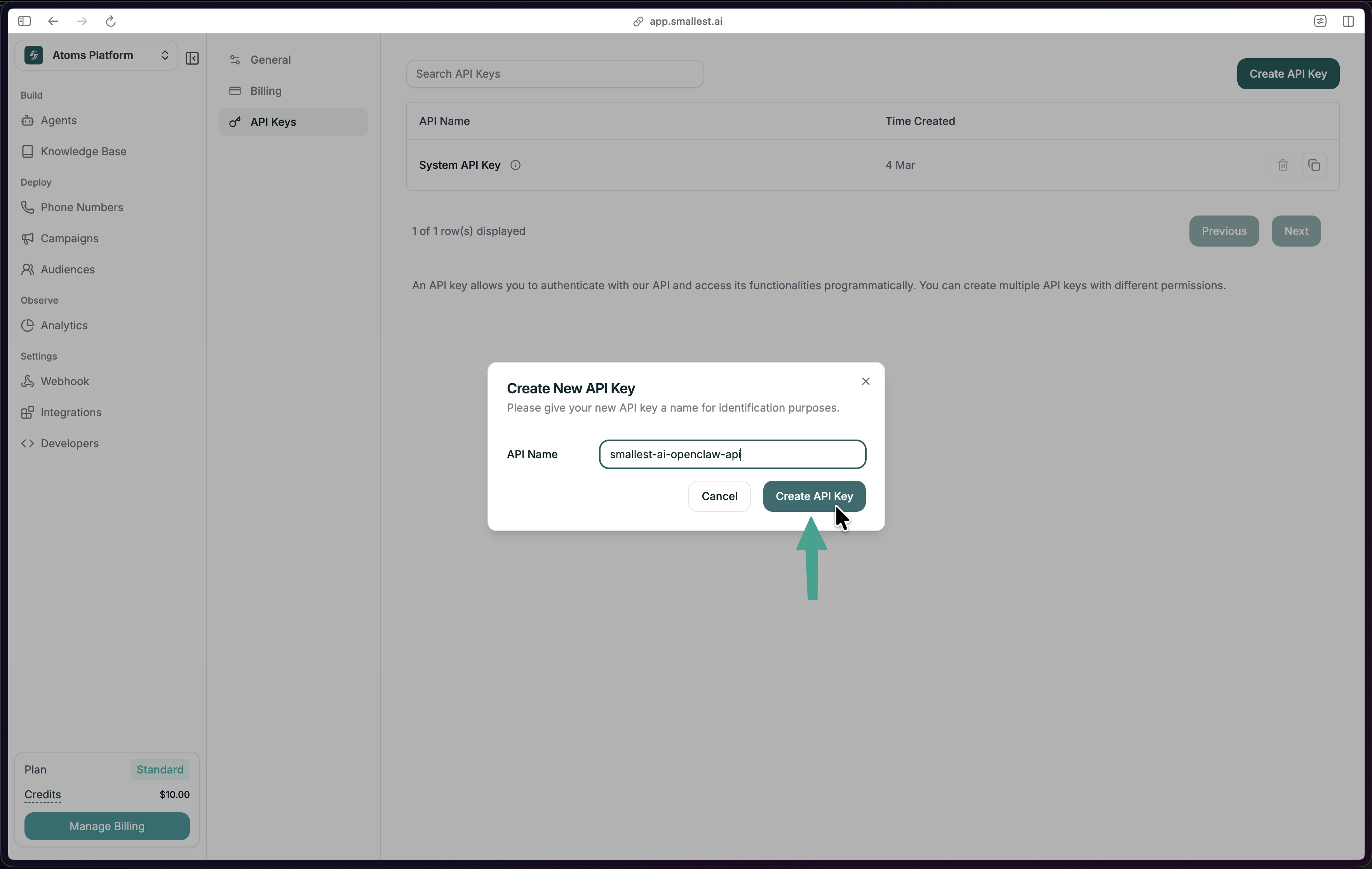
Transcribe Audio from a Form
The quickest way to try the node — a form that accepts an audio file upload and returns its transcript via the Smallest AI STT API.
Workflow JSON
Copy and import this directly into n8n via File → Import from JSON:
Node Configuration
Optional enrichment under Additional Options:
Operations
The Smallest AI node exposes three resources:
Speech-to-Text (STT)
Transcribe audio in 20+ languages. The node reads binary audio data from a previous step and sends it to the Smallest AI STT API.
Supported languages: English, Hindi, Spanish, Tamil, French, German, Arabic, Bengali, Kannada, Malayalam, Marathi, Telugu, and more. Set language to auto for automatic detection.
Optional detections:
Text-to-Speech (TTS)
Convert any text to audio using Lightning V3.1. The node outputs binary audio data you can save, email, or pass downstream.
Configuration:
Popular voices:
Voice Cloning
Clone a voice from an audio sample, then use the returned voice ID in any TTS step.
Set Voice Source to Custom in the TTS node and paste the cloned voice ID.
Use Case Ideas
Notes
- Audio must be passed as binary data in n8n. Use nodes like Read/Write Files, HTTP Request, or Form Trigger to load audio into the pipeline before the Smallest AI node.
- For the form-based workflow, the Binary Property field in the STT node must exactly match the label of the file upload field in your form.
- The node is compatible with n8n’s AI Agent tool interface (
usableAsTool: true) — you can use it as a tool inside an AI agent workflow.

