
Dograh
This guide walks you through configuring Smallest AI as the TTS and STT provider in Dograh, an open-source platform for building and deploying voice agents. Dograh lets you swap speech providers independently - you can use Smallest AI for both TTS and STT, or mix providers as needed.
Prerequisites
- A Dograh account (self-hosted or cloud)
- A Smallest AI API key - get one from the Smallest AI dashboard
Setup
Open the Models page
Navigate to https://app.dograh.com/workflow and click Models in the left sidebar.
Open the BYOK tab
In the AI Models Configuration section, click the BYOK tab at the top. This is where you configure third-party providers including Smallest AI.
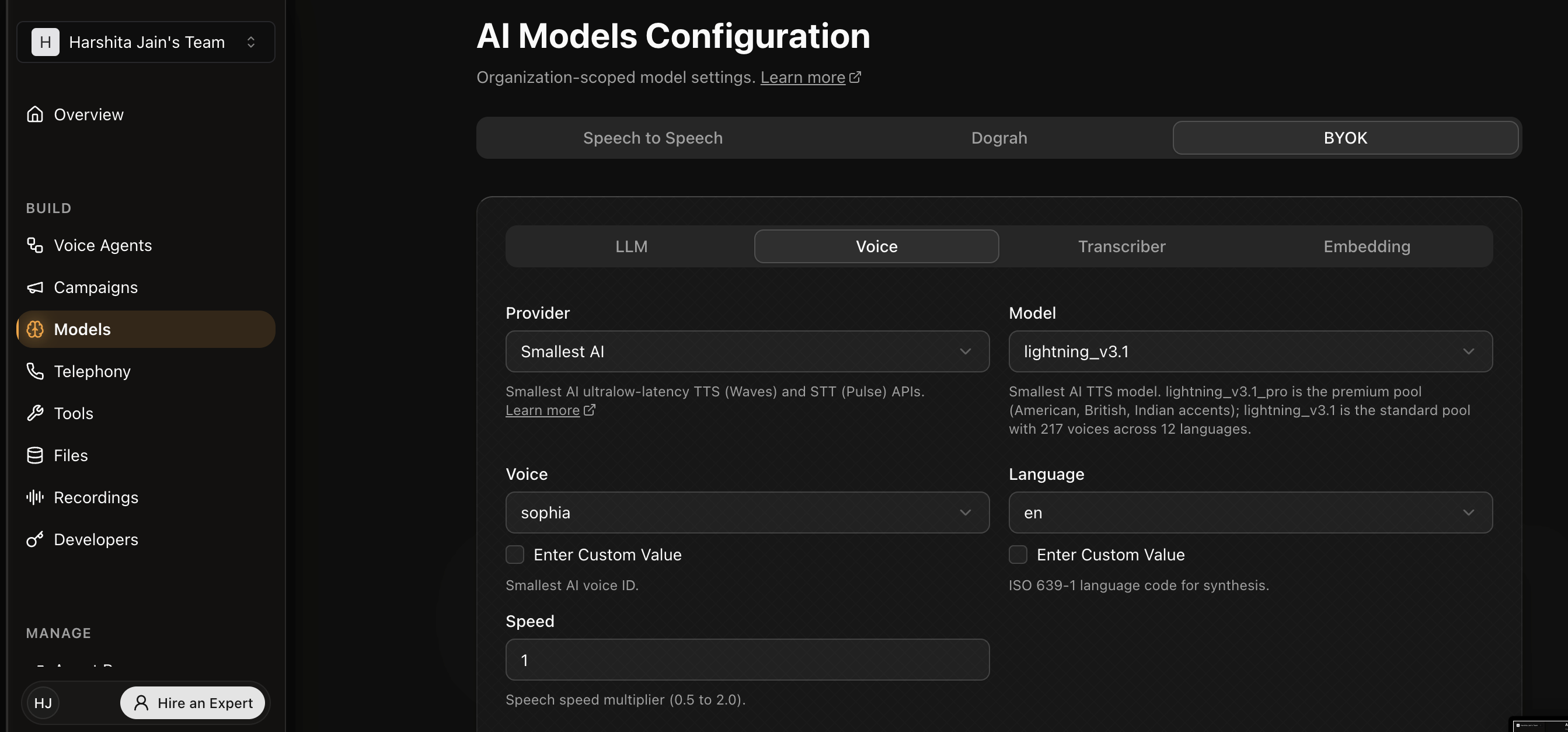
Configure TTS (Voice tab)
Click the Voice sub-tab. Set Provider to Smallest AI and choose your Model:
lightning_v3.1- standard pool with 217 voices across 12 languageslightning_v3.1_pro- premium pool with curated American, British, and Indian voices at 44.1 kHz
Select a Voice from the dropdown (voices are scoped to the model), set the Language, and optionally adjust Speed (0.5–2.0).
Notes
- Dograh routes TTS requests to
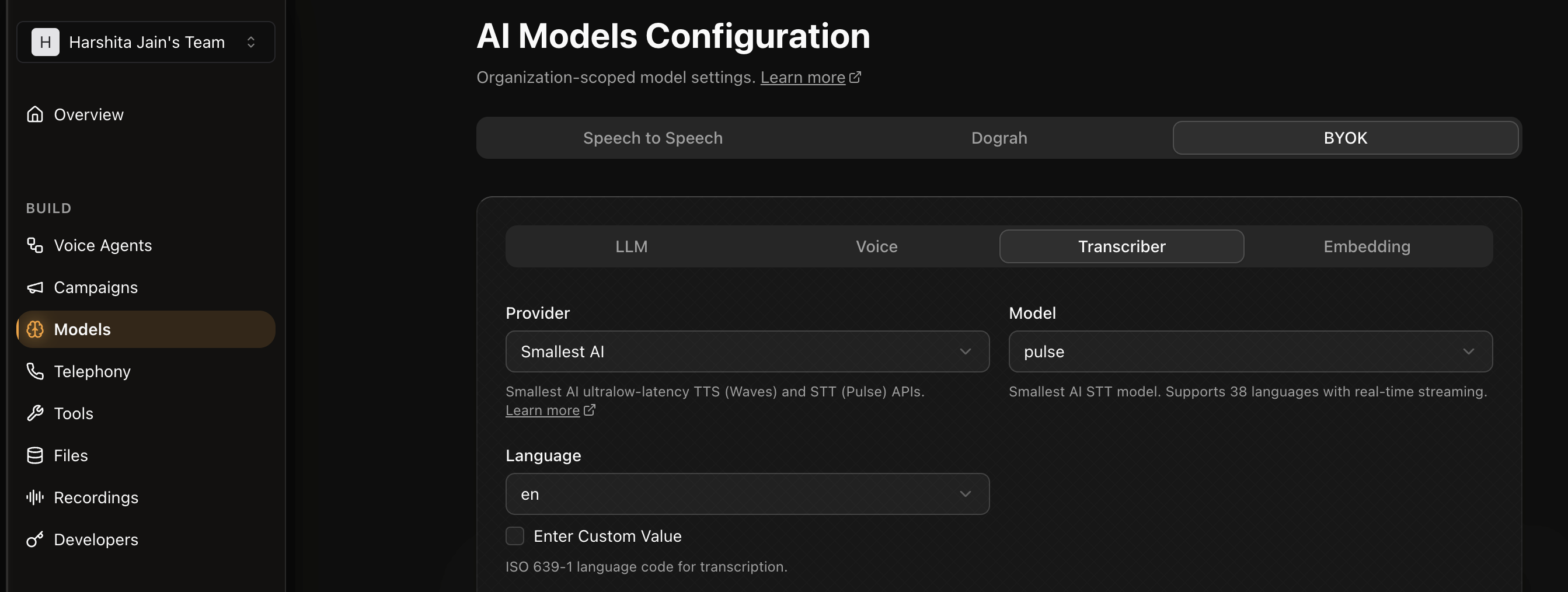
wss://api.smallest.ai/waves/v1/tts/liveand STT requests towss://api.smallest.ai/waves/v1/pulse/get_textusing the Pipecat service implementations under the hood. - For issues with the Smallest AI integration in Dograh, open an issue in the Dograh repository or contact us on Discord.