
Authentication
Every request to the Smallest AI API requires an API key in the Authorization header. Server-side code uses the key directly. Browser and mobile clients use a short-lived access token minted from the key.
Create your API key
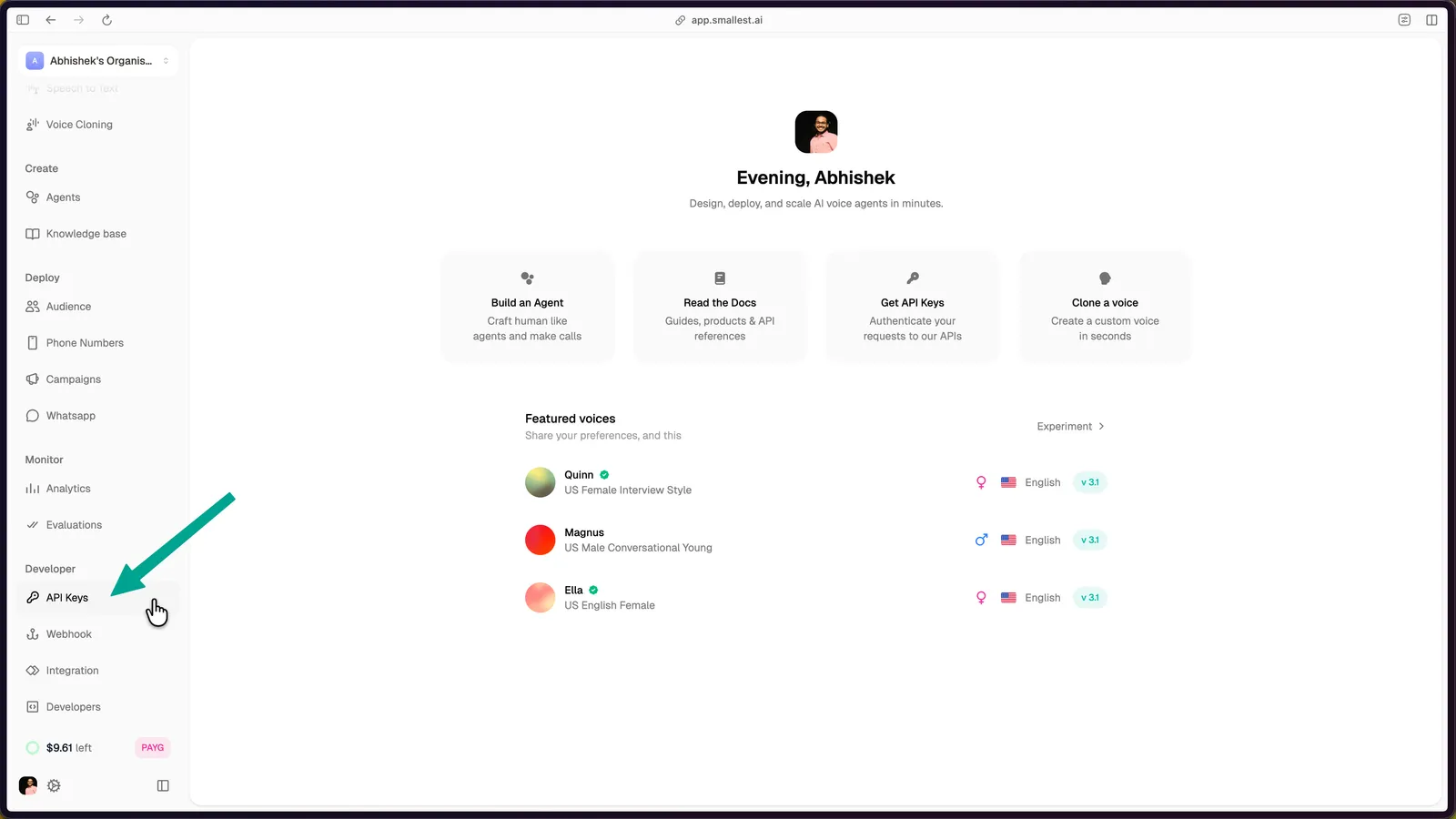
Create a new key
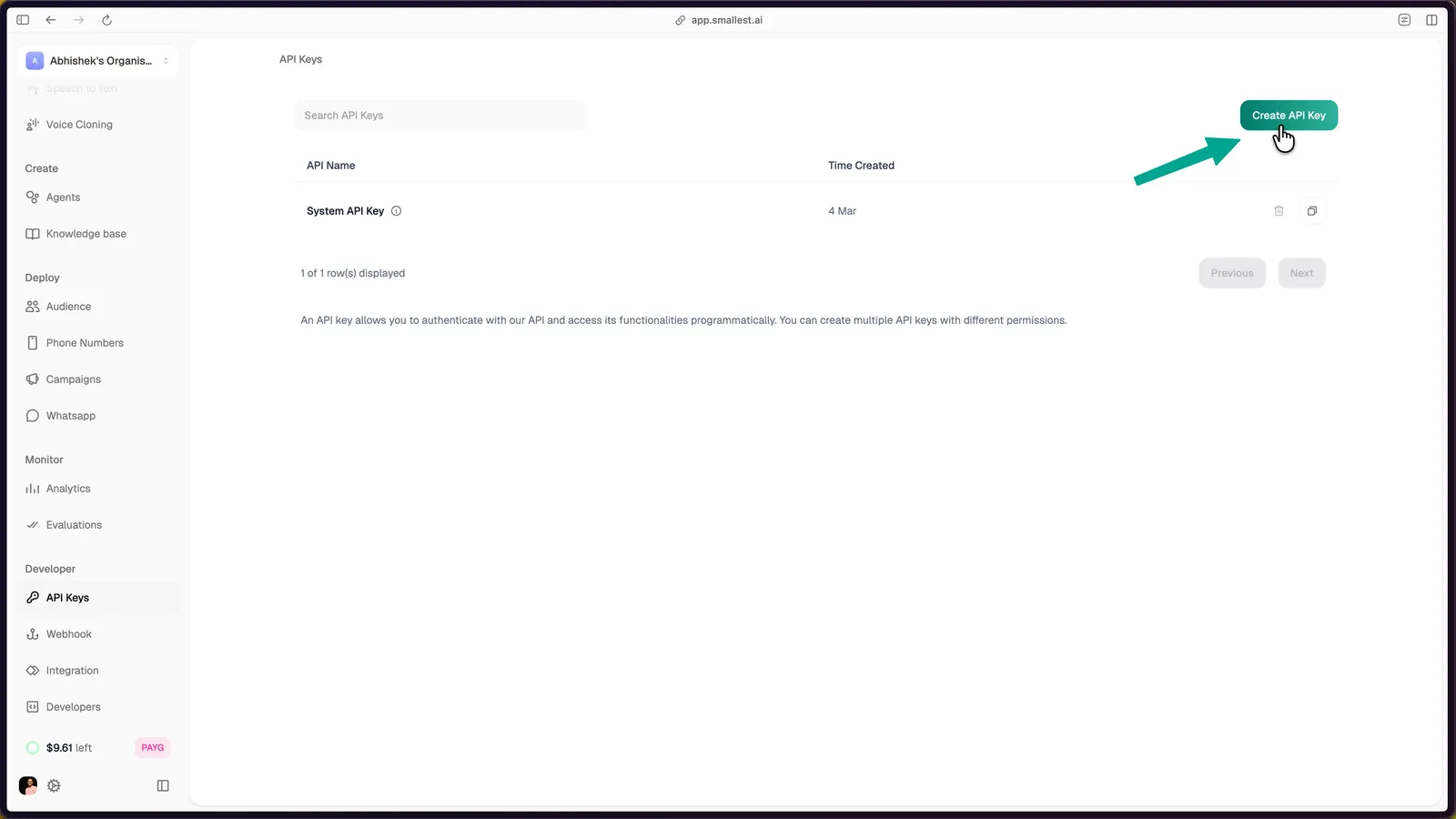
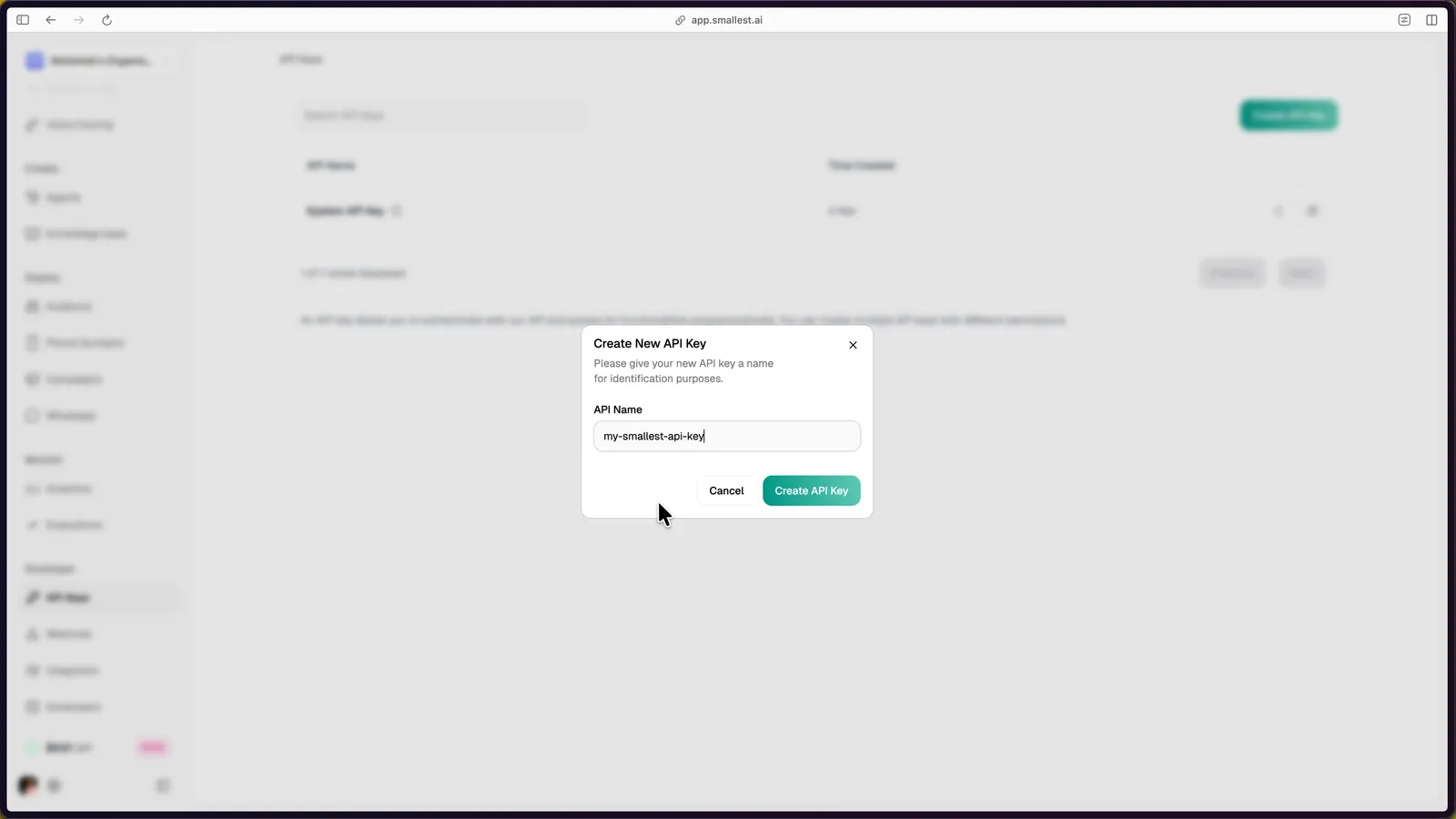
Click Create API Key in the top-right corner, enter a name (e.g., my-tts-app), and click Create API Key to confirm.
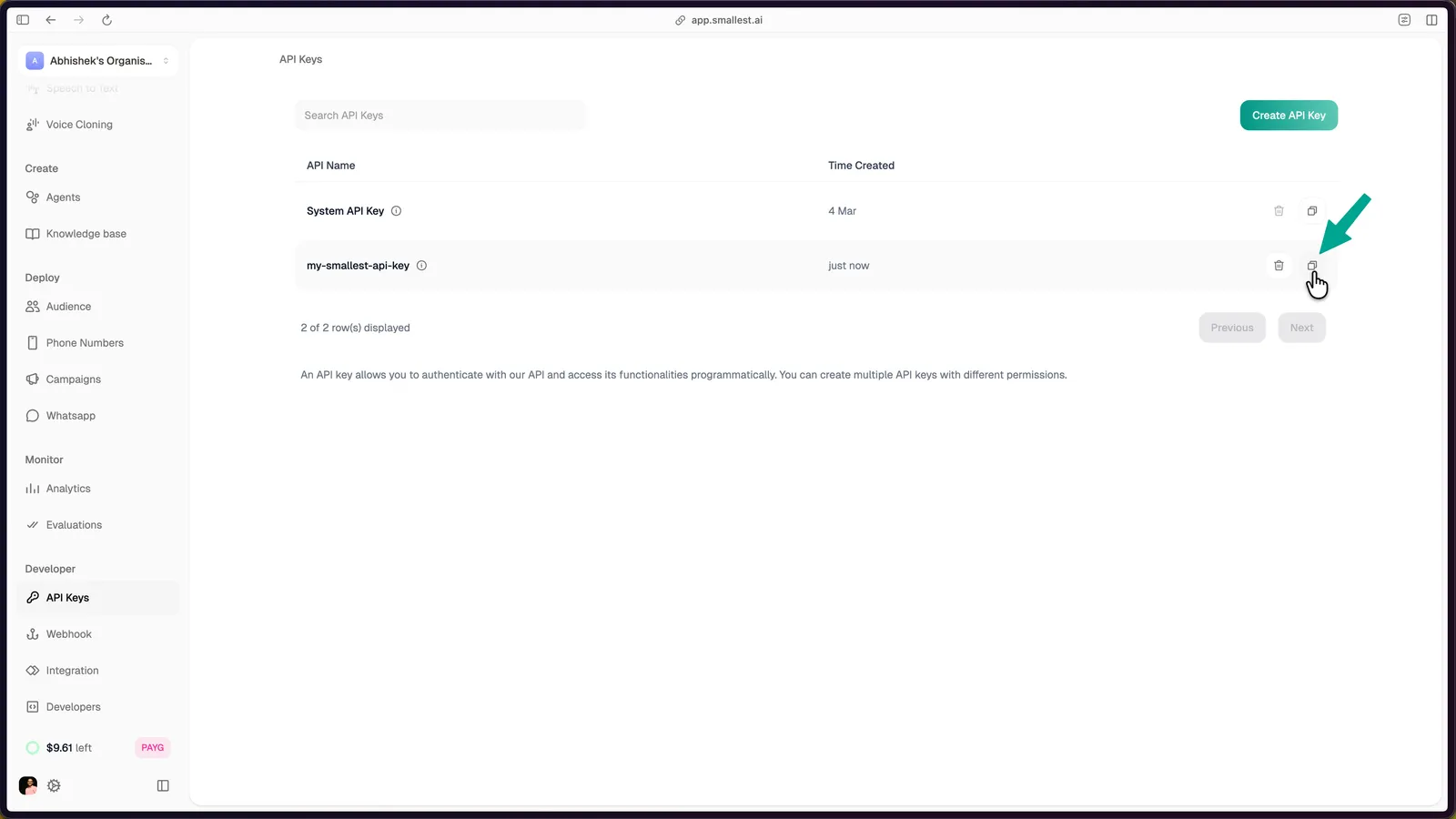
Test your key
Confirm the key works by hitting two endpoints - one for TTS, one for STT - directly from your terminal. No install required.
Generate speech (Lightning TTS)
Play hello.wav - you should hear the generated audio.
Transcribe audio (Pulse STT)
You’ll get back:
Use your key in code
Include the Authorization: Bearer YOUR_API_KEY header on every request.
Browser and mobile clients
Never ship the API key to a browser or mobile app. Mint a short-lived access token on your server and let the client authenticate TTS, STT and speech-to-speech calls with it. See Token-Based Authentication.
Security
Your API key is a secret. Never expose it in client-side code, public repositories, or browser applications. For browser and mobile clients, mint a short-lived access token on your server, or proxy the call through your backend.
- Store keys in environment variables, not in source code
- Use
.envfiles locally and add.envto.gitignore - Rotate keys periodically from the API Keys page
- Each key tracks usage against your account quota - see Concurrency and Limits
Error responses
For rate limits and concurrency, see Concurrency and Limits.