For AI agents: a documentation index is available at the root level at /llms.txt and /llms-full.txt. Append /llms.txt to any URL for a page-level index, or .md for the markdown version of any page.
DocumentationAPI ReferenceSelf HostModel CardsClient LibrariesIntegrationsDeveloper ToolsChangelog
  • API References
    • Authentication
    • Concurrency and Limits
    • WebSocket
  • Text to Speech
    • POSTSynthesize Speech
    • STREAMStream Speech (SSE)
    • WSSStream Speech (WebSocket)
    • POSTLightning v3.1 (endpoint will be deprecated)
    • POSTLightning v3.1 SSE (endpoint will be deprecated)
    • WSSLightning v3.1 WebSocket (endpoint will be deprecated)
    • POSTLightning v2 (Deprecated)
    • POSTLightning v2 SSE (Deprecated)
    • WSSLightning v2 WebSocket (Deprecated)
    • GETGet Voices
    • POSTCreate a Voice Clone
    • GETList Voice Clones
    • DELDelete a Voice Clone
    • POSTAdd Voice (Deprecated)
    • GETGet Cloned Voices (Deprecated)
    • GETGet Pronunciation Dictionaries
    • POSTCreate Pronunciation Dictionary
    • PUTUpdate Pronunciation Dictionary
    • DELDelete Pronunciation Dictionary
  • Speech to Text
    • POSTPulse (Pre-Recorded)
    • WSSPulse (Realtime)
  • LLM (Chat Completions)
    • POSTElectron — Chat Completions
LogoLogo
Voice AgentsModels
Voice AgentsModels
On this page
  • Obtaining Your API Key
  • Using API Keys
  • Example Request
  • Security Best Practices
API References

Authentication

||View as Markdown|
Was this page helpful?
Next

Concurrency and Limits

Built with

Obtaining Your API Key

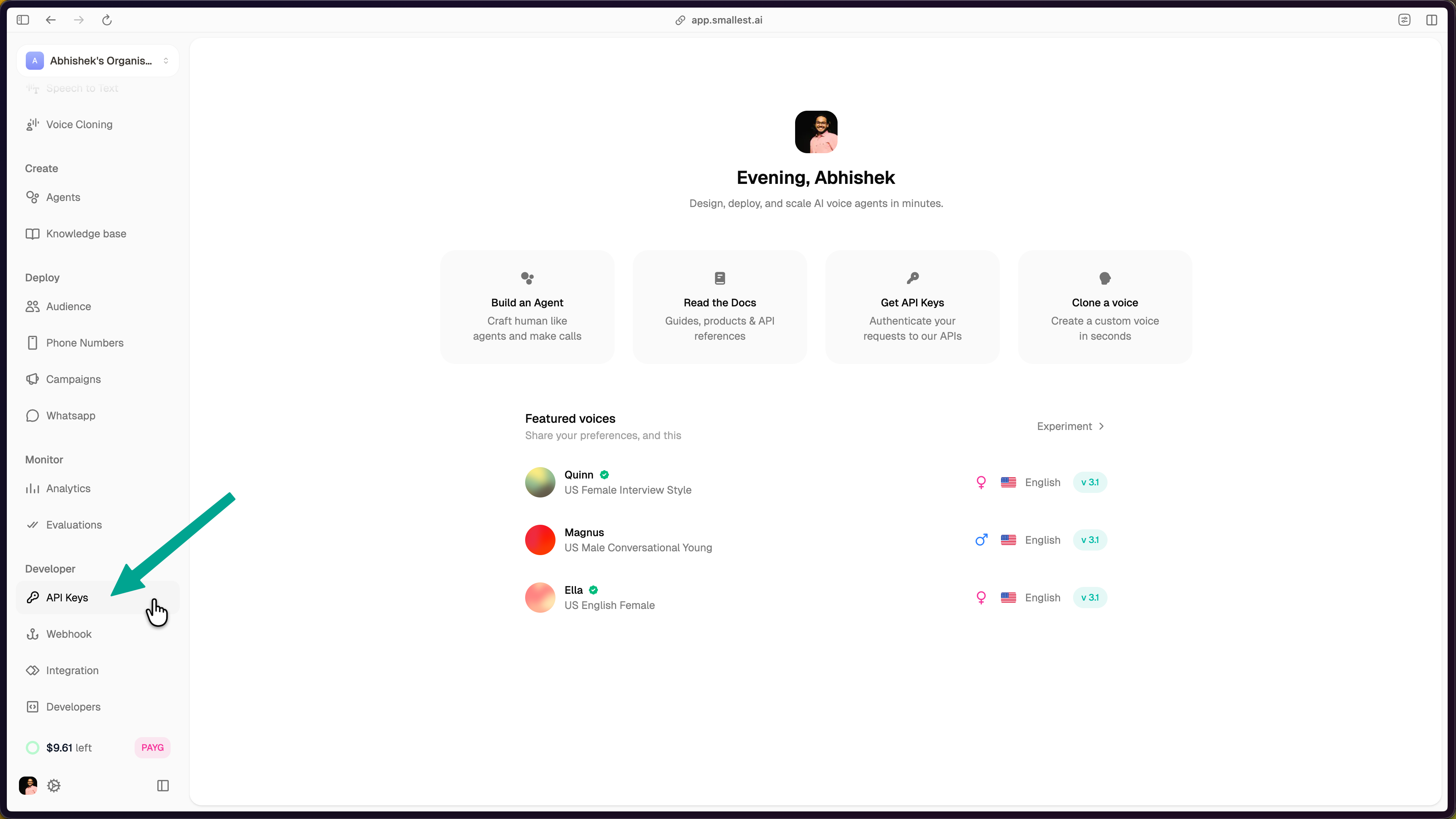
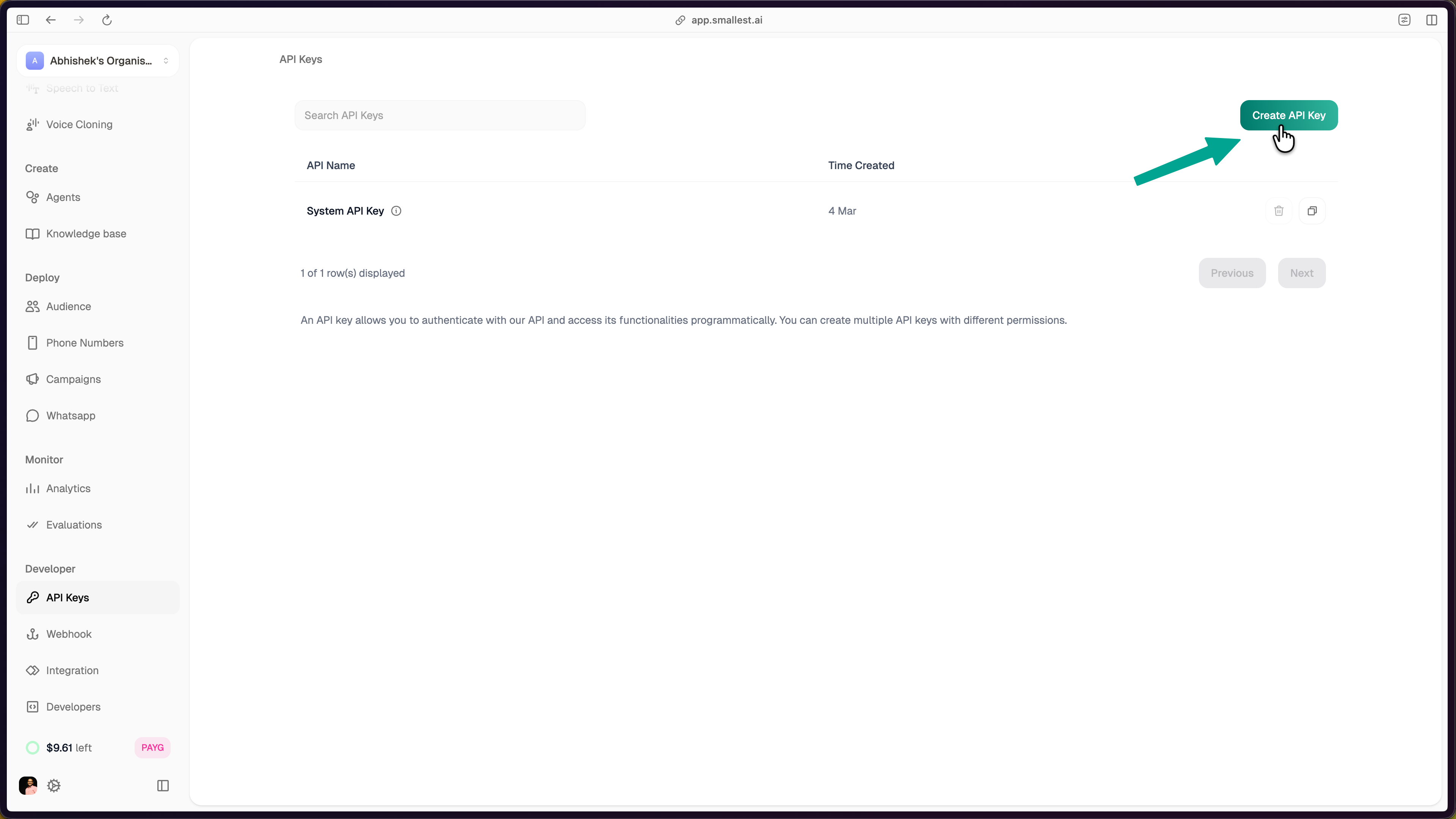
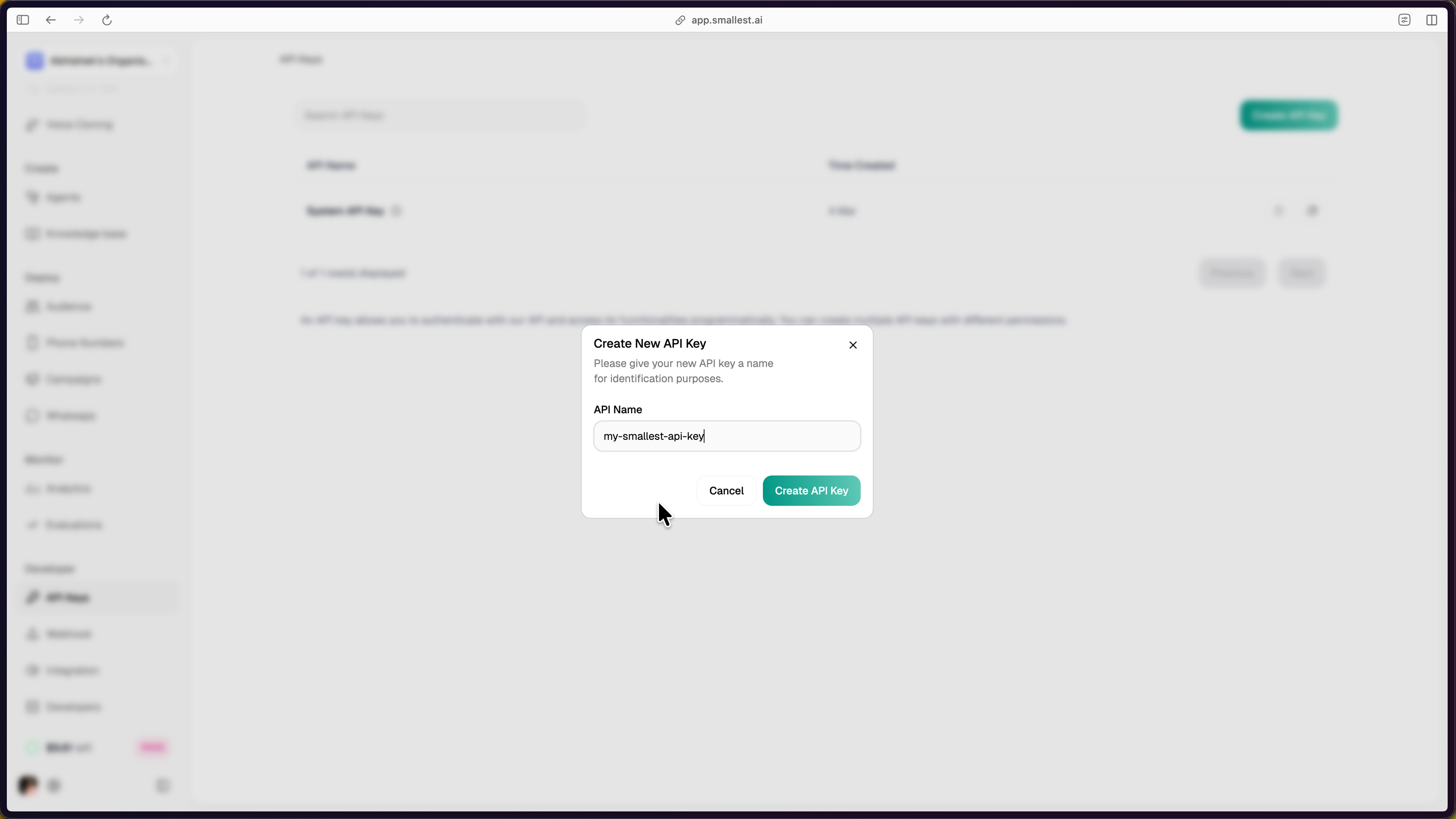
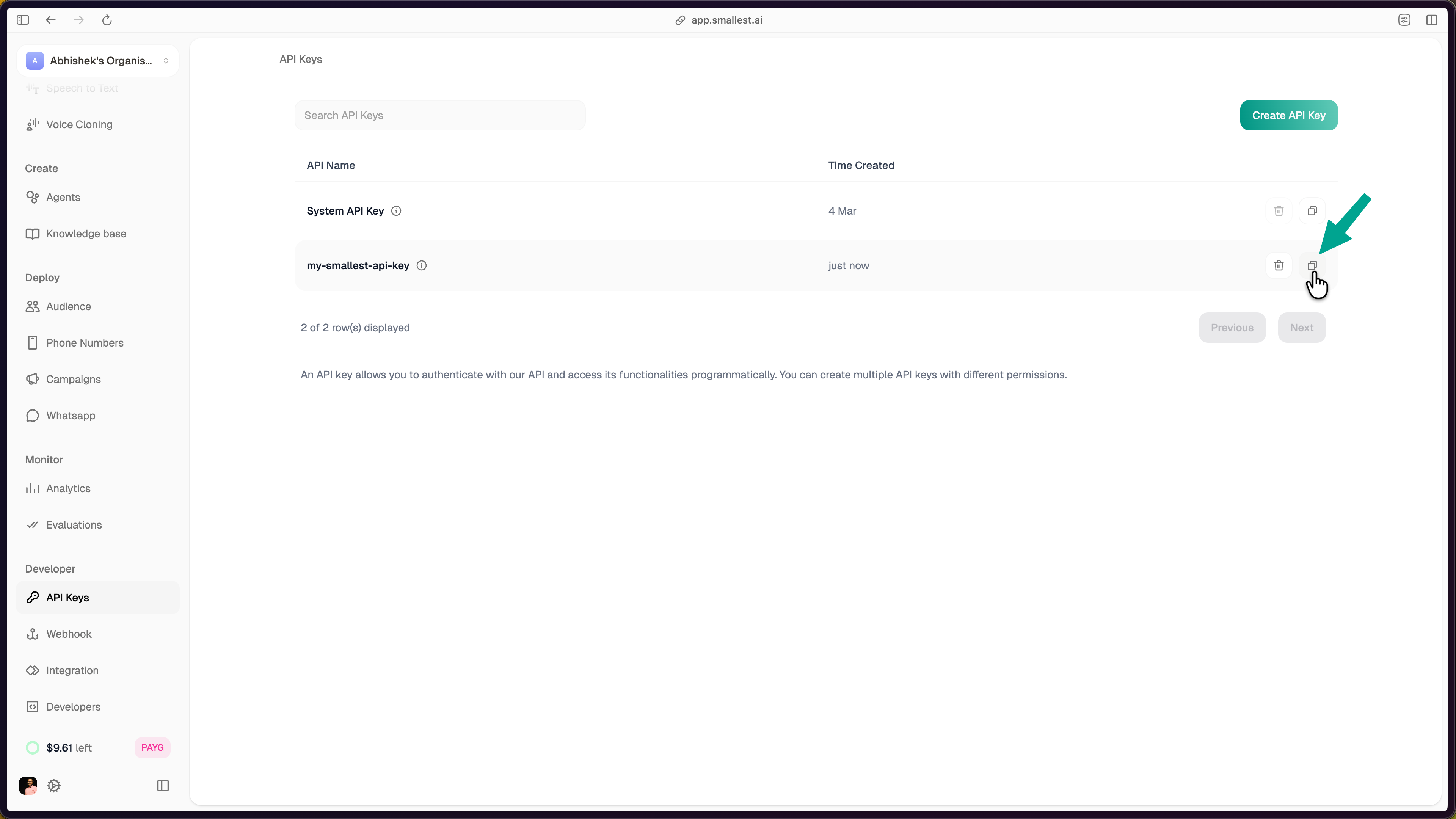
To access our API, you need an API key. You can generate your API key by visiting the Smallest AI Console.

Using API Keys

Once you have an API key, you must include it in the Authorization header of each request using the Bearer Token scheme.

Example Request

1GET /v1/some-endpoint HTTP/1.1
2Host: api.smallest.ai
3Authorization: Bearer YOUR_API_KEY_HERE

Security Best Practices

  • Keep your API key private: Do not expose your key in client-side applications.
  • Rotate keys periodically: Regularly regenerate your API keys to enhance security.
  • Use environment variables: Store API keys securely instead of hardcoding them in your source code.
  • Monitor API usage: Keep track of your API calls to detect any unauthorized access.

For more details, visit our API Documentation.