
Quickstart
Step 1: Get Your API Key
Open the API Keys page in the Smallest AI console.
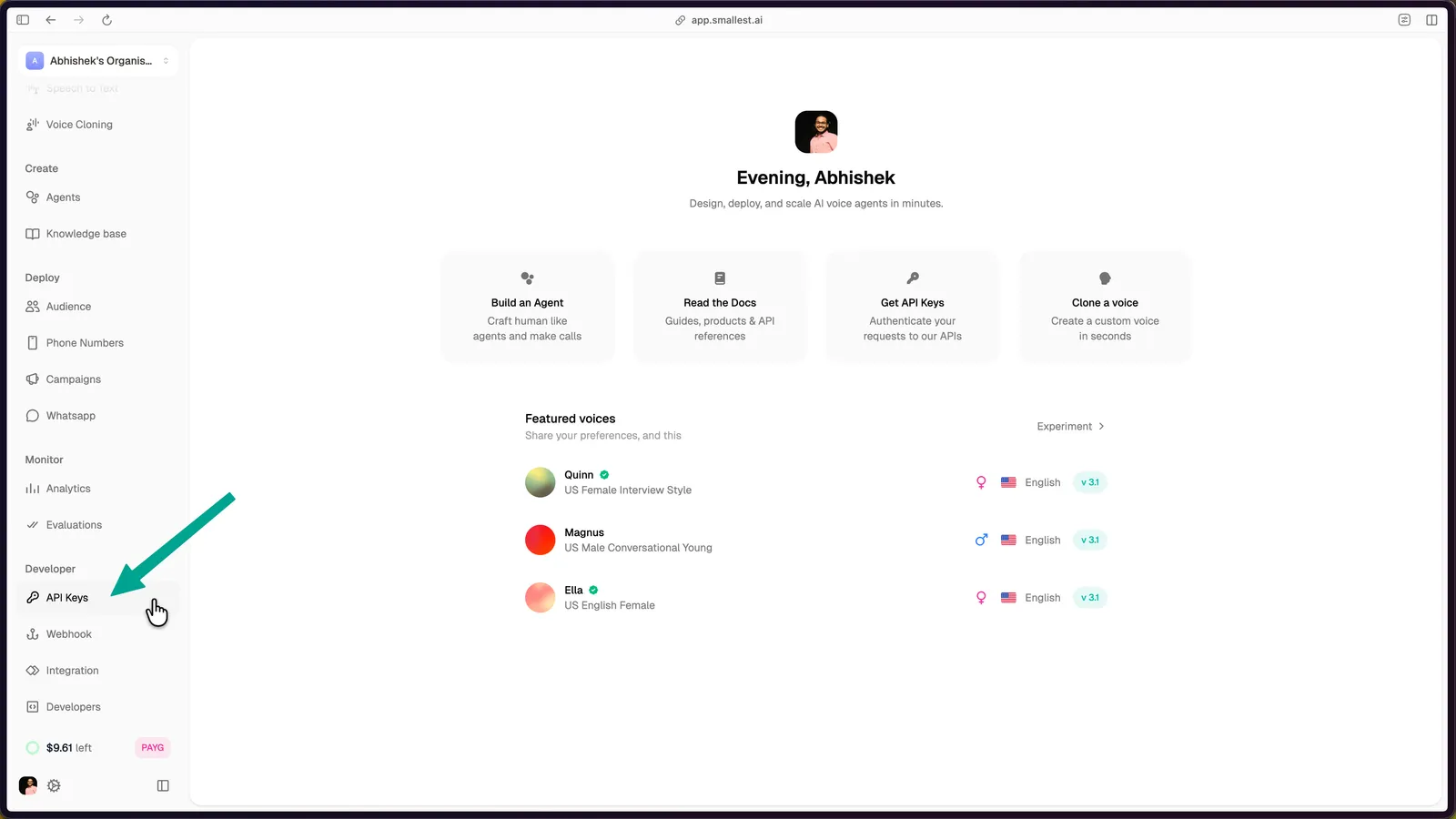
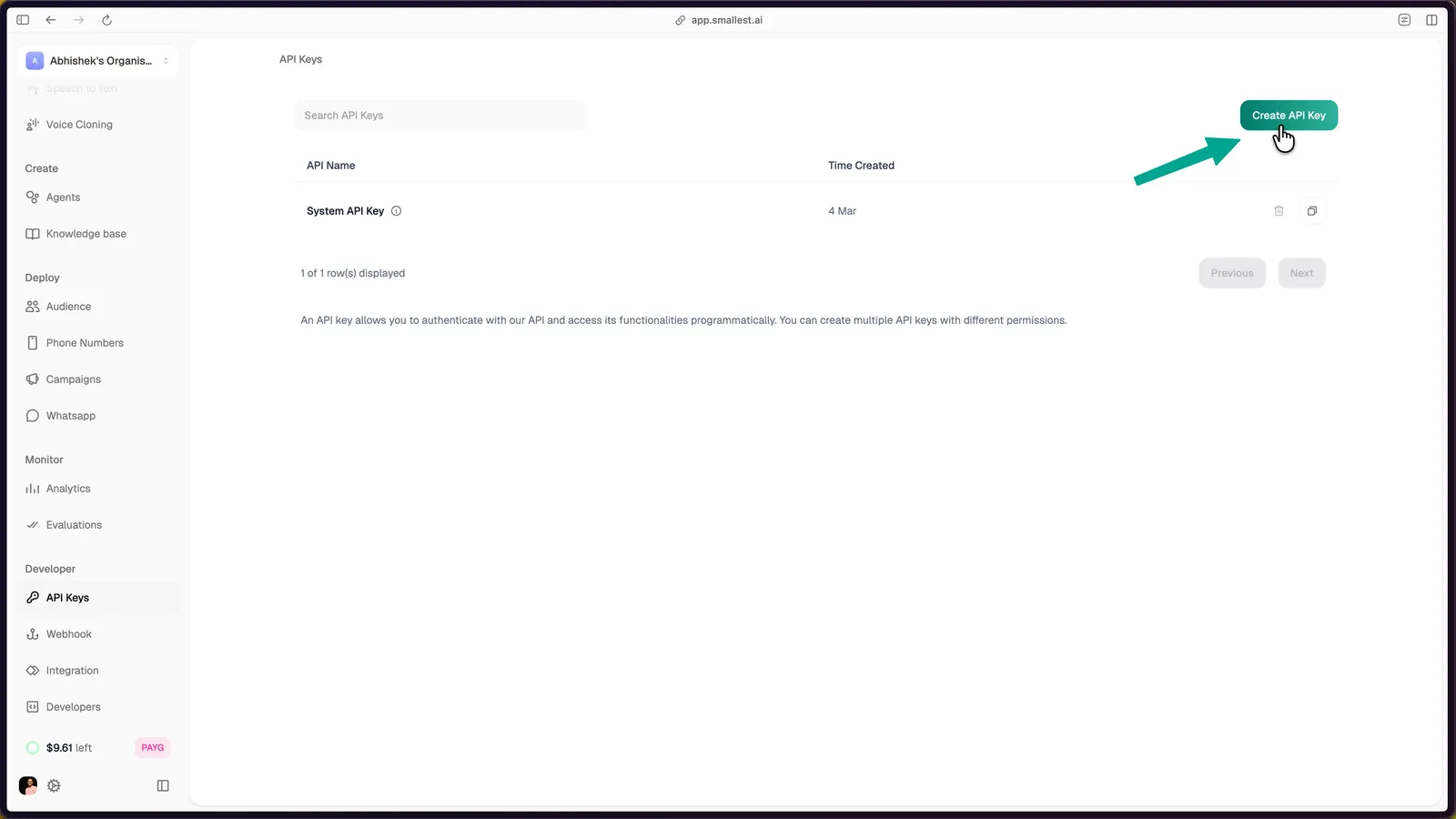
Click Create API Key in the top-right corner, enter a name, and click Create API Key to confirm.
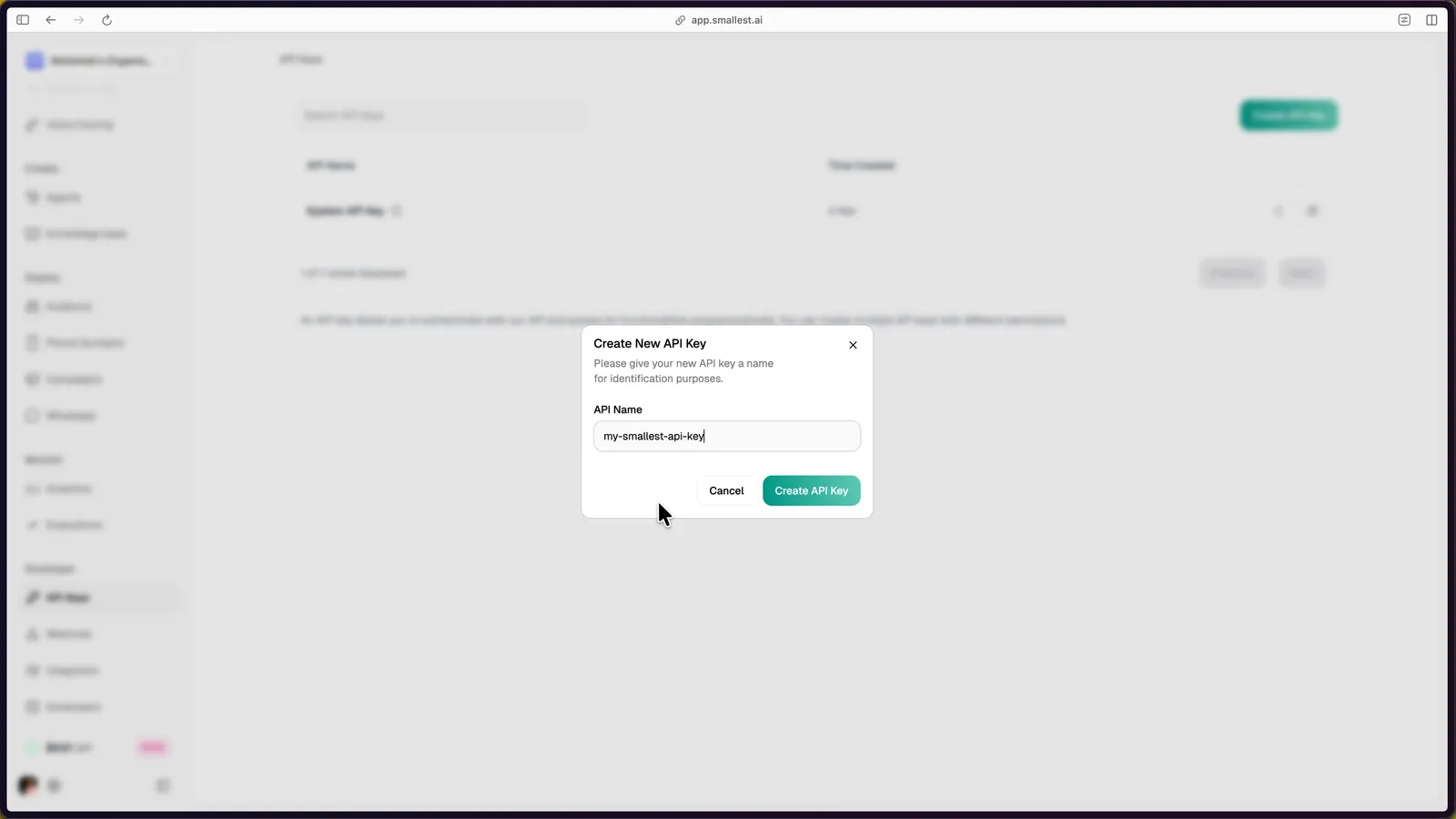
The new key appears in your dashboard. Click the copy icon to copy it.
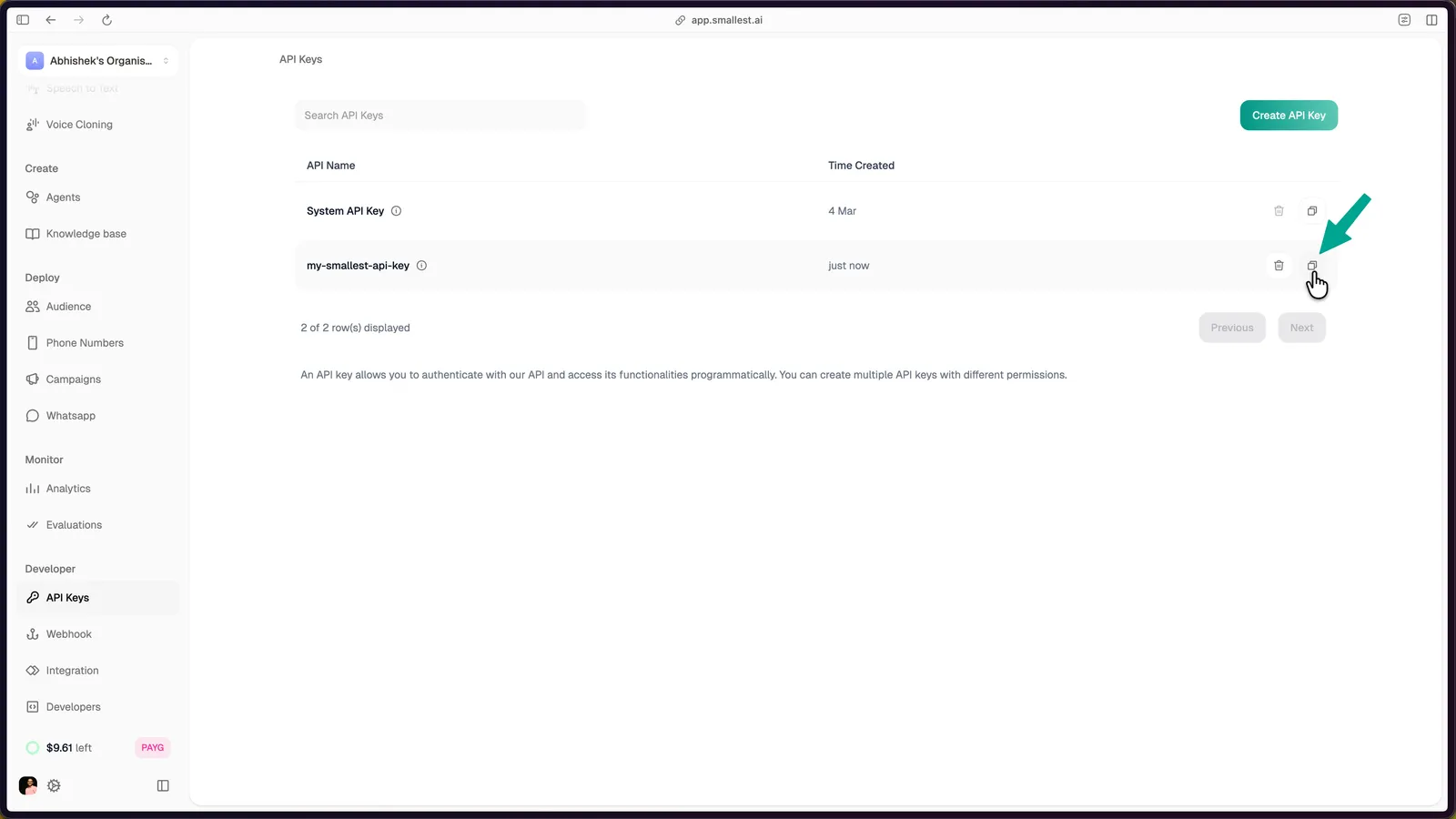
Export the key in your terminal:
Step 2: Hear Audio in 30 Seconds
Paste this in your terminal - no install required:
Play hello.wav - it should sound like this:
That’s broadcast-quality TTS with ~200ms TTFB.
The model field selects which Lightning pool serves the request - lightning_v3.1_pro is the new premium pool with a curated voice catalog. Omit the field or pass "model": "lightning_v3.1" to use the standard pool (more voices, plus voice cloning).
Step 3: Build It Into Your App
The smallestai Python SDK example uses client.waves.synthesize_tts, which returns audio byte chunks you can join and save. synthesize_sse_tts streams the same request over SSE.
For browser or mobile clients, keep the API key on your server and mint a short-lived access token for the client.
Full runnable source files: Python | JavaScript | cURL