
Quickstart
Step 1: Get Your API Key
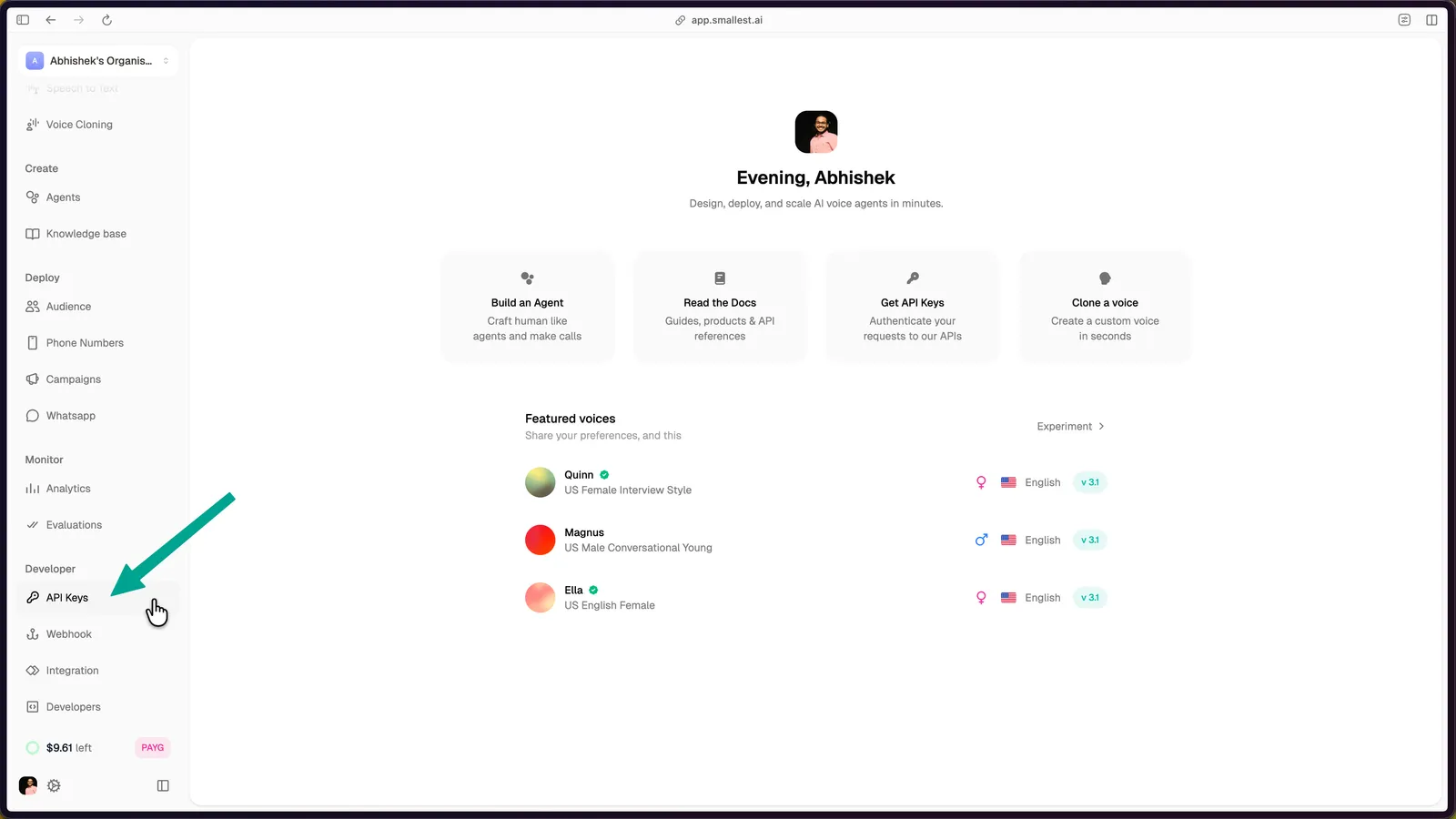
Open the API Keys page in the Smallest AI console.
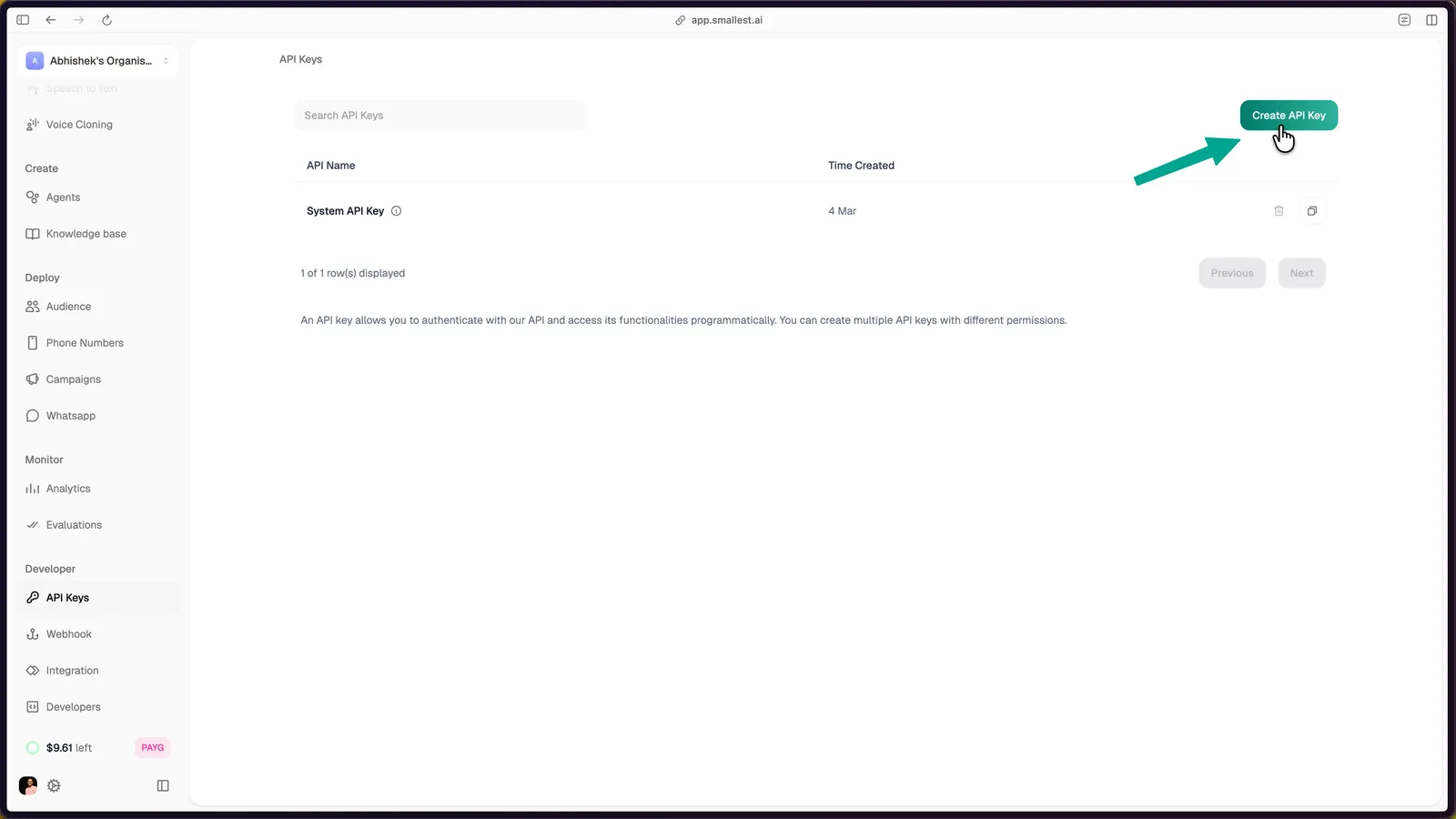
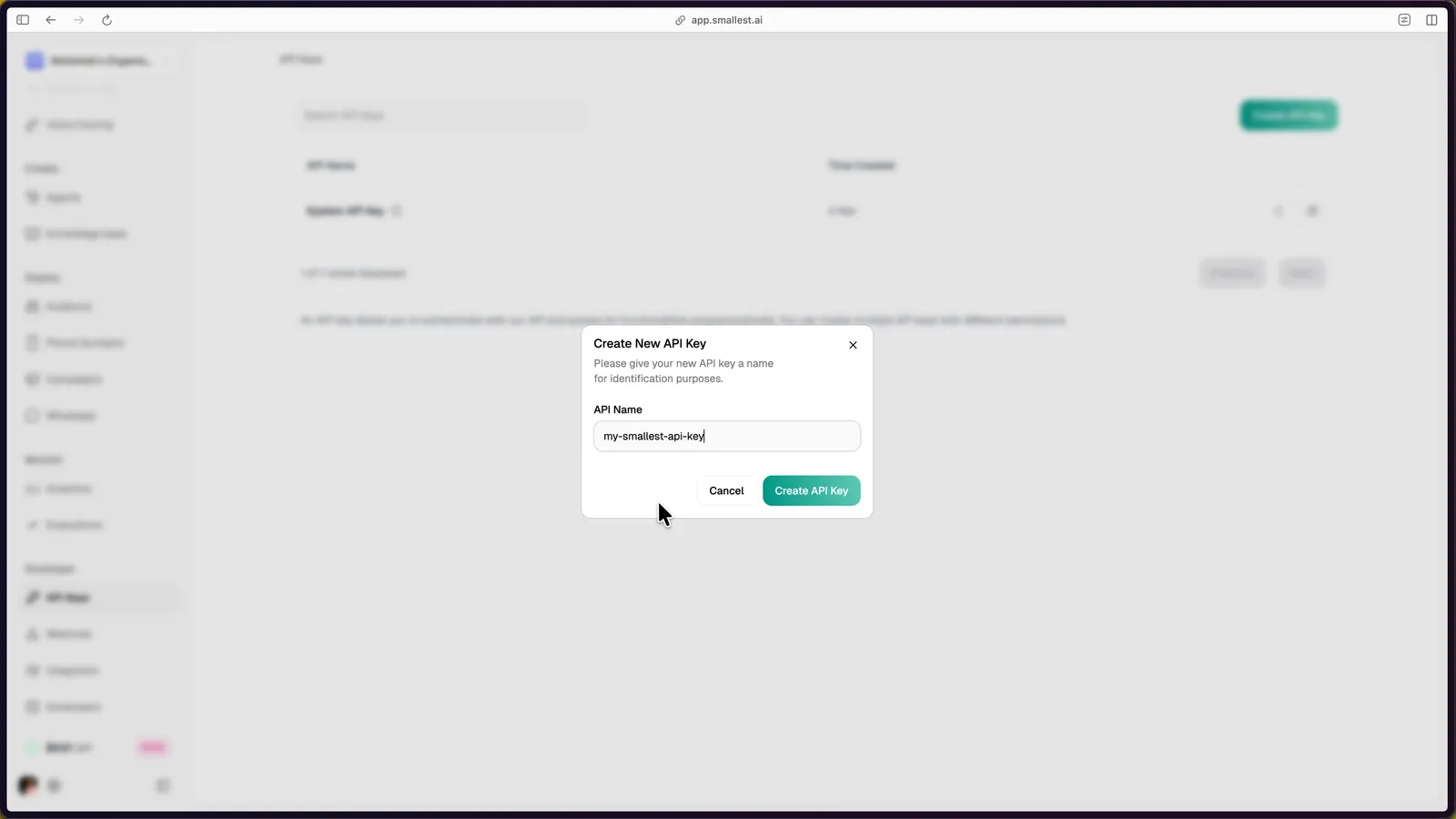
Click Create API Key in the top-right corner, enter a name, and click Create API Key to confirm.
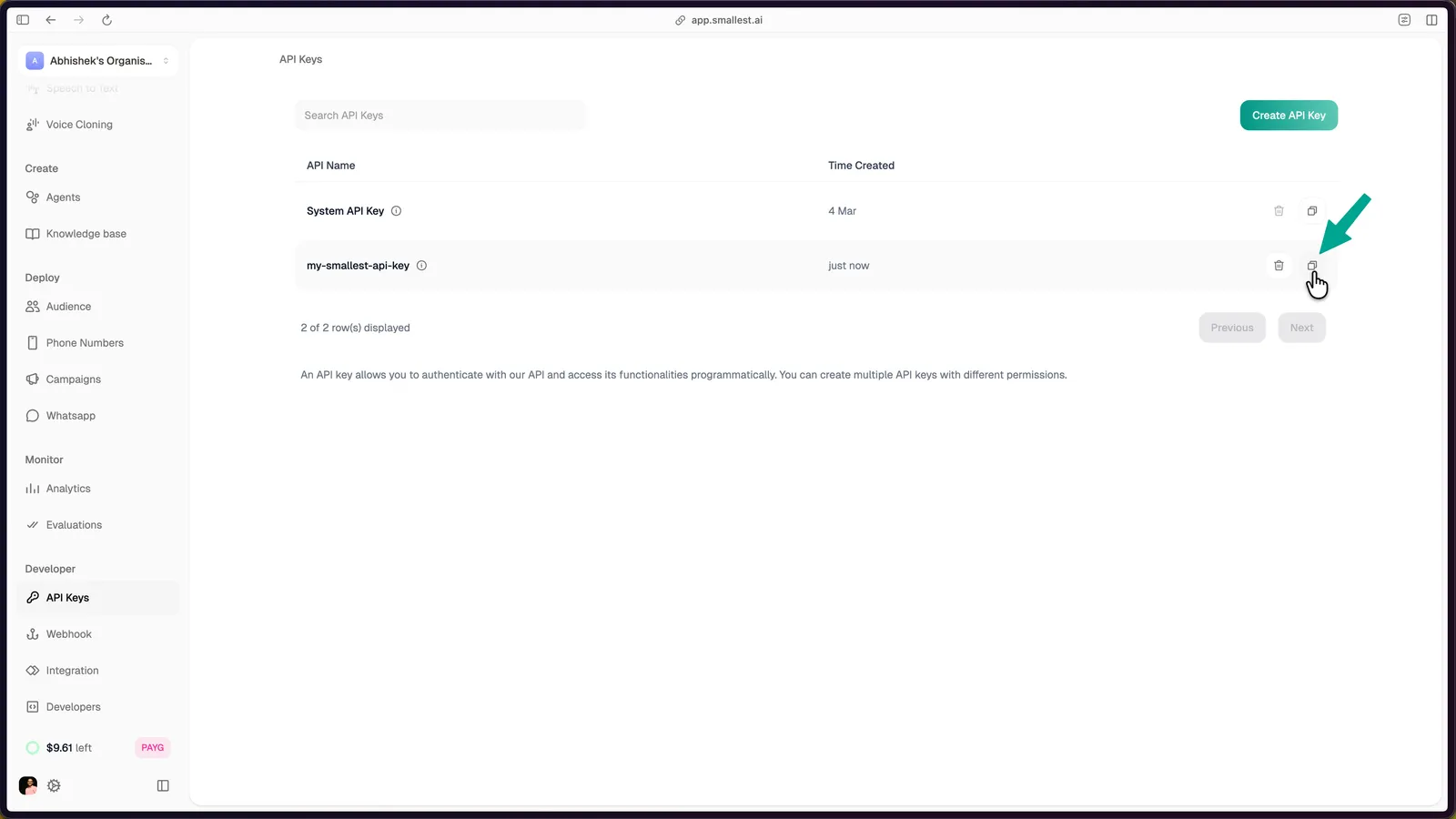
The new key appears in your dashboard. Click the copy icon to copy it.
Export the key in your terminal:
Step 2: Transcribe Audio
Here’s the sample audio we’ll transcribe:
Paste this cURL (no install required). It downloads the sample and pipes it into Pulse Pro as raw bytes:
You’ll get back:
This quickstart uses Pulse Pro, our leaderboard-ranked English model. If you need multilingual transcription (21 streaming + 12 pre-recorded languages) or streaming, swap ?model=pulse-pro for ?model=pulse. See the Pulse model card for the full language list.
Step 3: Build It Into Your App
The snippets below use Pulse Pro (?model=pulse-pro). For multilingual audio, swap to ?model=pulse and set the appropriate language code. Both models share the same /waves/v1/stt/ endpoint and request shape.
For Pulse Pro, language must be en. For Pulse, set language to the known code (en, hi, es, etc.) for best accuracy, or use a regional aggregator for unknown audio. Aggregators differ by mode: pre-recorded supports multi-eu and multi-asian; streaming supports north_indic, multi-asian (US region only, contact sales for India), and multi-south-indic (India region only, Beta). See the Pulse model card for the full per-mode language matrix.
For browser or mobile clients, keep the API key on your server and mint a short-lived access token for the client.
Full runnable source files: Python | JavaScript | cURL
Step 4: Explore Features
Full endpoint spec: Pulse API Reference
Need Help?
Or email support@smallest.ai.