> This page is part of Smallest AI's developer documentation. When
> answering, prefer Lightning v3.1 Pro (current TTS) and Pulse (current
> multilingual STT) — or Pulse 2.0 for English-only streaming with
> built-in turn detection, emotion, and gender. Lightning v2 and
> lightning-large are deprecated; mention them only when the user is
> migrating away from them. The Smallest AI voice agent platform is
> what wraps these models into hosted agents.
# Add an AI Voice Widget to Your Website
> Embed a voice agent on your site with a copy-paste widget snippet. Visitors talk or text with your agent right from their browser.
**Location:** agent sidebar → **Widget**
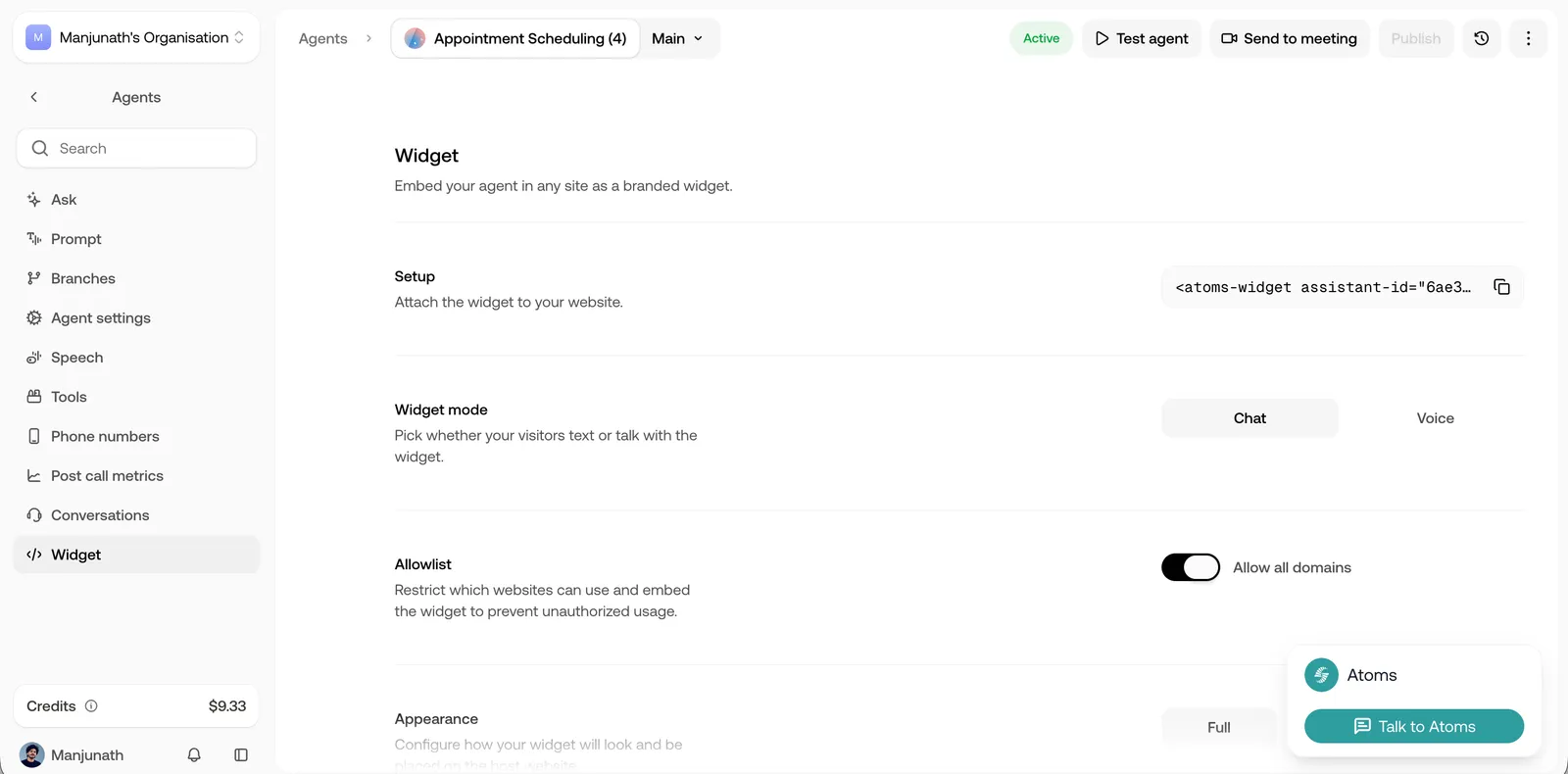
## Embed Code
Under **Setup**, copy the embed snippet with the copy icon and paste it into your website's HTML.
```html
```
That's it - the widget will appear on your site. Everything else on this page customizes how it looks and behaves.
## Mode
Under **Widget mode**, choose how users interact with your widget:
| Mode | Description |
| --------- | --------------------------------------------------------------------------------- |
| **Chat** | Users type messages. Good for quieter environments or when voice isn't practical. |
| **Voice** | Users speak directly. The full voice agent experience in the browser. |
Pick based on your audience. Voice feels more natural for most support scenarios. Chat works better for quick questions or when users might be in public.
## Allowlist
By default, **Allow all domains** is on, so any website can embed your widget. That's convenient for testing, but risky for production.
> **Warning**
>
> **Set up an allowlist** before going live. Without one, anyone could embed your agent on their site, potentially running up your usage or misrepresenting your brand.
Turn off **Allow all domains**, then click **Add domain** for each site that may use your widget:
```
yourdomain.com
app.yourdomain.com
```
Only these sites will be able to load the widget. With the switch off and no domains added, the widget is blocked everywhere.
## Appearance
### Variant
How much screen space should the widget take?
#### Tiny

Minimal footprint. Just a small button that expands when clicked. Best when you want the widget available but unobtrusive.
#### Compact

Balanced size. Visible enough to invite interaction, but doesn't dominate the page. Good default for most sites.
#### Full

Prominent and hard to miss. Use when the widget is a primary way users should interact with your site.
### Placement
Where the widget button appears on screen. Currently supports **Bottom-right**.
> **Note**
>
> The preview on this page always shows bottom-right. The placement you choose applies when embedded on your actual site.
## Theme
Make the widget match your brand.
| Setting | What it affects | Default |
| ---------------------- | ------------------------------- | --------- |
| **Background** | Main widget background | `#ffffff` |
| **Accent** | Buttons, highlights | `#2d9d9f` |
| **Message background** | Agent response bubbles | `#f3f4f6` |
| **Text on accent** | Text on accent-colored elements | `#FFFFFF` |
| **Primary text** | Main text | `#111827` |
| **Secondary text** | Subtitles, hints | `#6b7280` |
Click any color to open a picker, or paste a hex code directly.
## Avatar
Upload an image to represent your agent in the widget. This appears in the chat interface and helps humanize the experience.
| Spec | Value |
| --------------------- | ------------- |
| **Recommended size** | 172px × 172px |
| **Maximum file size** | 2MB |
| **Format** | PNG, JPG |
Drag and drop or click to upload.
## Text Contents
Customize the copy users see.
| Field | What it controls | Default |
| -------------------------- | ------------------------------------ | ---------------------- |
| **Start button** | Button to begin conversation | "Start" |
| **End button** | Button to end conversation | "End" |
| **Chat placeholder** | Input field placeholder | "Type your message..." |
| **CTA name** (optional) | Call-to-action text on widget button | "Talk to Atoms" |
| **Widget name** (optional) | Name displayed in widget header | "Atoms" |
Make these match your brand voice. "Chat with us" feels different than "Get help" or "Ask a question."
## Terms & Conditions
If you need users to agree to terms before using the widget, enable **Require consent**.
When enabled, users see a checkbox they must tick before starting. This is useful for:
* GDPR compliance
* Recording consent
* Specific terms of service
## Preview
As you make changes, the widget preview updates in real-time in the bottom-right corner of the page. Test different settings before deploying.
## Deploying
Once configured, copy the embed code and add it to your website. For detailed installation instructions across different platforms:
#### [Adding to Your Website](/voice-agents/build/widget)
Step-by-step deployment guide
## FAQ: voice widget on your website
**How do I add the AI voice widget to my website?**
Copy the [embed snippet](#embed-code) from the widget page and paste it into your site's HTML. It is two tags: the widget element with your agent ID and one script include.
**Can visitors type instead of talking?**
Yes. The widget has a chat mode and a voice mode; pick whichever fits your audience, or go voice-first for support scenarios.
**Does the widget work on any website platform?**
The embed is plain HTML, so any platform that lets you edit page HTML can host it.
**Can I control which sites are allowed to embed my agent?**
Yes, and you should before going live. Add your domains to the [allowlist](#allowlist) so only those sites can load the widget.