***
title: Model Settings
sidebarTitle: Model Settings
description: 'Configure AI model, language, and speech behavior.'
-----------------------------------------------------------------
Model Settings control how the AI behaves — the model powering responses, language handling, and formatting preferences.
**Location:** Left Sidebar → Agent Settings → Model tab
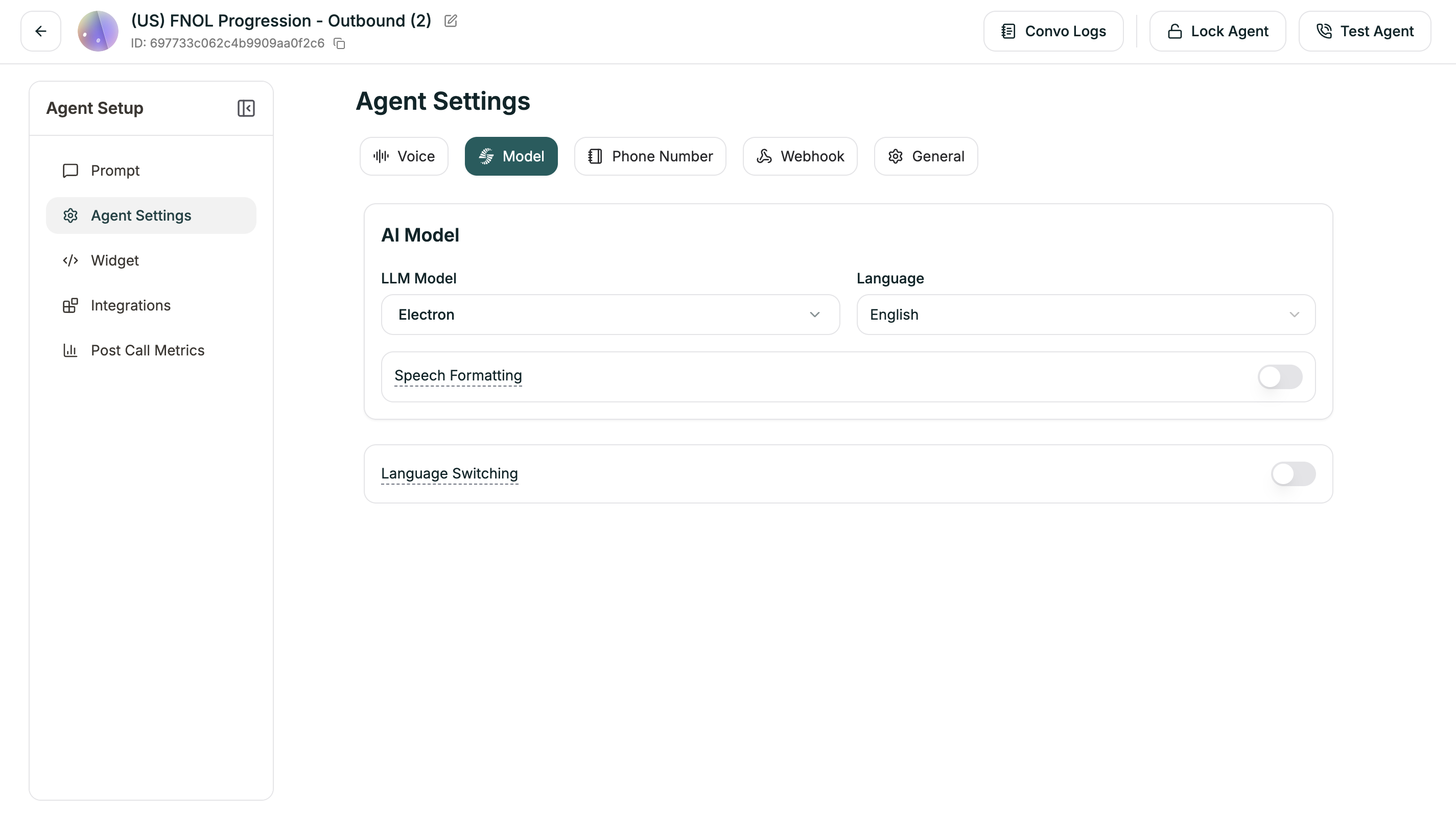 ***
## AI Model
Choose the LLM powering your agent and its primary language.
| Setting | Description |
| ------------- | ------------------------------------- |
| **LLM Model** | The AI model (Electron, GPT-4o, etc.) |
| **Language** | Primary language for responses |
You can also set the model in the [Prompt Section](/atoms/atoms-platform/single-prompt-agents/prompt-section/model-selection) dropdown at the top of the editor.
***
## Speech Formatting
When enabled (default: ON), the system automatically formats transcripts for readability — adding punctuation, paragraphs, and proper formatting for dates, times, and numbers.
***
## Language Switching
Enable your agent to switch languages mid-conversation based on what the caller speaks (default: ON).
### Advanced Settings
When Language Switching is enabled, you can fine-tune detection:
| Setting | Range | Default | What it does |
| ------------------------------- | ----- | ------- | ------------------------------------------ |
| **Minimum Words for Detection** | 1-10 | 2 | How many words before considering a switch |
| **Strong Signal Threshold** | 0-1 | 0.7 | Confidence level for immediate switch |
| **Weak Signal Threshold** | 0-1 | 0.3 | Confidence level for tentative detection |
| **Consecutive Weak Signals** | 1-8 | 2 | How many weak signals needed to switch |
**Understanding the thresholds:**
* **Strong Signal:** Very confident the caller switched → switches immediately
* **Weak Signal:** Somewhat confident → waits for more evidence
* **Higher thresholds** = More certain before switching (fewer false switches)
* **Lower thresholds** = Quicker to switch (more responsive)
For most cases, the defaults work well. Adjust only if you're seeing unwanted switching behavior.
***
## Related
Speech speed, pronunciation, and detection
Where you write your agent's instructions
***
## AI Model
Choose the LLM powering your agent and its primary language.
| Setting | Description |
| ------------- | ------------------------------------- |
| **LLM Model** | The AI model (Electron, GPT-4o, etc.) |
| **Language** | Primary language for responses |
You can also set the model in the [Prompt Section](/atoms/atoms-platform/single-prompt-agents/prompt-section/model-selection) dropdown at the top of the editor.
***
## Speech Formatting
When enabled (default: ON), the system automatically formats transcripts for readability — adding punctuation, paragraphs, and proper formatting for dates, times, and numbers.
***
## Language Switching
Enable your agent to switch languages mid-conversation based on what the caller speaks (default: ON).
### Advanced Settings
When Language Switching is enabled, you can fine-tune detection:
| Setting | Range | Default | What it does |
| ------------------------------- | ----- | ------- | ------------------------------------------ |
| **Minimum Words for Detection** | 1-10 | 2 | How many words before considering a switch |
| **Strong Signal Threshold** | 0-1 | 0.7 | Confidence level for immediate switch |
| **Weak Signal Threshold** | 0-1 | 0.3 | Confidence level for tentative detection |
| **Consecutive Weak Signals** | 1-8 | 2 | How many weak signals needed to switch |
**Understanding the thresholds:**
* **Strong Signal:** Very confident the caller switched → switches immediately
* **Weak Signal:** Somewhat confident → waits for more evidence
* **Higher thresholds** = More certain before switching (fewer false switches)
* **Lower thresholds** = Quicker to switch (more responsive)
For most cases, the defaults work well. Adjust only if you're seeing unwanted switching behavior.
***
## Related
Speech speed, pronunciation, and detection
Where you write your agent's instructions