***
title: Agent Versioning
sidebarTitle: Versioning
description: Edit agent config safely with drafts, published versions, and rollback.
---------------------
For clean Markdown of any page, append .md to the page URL. For a complete documentation index, see https://docs.smallest.ai/atoms/atoms-platform/features/llms.txt. For full documentation content, see https://docs.smallest.ai/atoms/atoms-platform/features/llms-full.txt.
Every agent's config — prompt, tools, voice, language, post-call metrics, and more — is managed as **versions**. You edit in isolated **drafts**, publish drafts as new versions, and activate the version you want live. Previous versions are kept so you can compare and restore at any time.
***
## Core Concepts
| Concept | Description |
| ------------------ | ------------------------------------------------------------------------------------------------------------------- |
| **Version** | An immutable snapshot of agent config. Only metadata (label, description, pin) can change after publish. |
| **Active version** | The single version currently serving calls. Every agent has exactly one. |
| **Draft** | A mutable workspace forked from a version or from another draft. Edits are auto-saved and do not affect live calls. |
| **Revision** | Each edit inside a draft increments a revision counter, giving you a save history per draft. |
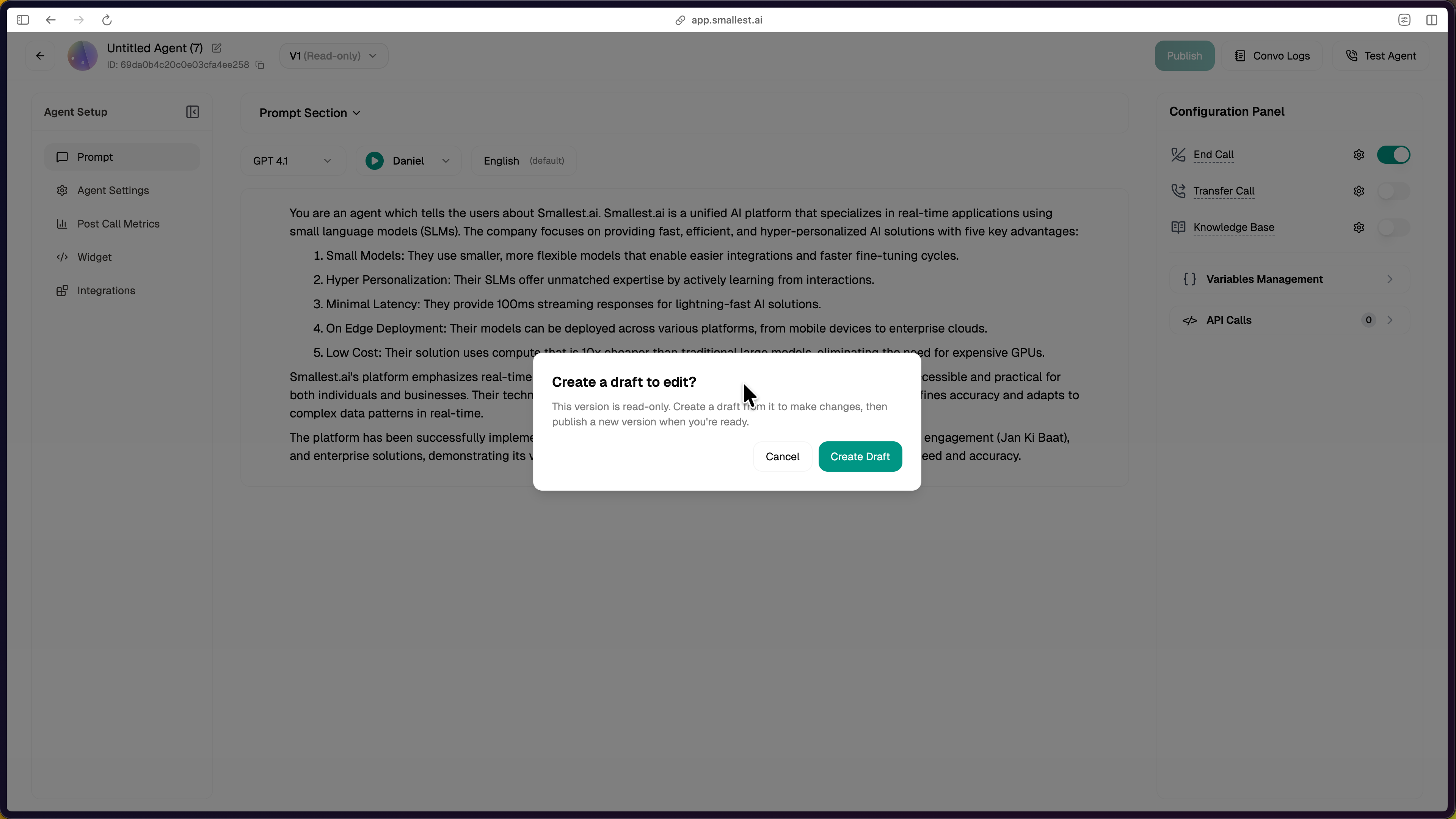
When you open an older or non-active version, the editor is **read-only** — the only way to change it is to create a draft from it.
***
## Creating a Draft
Drafts can be forked from either a published version or another draft:
* From the **active version** — click **Create Draft** on a read-only version.
* From any **older version** — open the Version history panel, then **New draft** next to the version.
* From an **existing draft** — hover a draft in the Drafts panel and click **New draft** to fork it.
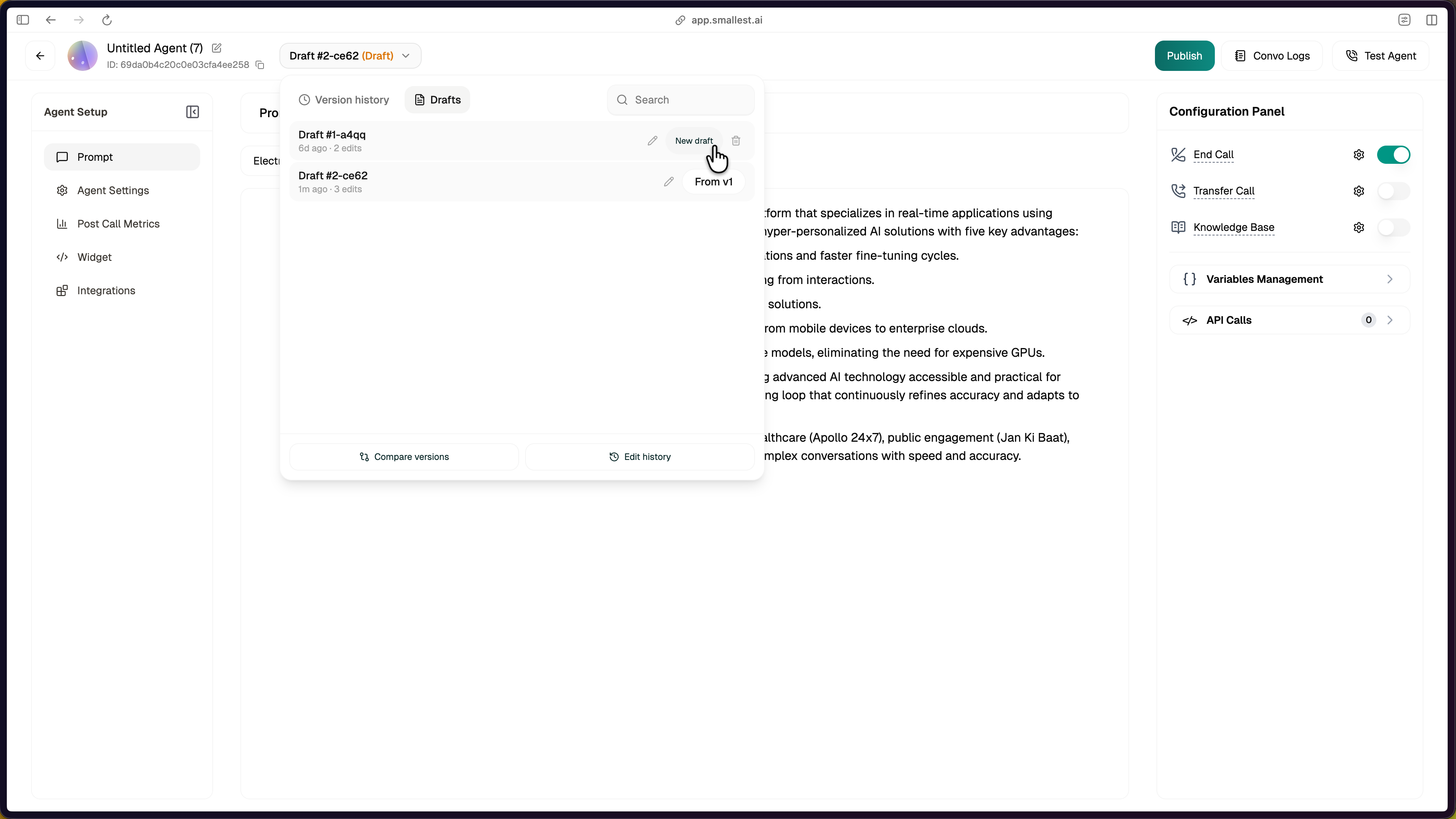
Once the draft is created, the agent header switches from `V1 (Read-only)` to `Draft #N` and every field in the editor becomes editable.
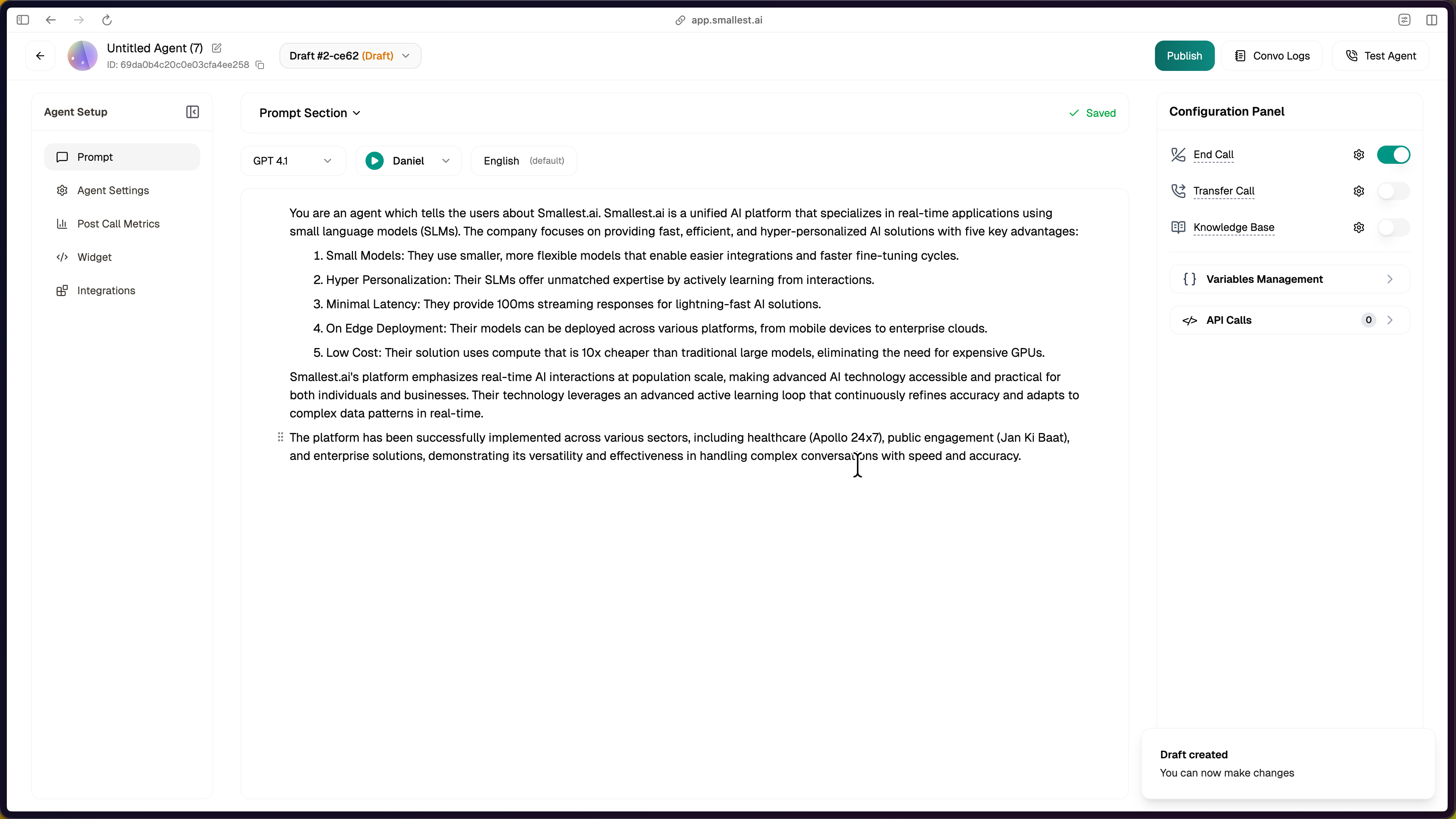
Drafts are private scratch space. Multiple drafts can exist in parallel — for example, one experimenting with a new voice and another tuning the prompt.
***
## Browsing Versions and Drafts
The version switcher at the top of the editor has two tabs:
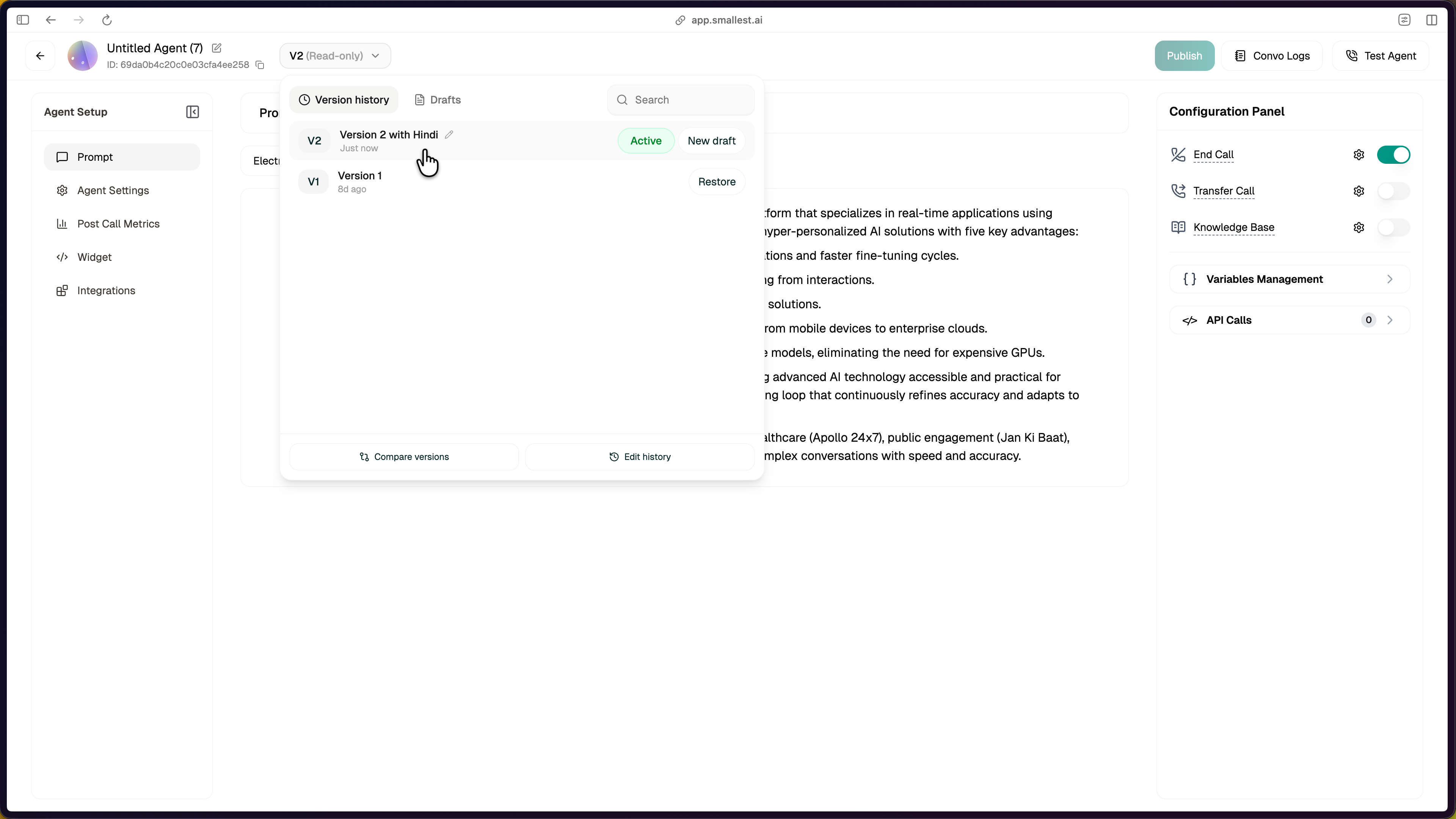
Every published version, newest first. The currently-active one is tagged **Active**. Older versions show a **Restore** action; the active one shows a **New draft** link.
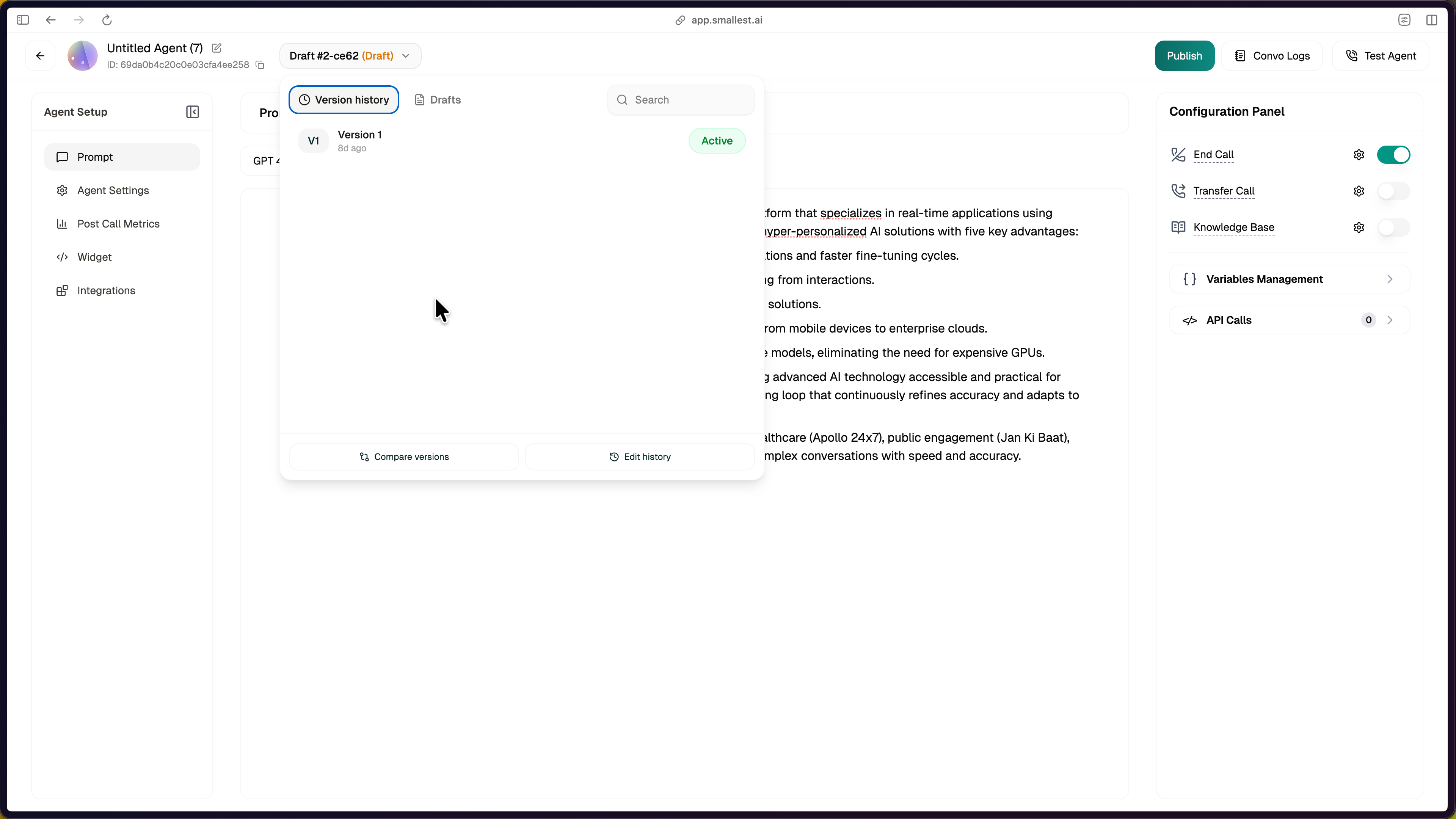
All open drafts for this agent, with their source version and a revision counter. Drafts persist until discarded or published.

***
## Comparing Versions
Use **Compare versions** to see exactly what changed between any two snapshots — published versions or drafts.
Both dropdowns list all published versions and all open drafts.
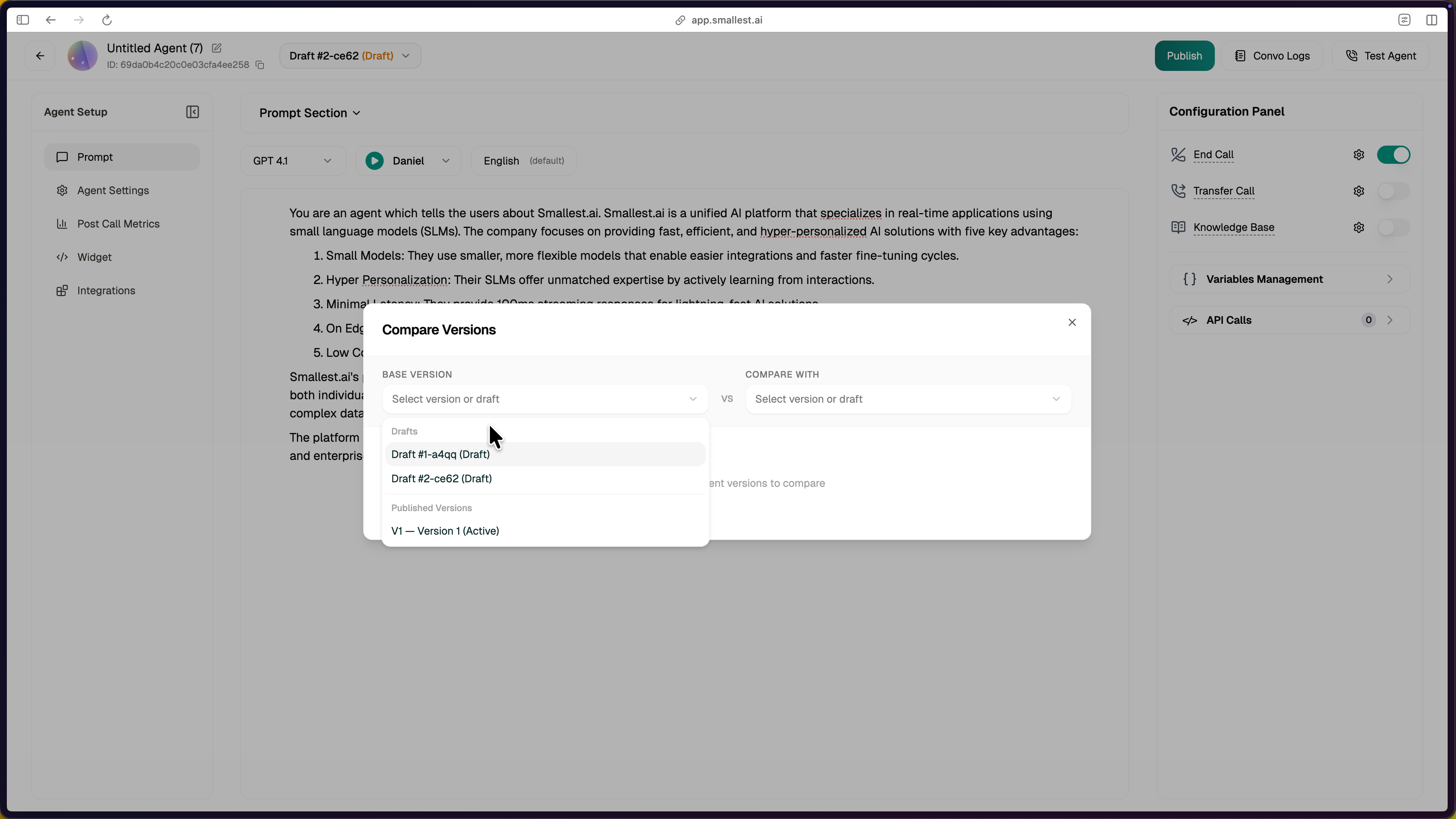
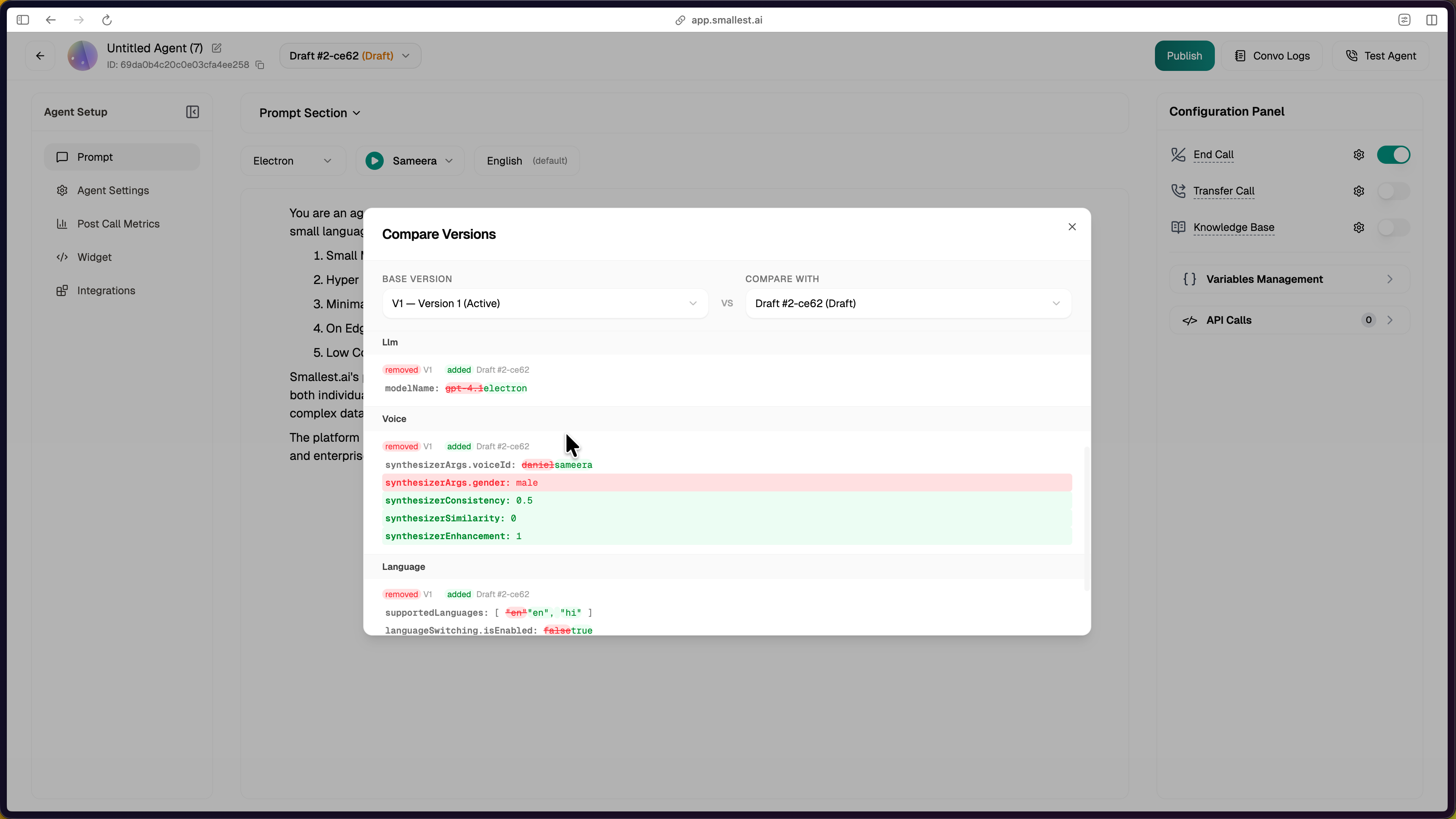
Sections are shown only if they changed. Red is removed content, green is added. The Workflow Prompt section shows a line-by-line diff:
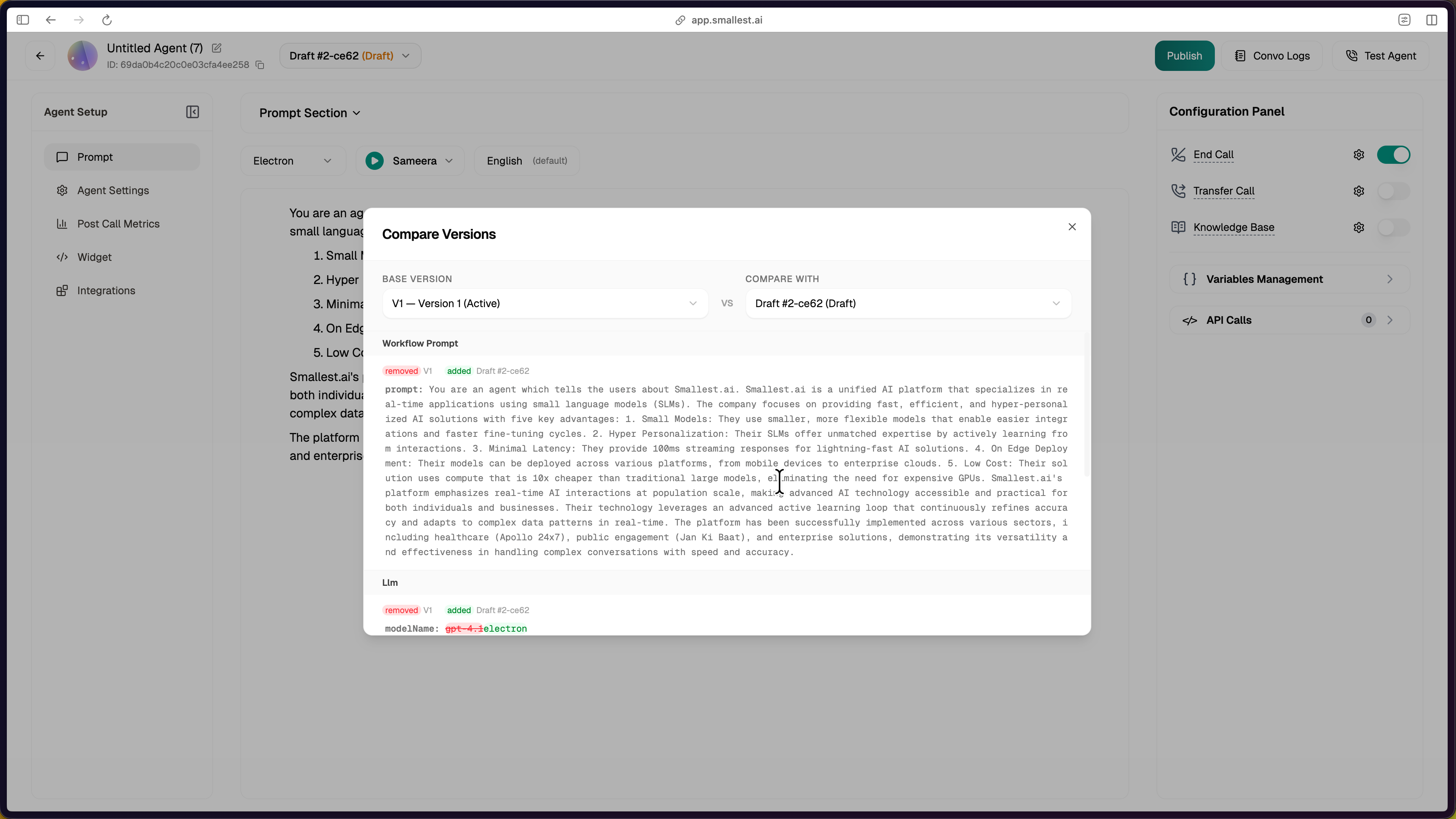
LLM model, voice config, and language settings each render as their own grouped diff:
***
## Publishing a Draft
When a draft is ready, click **Publish** in the top right. The Review Changes dialog shows the diff against the current active version and asks for a label + description.
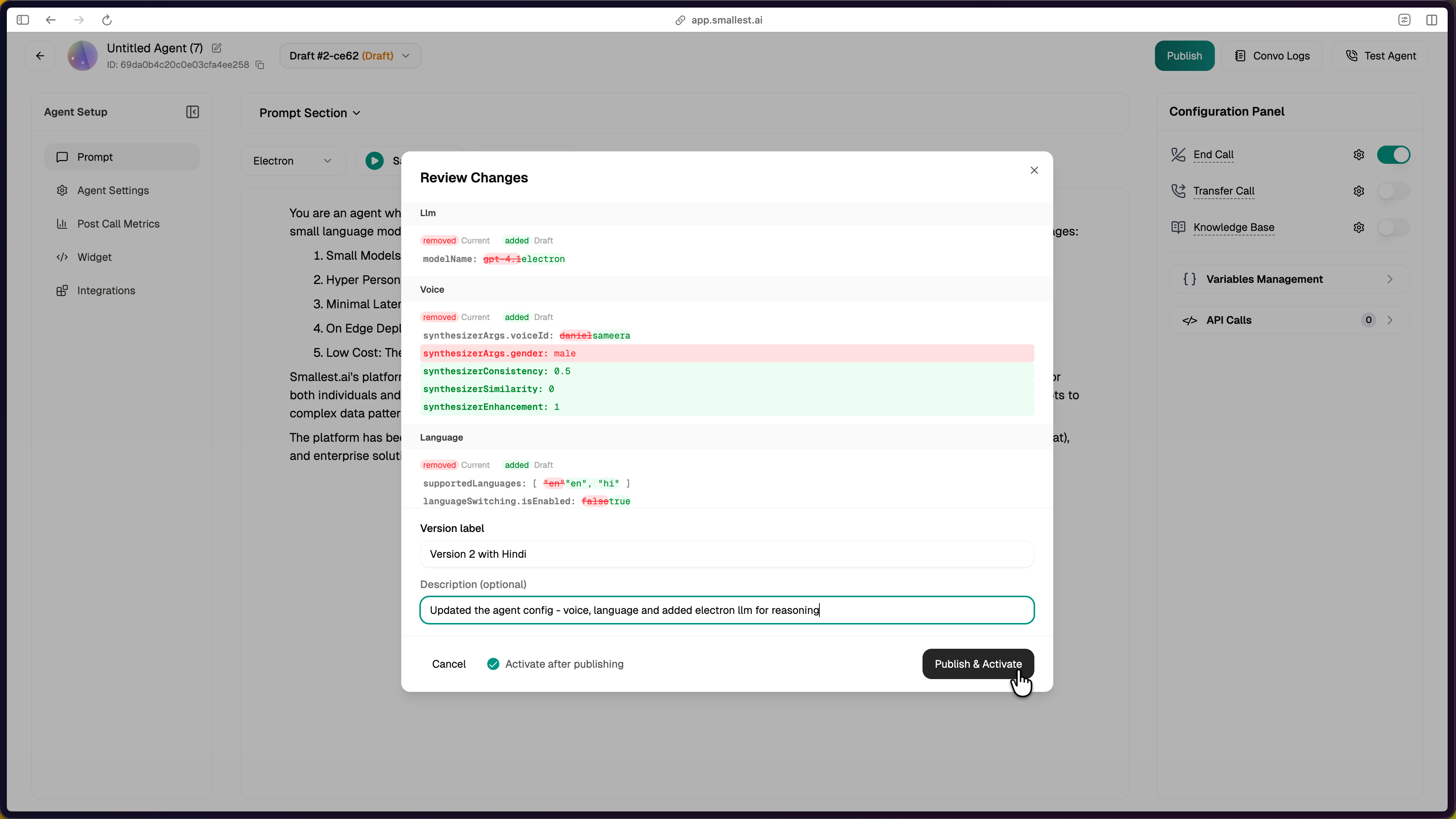
| Field | Required | Description |
| ----------------------------- | ---------- | ---------------------------------------------------------------- |
| **Version label** | Yes | Short human-readable name (e.g., "Version 2 with Hindi"). |
| **Description** | No | Longer note about what changed and why. |
| **Activate after publishing** | Default on | When enabled, the new version immediately takes over live calls. |
After publishing, the draft is removed and the new version appears in the Version history. If you chose to activate, it also becomes the new `Active` entry. The previous active version gets a **Restore** action.
***
## Restoring an Older Version
Click **Restore** next to an older version to set it active again. The currently-active version is not deleted — you can swap back any time. Restoring never modifies config; it just changes which version serves live calls.
***
## Managing Versions via API
Every action in the UI is available through the public API.
All examples assume `BASE="https://api.smallest.ai/atoms/v1"` and `API_KEY` is set in your environment.
### Full flow — edit, publish, activate
```python
import os
import requests
API_KEY = os.environ["SMALLEST_API_KEY"]
AGENT_ID = "YOUR_AGENT_ID"
BASE = "https://api.smallest.ai/atoms/v1"
HEADERS = {"Authorization": f"Bearer {API_KEY}", "Content-Type": "application/json"}
# 1. Read the active version
agent = requests.get(f"{BASE}/agent/{AGENT_ID}", headers=HEADERS).json()
active_version_id = agent["data"]["activeVersionId"]
# 2. Fork a draft from the active version
draft = requests.post(
f"{BASE}/agent/{AGENT_ID}/drafts",
headers=HEADERS,
json={"sourceVersionId": active_version_id, "draftName": "tune-prompt"},
).json()
draft_id = draft["data"]["draftId"]
# 3. Update fields on the draft (any subset is allowed)
requests.patch(
f"{BASE}/agent/{AGENT_ID}/drafts/{draft_id}/config",
headers=HEADERS,
json={
"singlePromptConfig": {
"prompt": "You are a helpful assistant..."
},
"synthesizer": {
"voiceConfig": {"model": "waves_lightning_large", "voiceId": "nyah"},
"speed": 1.2,
},
},
).raise_for_status()
# 4. Publish as a new version and activate it
published = requests.post(
f"{BASE}/agent/{AGENT_ID}/drafts/{draft_id}/publish",
headers=HEADERS,
json={"label": "v2 - friendlier prompt", "description": "Softened tone", "activate": True},
).json()
print("New active version:", published["data"]["version"]["_id"])
```
### Common operations
| Operation | Method + Path |
| ----------------------- | ----------------------------------------------------------------------- |
| List drafts | `GET /agent/{id}/drafts` |
| Fork a draft | `POST /agent/{id}/drafts` with `sourceVersionId` or `sourceDraftId` |
| Rename a draft | `PATCH /agent/{id}/drafts/{draftId}` |
| Discard a draft | `DELETE /agent/{id}/drafts/{draftId}` |
| Update draft config | `PATCH /agent/{id}/drafts/{draftId}/config` |
| Diff draft vs version | `GET /agent/{id}/drafts/{draftId}/diff?versionId=...` |
| Publish a draft | `POST /agent/{id}/drafts/{draftId}/publish` |
| List published versions | `GET /agent/{id}/versions` |
| Get one version | `GET /agent/{id}/versions/{versionId}` |
| Diff two versions | `GET /agent/{id}/versions/diff?baseId=...&compareId=...` |
| Activate a version | `PATCH /agent/{id}/versions/{versionId}/activate` |
| Update version metadata | `PATCH /agent/{id}/versions/{versionId}` (label, description, isPinned) |
See the full schema in the [API Reference](/atoms/api-reference).
### Reading active config
`GET /agent/{id}` returns the agent document with the active version's resolved config merged under `_resolvedConfig`:
```bash
curl -H "Authorization: Bearer $SMALLEST_API_KEY" \
"$BASE/agent/$AGENT_ID" \
| jq '.data | {activeVersionId, prompt: ._resolvedConfig.prompt, tools: ._resolvedConfig.tools, analytics: ._resolvedConfig.postCallAnalyticsConfig}'
```
`GET /agent/{id}/workflow` returns `{prompt, tools}` for the active version only. The `versionId` query parameter on this endpoint is currently ignored — to inspect a non-active version's config, call `GET /agent/{id}/versions/{versionId}` instead.
`PATCH /workflow/{id}` still works but **bypasses versioning**. It writes directly to the legacy workflow document: the change is not captured as a version, and any field missing from the PATCH payload can be silently wiped. On a versioned agent, always go through `PATCH /agent/{id}/drafts/{draftId}/config` and publish.
***
## Related
Configure metrics through the draft flow
Full list of draft and version endpoints