***
title: Knowledge Base
sidebarTitle: Knowledge Base
description: >-
Give your agents access to information they can reference during
conversations.
--------------
A Knowledge Base is a repository of documents and information that your agent can search during conversations. Instead of stuffing everything into a prompt, you upload content and let the agent retrieve what's relevant when needed.
**Location:** Left Sidebar → Knowledge Base
***
## Your Knowledge Bases
The Knowledge Base page shows all your KBs on the left. Click any KB to see its documents on the right.
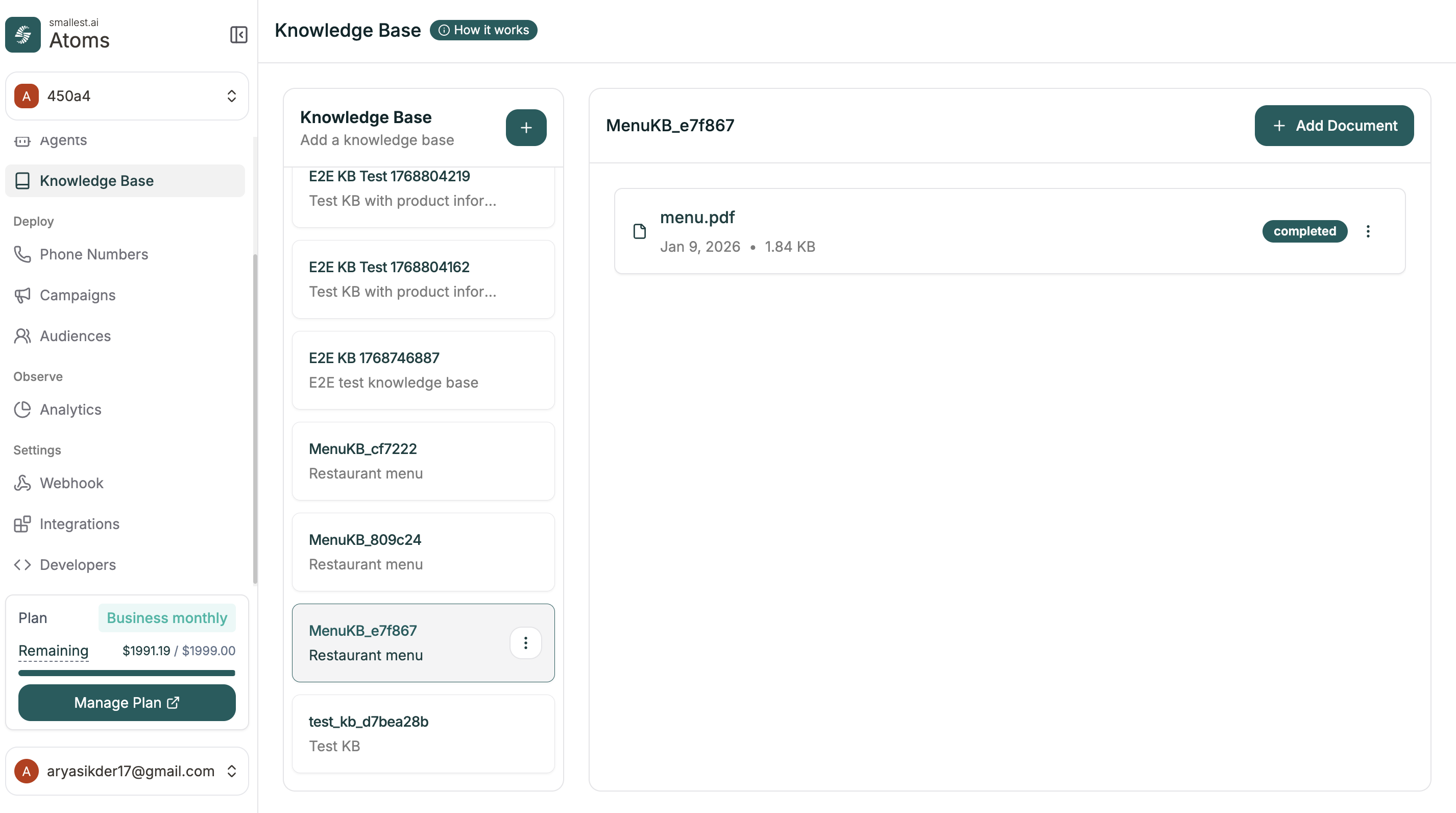 Each document shows its status — **completed** means it's ready for your agent to use.
***
## Creating a Knowledge Base
Click the **+** button next to "Knowledge Base" to create a new one.
Each document shows its status — **completed** means it's ready for your agent to use.
***
## Creating a Knowledge Base
Click the **+** button next to "Knowledge Base" to create a new one.
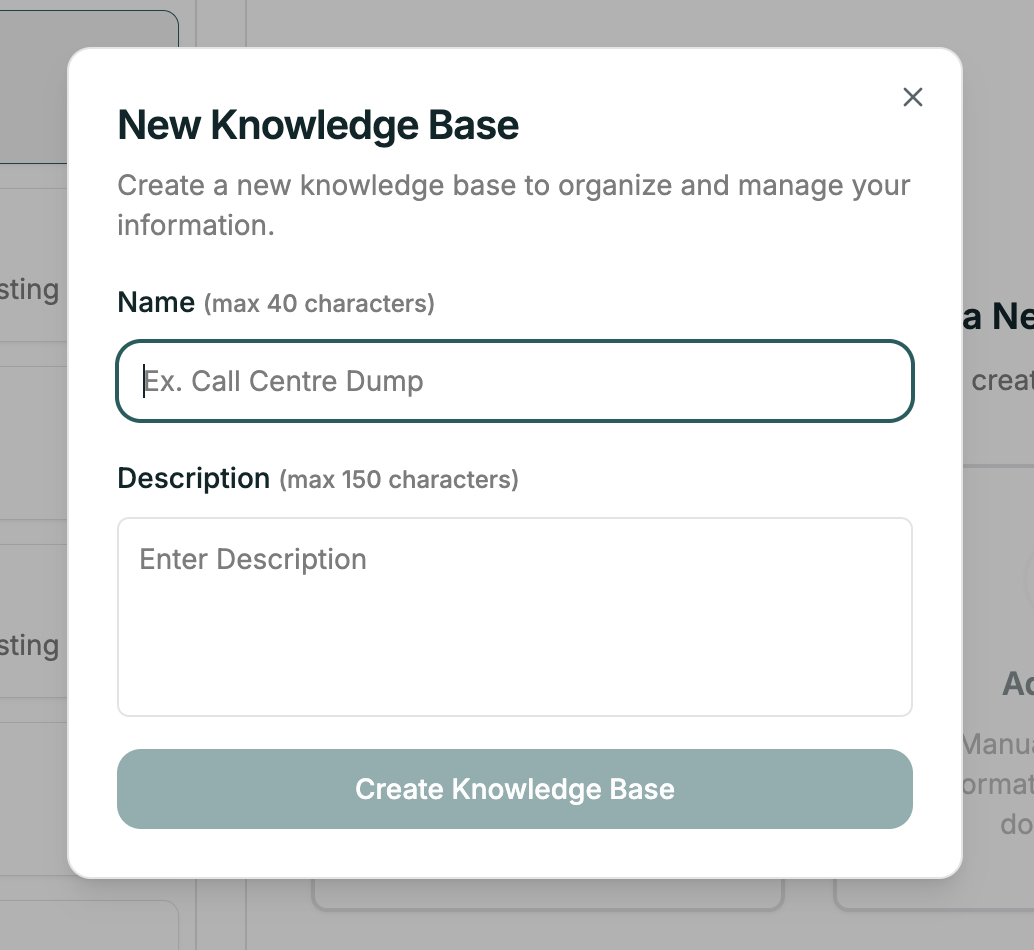 | Field | Description |
| --------------- | ------------------------------------------------- |
| **Name** | Descriptive name (max 40 characters) |
| **Description** | Optional notes about this KB (max 150 characters) |
Click **Create Knowledge Base** to finish.
***
## Adding Documents
Once your KB is created, click **+ Add Document** to add content.
| Field | Description |
| --------------- | ------------------------------------------------- |
| **Name** | Descriptive name (max 40 characters) |
| **Description** | Optional notes about this KB (max 150 characters) |
Click **Create Knowledge Base** to finish.
***
## Adding Documents
Once your KB is created, click **+ Add Document** to add content.
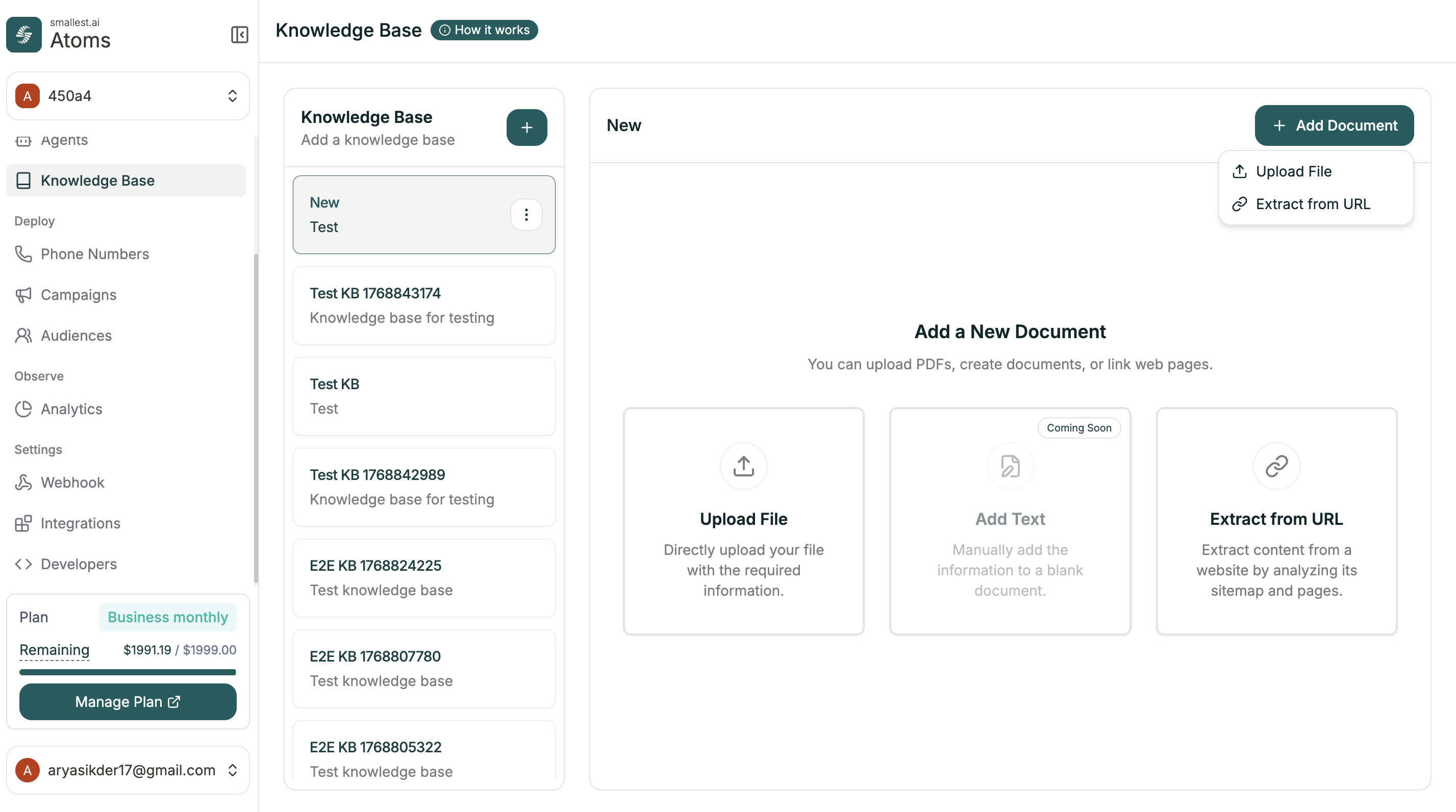 | Option | What it does |
| -------------------- | ---------------------------------------------------- |
| **Upload File** | Upload PDFs and documents directly |
| **Extract from URL** | Pull content from a website by analyzing its sitemap |
| **Add Text** | Coming Soon — manually add text |
After uploading, documents are processed and indexed. Wait for **completed** status before expecting the agent to find the content.
***
## Connecting to Your Agent
Once you have a Knowledge Base with content:
1. Open your agent in the editor
2. Go to **Configuration Panel** (right sidebar)
3. Toggle **Knowledge Base** on
4. Select your KB from the dropdown
The agent can now search this KB during conversations.
***
## Tips
Outdated information leads to wrong answers. Review and update regularly — especially policies, pricing, and procedures.
Use clear headings and concise paragraphs. Q\&A format works well because it matches how callers actually ask questions.
Focused, relevant content retrieves better than massive document dumps. Don't upload everything — upload what matters.
Ask your agent questions that should use the new content. Verify it finds and uses the right information.
***
## Related
Dynamic values in conversations
Connect to external services
| Option | What it does |
| -------------------- | ---------------------------------------------------- |
| **Upload File** | Upload PDFs and documents directly |
| **Extract from URL** | Pull content from a website by analyzing its sitemap |
| **Add Text** | Coming Soon — manually add text |
After uploading, documents are processed and indexed. Wait for **completed** status before expecting the agent to find the content.
***
## Connecting to Your Agent
Once you have a Knowledge Base with content:
1. Open your agent in the editor
2. Go to **Configuration Panel** (right sidebar)
3. Toggle **Knowledge Base** on
4. Select your KB from the dropdown
The agent can now search this KB during conversations.
***
## Tips
Outdated information leads to wrong answers. Review and update regularly — especially policies, pricing, and procedures.
Use clear headings and concise paragraphs. Q\&A format works well because it matches how callers actually ask questions.
Focused, relevant content retrieves better than massive document dumps. Don't upload everything — upload what matters.
Ask your agent questions that should use the new content. Verify it finds and uses the right information.
***
## Related
Dynamic values in conversations
Connect to external services