***
title: Node Types
sidebarTitle: Node Types
description: Complete reference for every node type in Conversational Flow.
---------------------------------------------------------------------------
Nodes are the building blocks of your conversation flow. Each type serves a specific purpose in guiding the conversation from start to finish.
***
## Node Types at a Glance
| Node | Purpose | When to Use |
| ------------------------------------ | ----------------- | ---------------------------------------------------------- |
| [Default](#default-node) | Conversation step | Each conversation point where the agent speaks and listens |
| [API Call](#api-call-node) | External data | Fetch or send data mid-conversation |
| [Transfer Call](#transfer-call-node) | Handoff to human | Connect caller to a live agent |
| [End Call](#end-call-node) | Terminate call | Natural conversation endings |
| [Pre-Call API](#pre-call-api-node) | Load context | Get data before the call starts |
| [Post-Call API](#post-call-api-node) | Save data | Send data after the call ends |
***
## Default Node
The workhorse of your flow. Each Default node represents one step in the conversation where your agent speaks and waits for a response.
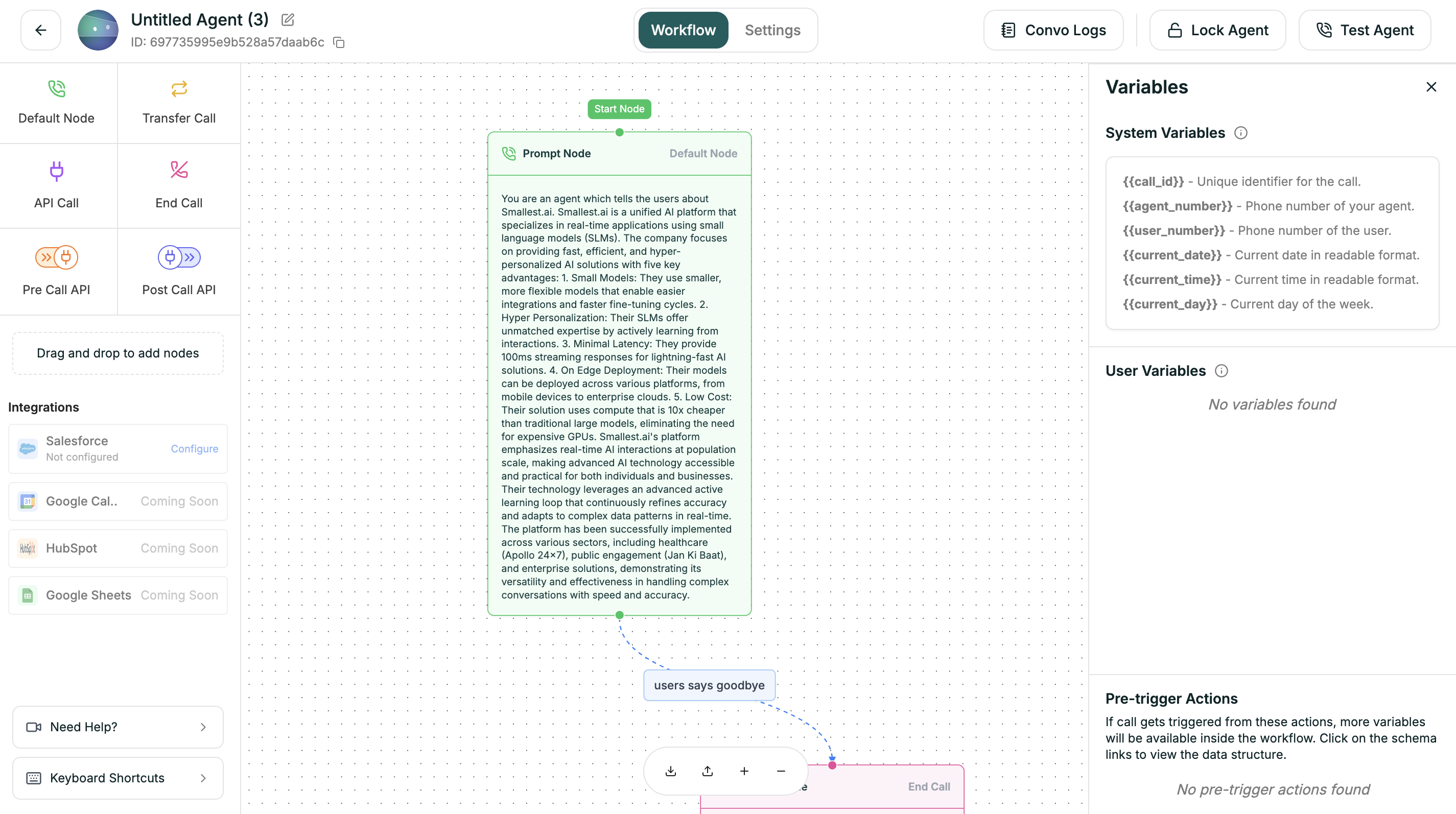
### Configuration
Click a Default node to open its settings panel.
| Field | Description |
| ------------ | ------------------------------------- |
| **Name** | Identifier shown on the canvas |
| **Prompt** | What the agent says at this step |
| **Branches** | Output paths based on caller response |
### Uninterruptible Mode
When enabled, the user cannot interrupt the bot while it is speaking on this node. This ensures the bot completes its message before any user interaction is allowed.
| Setting | Behavior |
| ----------------- | --------------------------------------------------------- |
| **OFF** (default) | Caller can interrupt at any time |
| **ON** | Bot must finish speaking before caller input is processed |
Use Uninterruptible mode for critical messages like legal disclaimers, confirmation summaries, or important instructions that shouldn't be cut off.
### Example Prompts
```
Hi! Thanks for calling Acme Support. My name is Alex.
How can I help you today?
```
```
I'd be happy to help with that. First, could you tell
me your account number or the email on file?
```
```
Just to confirm — you'd like to schedule a demo for
next Tuesday at 2pm. Is that correct?
```
***
## API Call Node
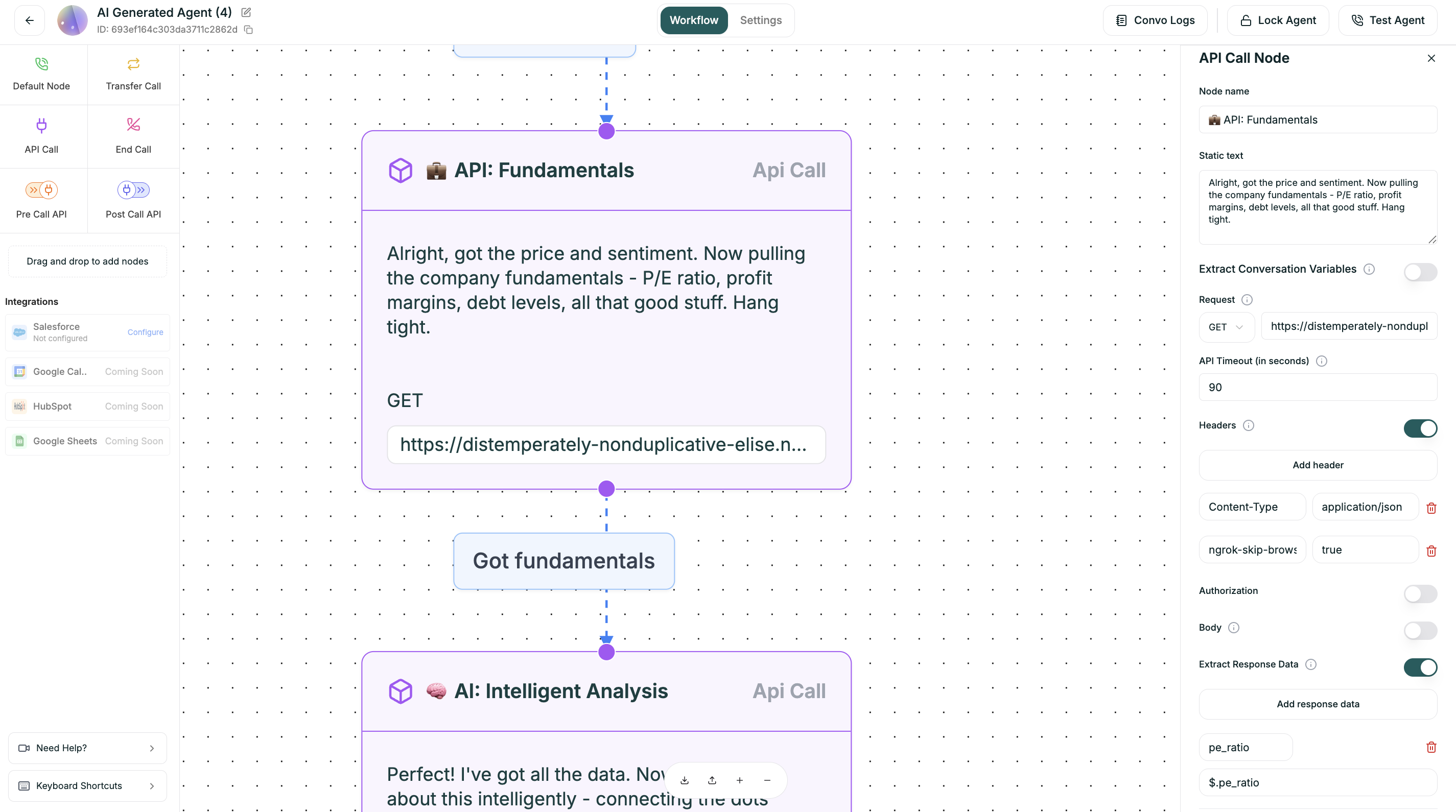
Connect your agent to external systems mid-conversation. Fetch data, book appointments, update records — anything your APIs can do.
### Requirements
**API Call nodes have connection requirements:**
* Must have at least one incoming connection
* Must have at least one outgoing connection
* Must have an endpoint URL configured
### Configuration
Click an API Call node to configure the request.
Select the HTTP method and enter the full API endpoint URL you want to call.
| Field | Description |
| ---------- | ------------------------------------------------------------- |
| **Method** | HTTP method (GET, POST, PUT, PATCH, DELETE) |
| **URL** | Full endpoint URL (e.g., `https://api.example.com/customers`) |
Use variables in the URL for dynamic requests:
```
https://api.example.com/customers/{{caller_phone}}
```
Add custom headers to your API request. These are key-value pairs, often used for things like Content-Type or API keys.
| Common Headers | Example Value |
| --------------- | -------------------- |
| `Content-Type` | `application/json` |
| `Authorization` | `Bearer {{api_key}}` |
| `X-API-Key` | `your-api-key-here` |
Click **+ Add Header** to add each header.
Construct the data payload for your request. This is typically required for POST, PUT, or PATCH methods.
```json
{
"phone": "{{caller_phone}}",
"name": "{{customer_name}}",
"action": "lookup"
}
```
Variables are replaced with actual values at runtime.
Specify a variable name and a JSONPath expression to extract a specific value from the API response. This value is then stored in the variables for use in subsequent steps.
| Field | Description |
| ----------------- | --------------------------------------------------------- |
| **Variable Name** | Name to store the extracted value (e.g., `customer_name`) |
| **JSONPath** | Path to the value in the response (e.g., `$.data.name`) |
**Example:**
If your API returns:
```json
{
"data": {
"name": "John Smith",
"tier": "premium",
"balance": 1500
}
}
```
Extract mappings:
| Variable | JSONPath |
| --------------- | ---------------- |
| `customer_name` | `$.data.name` |
| `account_tier` | `$.data.tier` |
| `balance` | `$.data.balance` |
Use in later nodes: `"Hi {{customer_name}}, I see you're a {{account_tier}} member."`
### Branching on Results
After extracting response data, you can branch based on the results:
```
[API Call: Check Account]
├── Success ({{account_tier}} == "premium") → VIP Flow
├── Success ({{account_tier}} == "basic") → Standard Flow
├── Error → Fallback / Transfer
```
***
## Transfer Call Node
Hand the conversation to a human when needed — for escalations, complex issues, or high-value opportunities.
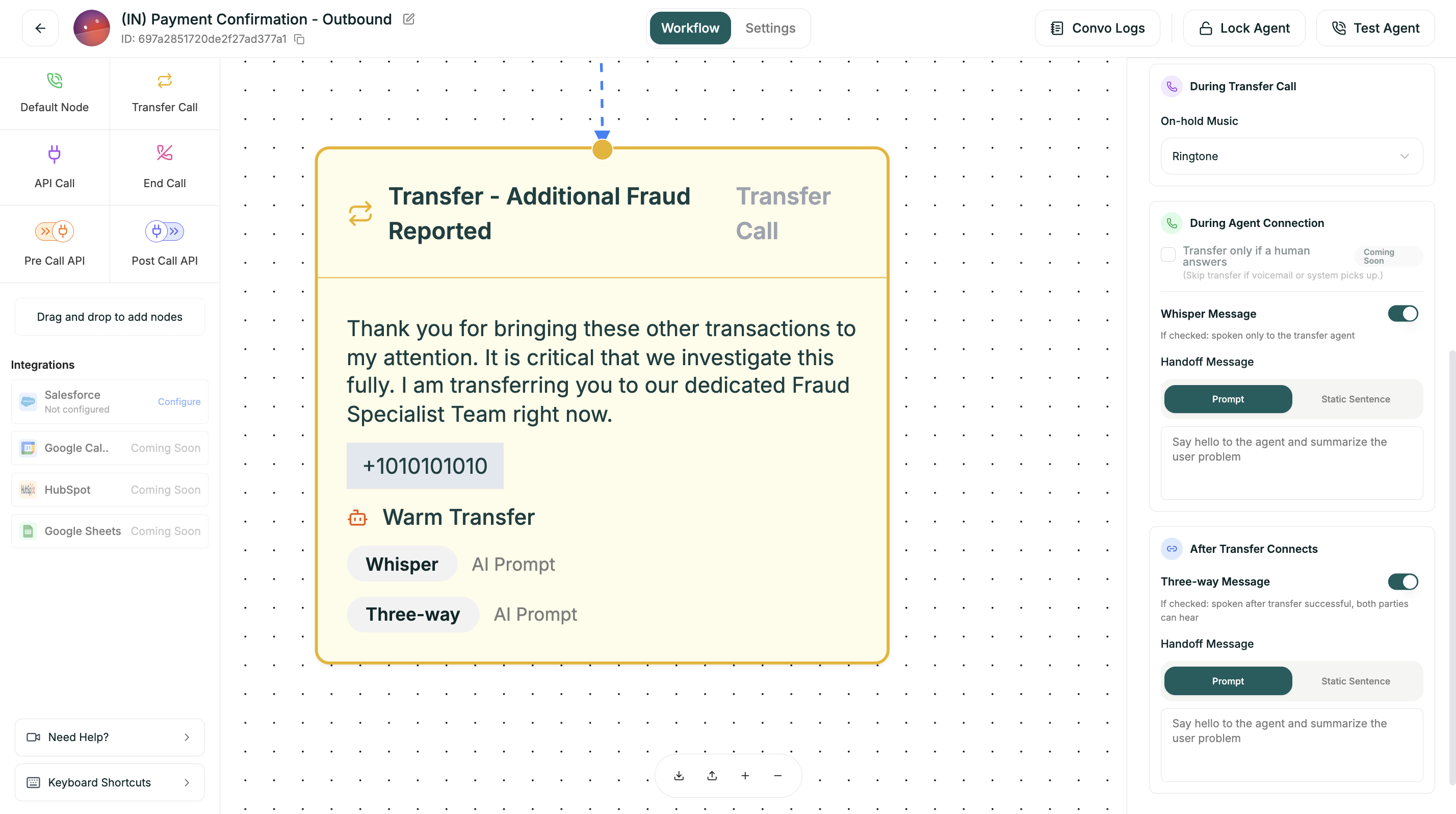
### Configuration
| Field | Required | Description |
| ----------------- | -------- | -------------------------------------- |
| **Name** | Yes | Identifier (e.g., `transfer_to_sales`) |
| **Description** | Yes | When this transfer should trigger |
| **Phone Number** | Yes | Transfer destination with country code |
| **Transfer Type** | Yes | Cold or Warm |
### Transfer Types
**Immediate handoff.** The caller is connected directly to the destination without any briefing to the receiving agent.
| Pros | Cons |
| ------ | ------------------------------ |
| Fast | No context for receiving agent |
| Simple | Caller may repeat themselves |
**Best for:**
* Simple escalations
* When context isn't needed
* Time-sensitive transfers
* High call volume scenarios
**AI briefs the agent first.** The receiving agent gets context before the caller joins.
| Pros | Cons |
| ----------------- | ------------------ |
| Human has context | Slightly longer |
| Better experience | More configuration |
**Best for:**
* Complex issues needing context
* VIP callers
* When continuity matters
### Warm Transfer Options
| Setting | Description |
| --------------------- | ------------------------------------------------------ |
| **On-hold Music** | What the caller hears while waiting for connection |
| **Transfer if Human** | Skip transfer if voicemail detected (coming soon) |
| **Whisper Message** | Private message only the agent hears before connecting |
| **Handoff Message** | What the AI says to brief the receiving agent |
| **Three-way Message** | Message both parties hear when connected |
**Example Whisper Message:**
```
Incoming transfer: Customer calling about a billing dispute.
They've been charged twice for order #12345.
Identity already verified.
```
**Example Three-way Message:**
```
I've connected you with Sarah from our billing team.
Sarah, this customer is calling about a duplicate charge.
```
***
## End Call Node
Gracefully conclude the conversation when the interaction is complete.
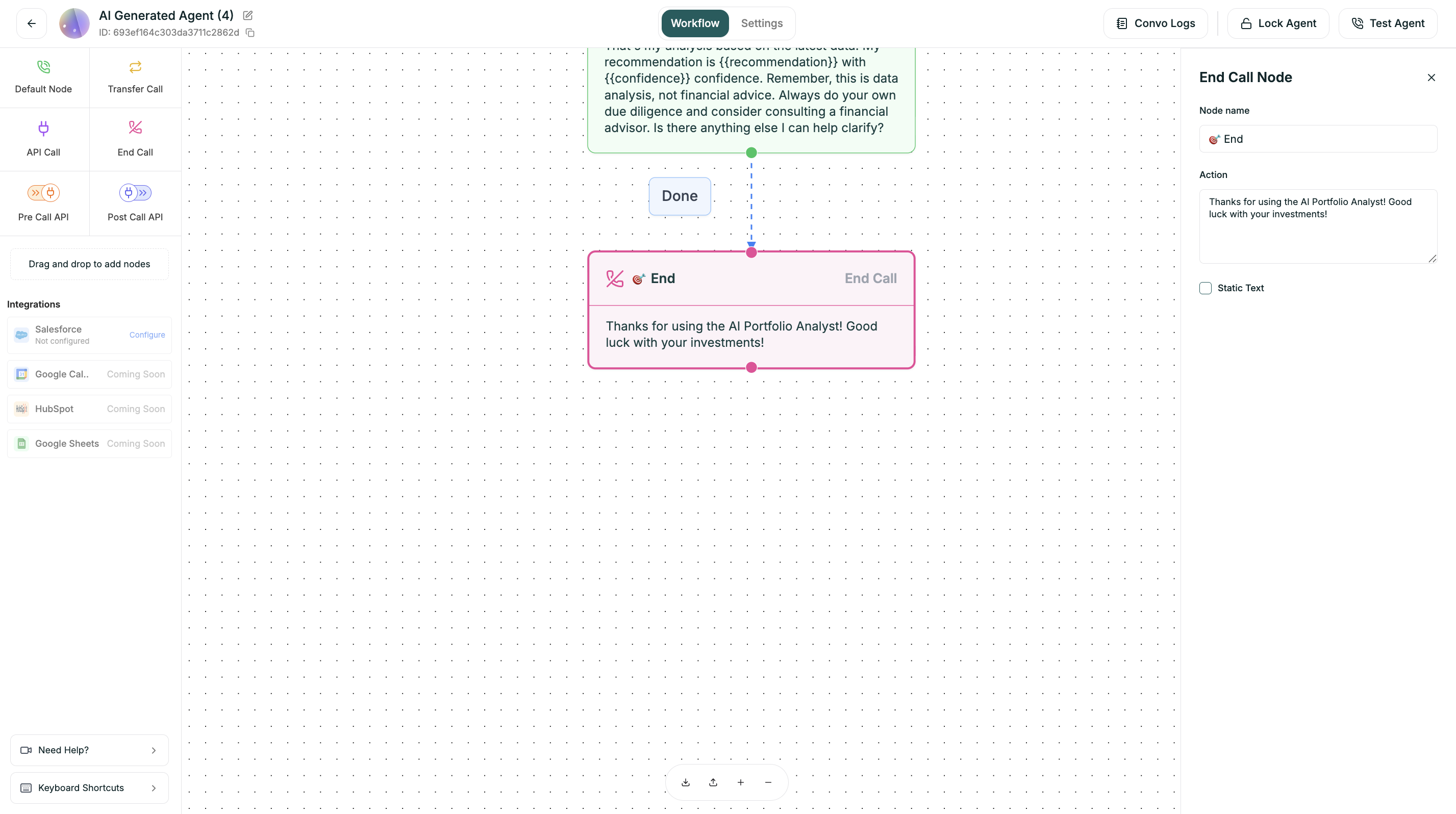
### Configuration
| Field | Description |
| ------------------- | ----------------------------- |
| **Name** | Identifier for this ending |
| **Closing Message** | Final words before hanging up |
### Example Closings
```
Great! You're all set. Is there anything else I can
help you with today? ... Perfect, thank you for calling
Acme. Have a wonderful day!
```
```
I'm connecting you now. Thanks for calling Acme, and
have a great day!
```
```
Thanks so much for your interest. I'll have someone
send over some resources that might be helpful. Take care!
```
**Every path must end.** Make sure all branches in your flow eventually reach an End Call or Transfer Call node.
***
## Pre-Call API Node
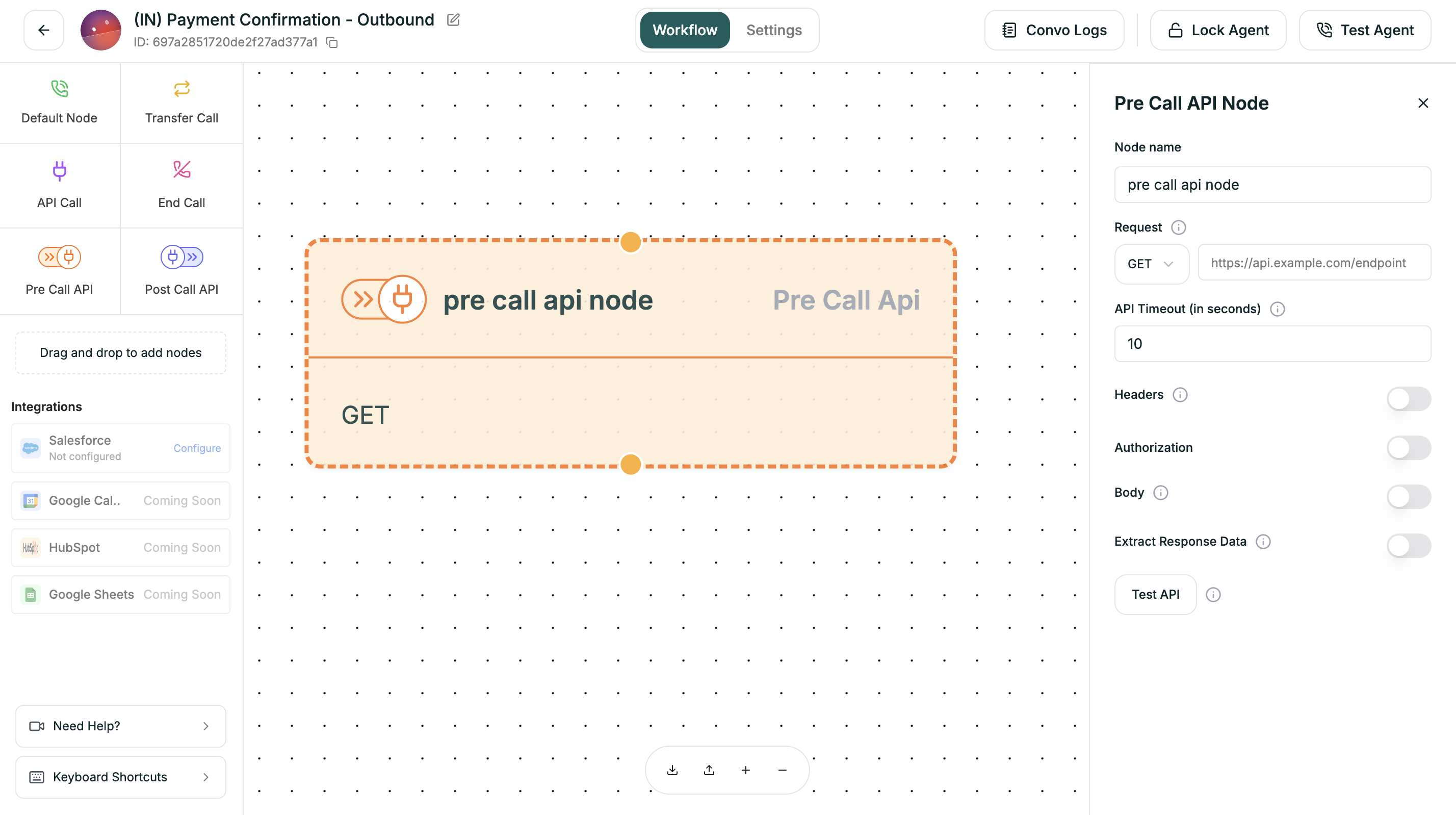
Execute API calls *before* your agent says hello. Perfect for loading personalized data that shapes the entire conversation.
### When It Runs
The Pre-Call API executes immediately when the call connects, before any conversation:
1. Phone rings / Call connects
2. **Pre-Call API executes** ← Here
3. Data available in variables
4. Conversation starts (first Default node)
### Configuration
Pre-Call API uses the same configuration as the [API Call node](#api-call-node):
* **Request:** Method + URL
* **Headers:** Key-value pairs
* **Body:** JSON payload (for POST requests)
* **Extract Response Data:** Variable name + JSONPath
### Use Cases
| Scenario | What to Fetch |
| ------------------- | --------------------------------------- |
| **CRM Lookup** | Customer history before greeting |
| **Account Status** | Check for open issues or alerts |
| **Personalization** | Load name, preferences, language |
| **Routing Logic** | VIP status, time zone, special handling |
### Example
```
GET https://crm.example.com/lookup?phone={{caller_phone}}
Response Mapping:
$.customer_name → customer_name
$.last_ticket → last_issue
$.tier → account_tier
```
Your greeting node can now say:
```
"Hi {{customer_name}}! Thanks for calling back.
Are you still having trouble with {{last_issue}}?"
```
***
## Post-Call API Node
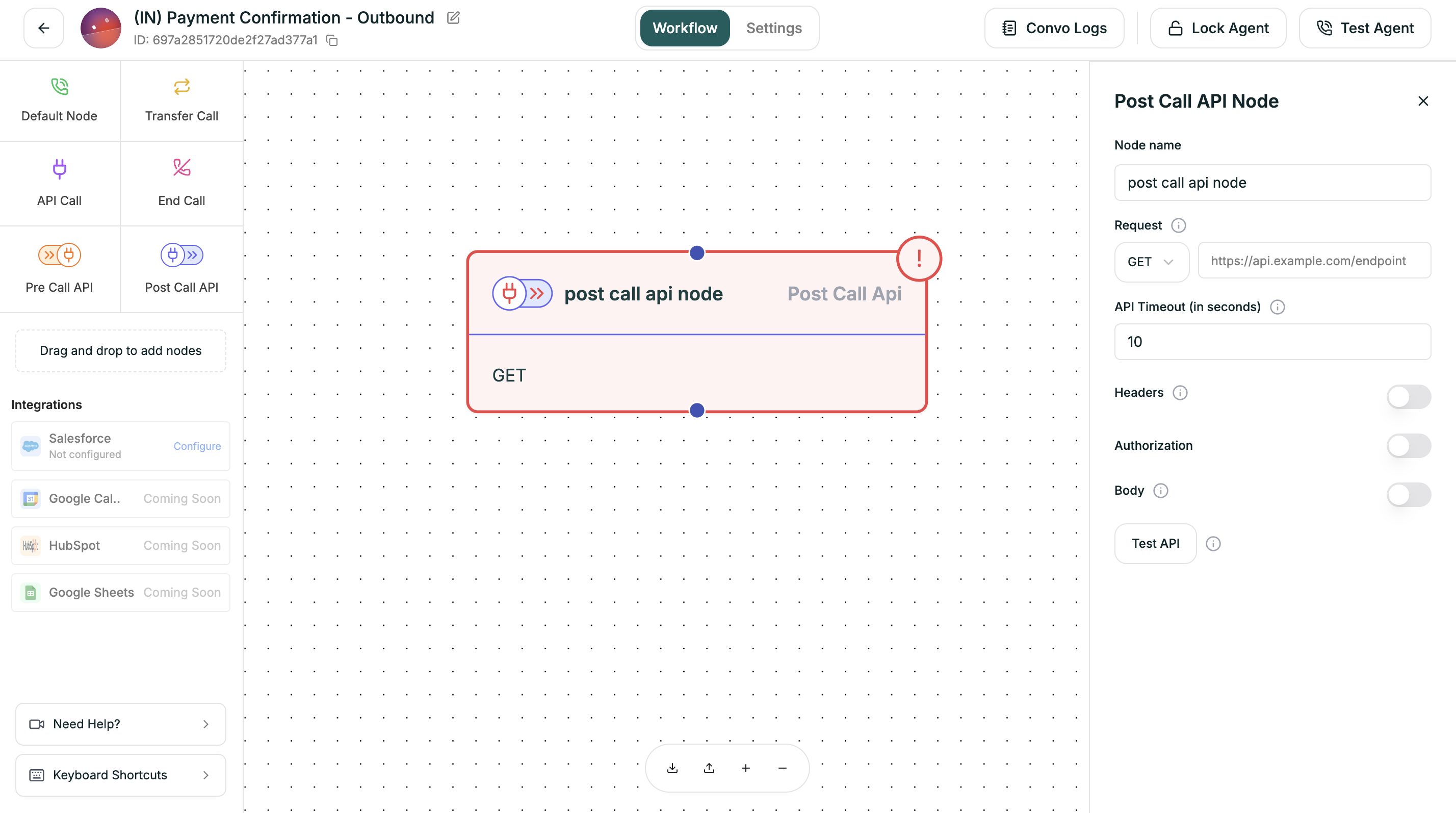
Trigger actions *after* the call ends. Perfect for logging outcomes, updating CRMs, and triggering follow-ups.
### When It Runs
The Post-Call API executes after the conversation ends:
1. Conversation ends (End Call node reached)
2. Call terminates
3. **Post-Call API executes** ← Here
4. Data saved externally
### Configuration
Post-Call API uses the same configuration as the [API Call node](#api-call-node):
* **Request:** Method + URL
* **Headers:** Key-value pairs
* **Body:** JSON payload (typically POST)
* **Extract Response Data:** Variable name + JSONPath
### Use Cases
| Scenario | What to Send |
| ---------------------- | -------------------------------------- |
| **CRM Logging** | Call summary, outcome, duration |
| **Ticket Creation** | Issue details, priority level |
| **Follow-up Triggers** | Send email confirmations, SMS receipts |
| **Analytics** | Custom metrics, conversion tracking |
### Example
```
POST https://crm.example.com/calls
Body:
{
"phone": "{{caller_phone}}",
"duration": "{{call_duration}}",
"outcome": "{{disposition}}",
"notes": "{{call_summary}}",
"agent_id": "{{agent_id}}",
"collected": {
"name": "{{collected_name}}",
"budget": "{{collected_budget}}"
}
}
```
***
## Choosing the Right Node
| If you need to... | Use |
| ------------------------------------------ | ------------------------------------ |
| Ask a question or give information | Default Node |
| Make the bot uninterruptible for a message | Default Node with Uninterruptible ON |
| Get external data mid-conversation | API Call Node |
| Transfer to a human | Transfer Call Node |
| End the conversation | End Call Node |
| Load data before the call starts | Pre-Call API Node |
| Save data after the call ends | Post-Call API Node |
***
## Next
Create dynamic conversation paths
Use dynamic data in your nodes